Position The Paper Input And Adjust The Paper Guides
295
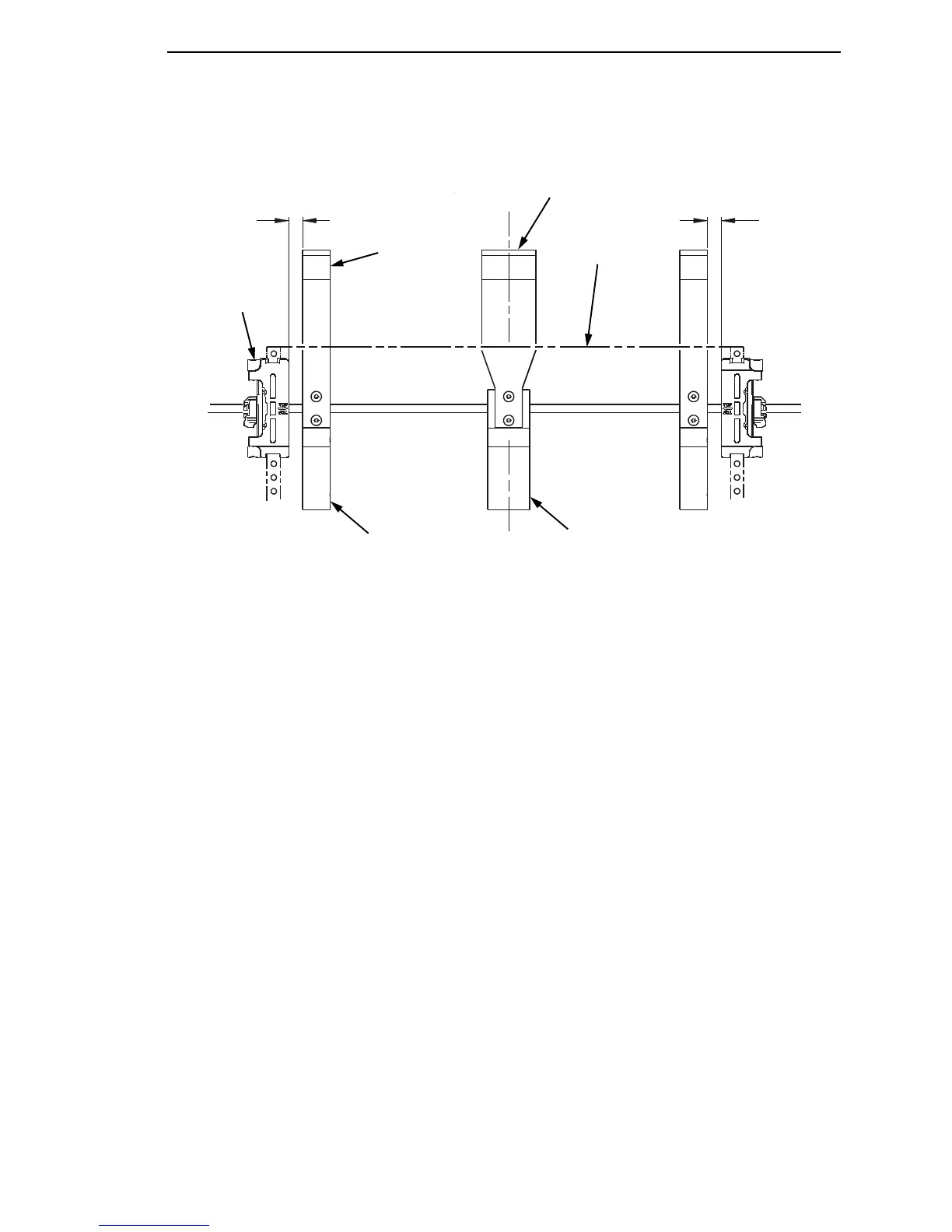
Figure 30. Adjusting Paper Guide Leaves
4. Slide the left outboard mount block so that the left outer paper guide leaf
is .5 inches from the left tractor. (See
Figure 30).
5. Slide the right outboard mount block so that the right outer paper guide
leaf is .5 inches from the right tractor.
6. Slide the center mount block so that the center paper guide leaf is
centered between the left and right outer paper guide leaves.
7. Install the paper guide knobs and front paper guide leaves.
(See Figure 29.)
183485a
Paper
Tractor (2)
Outer Paper
Guide Leaf (2)
Center Paper
Guide Leaf
.5
''
.5
''
Outboard Mount
Block (2)
Center Mount
Block













 To Next Page