Load Paper
297
1. Align the paper supply box with the label on the bottom left side of the
modesty panel. (See
Figure 31 on page 296.)
2. Unlock and open the tractor doors and slide the paper from below,
through the black paper out sensor slot on the left side, and up between
all front and rear paper guides.
3. Load the paper on the left tractor sprockets and close the tractor door.
4. Load the paper onto the right tractor sprockets and close the tractor door.
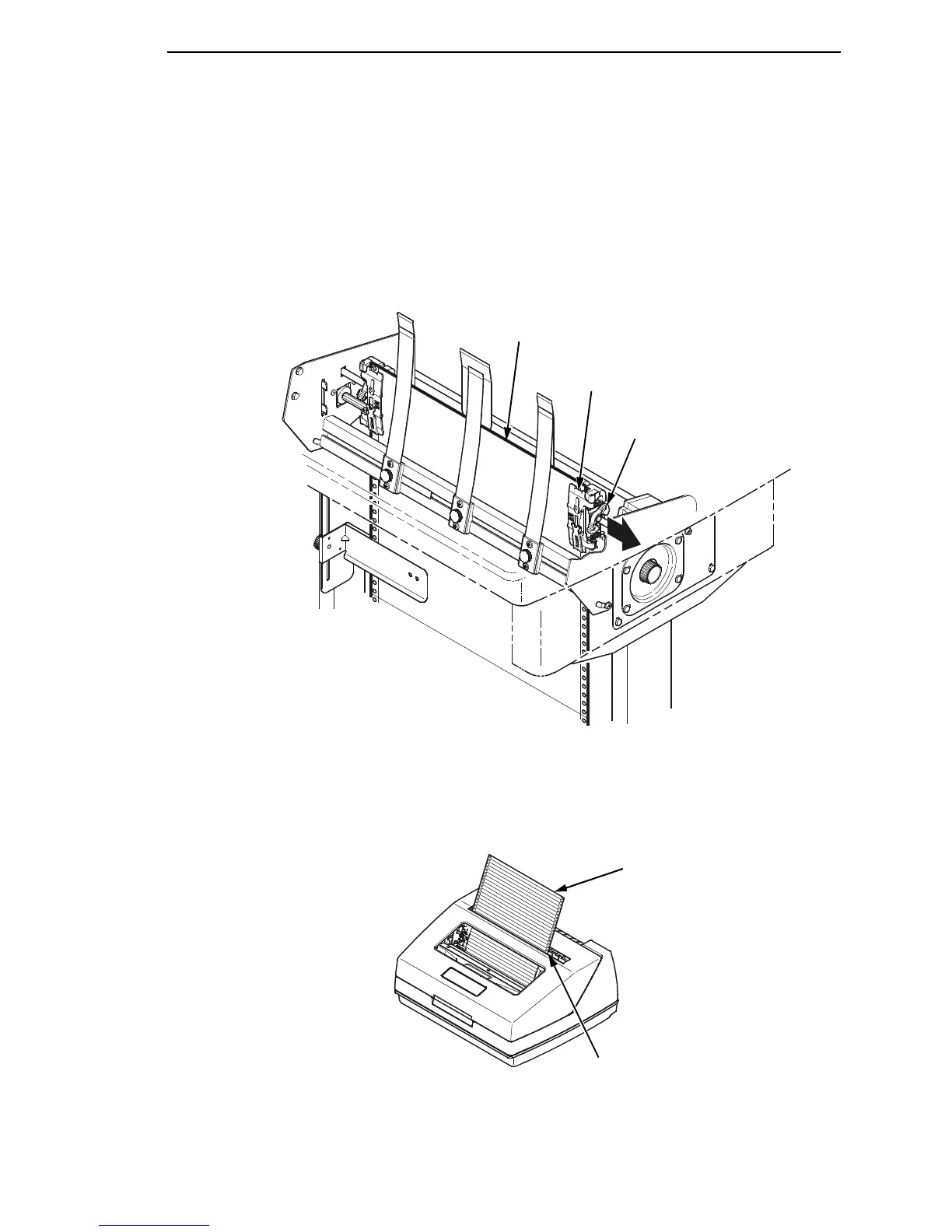
Figure 32. Adjusting the Horizontal Paper Tension
5. Adjust the paper web tightness by sliding the right tractor to remove slack
or to adjust for various paper widths. (See
Figure 32.)
6. Lock the tractors in position by pressing down on the tractor locks.
Figure 33. Paper Exiting the Top of the Printer
183488a
Tractor
Lock (2)
Tractor (2)
Paper
183489a
Paper
Tear Bar













 To Next Page