User Manual
111
installed.
Steps:
1. Enter the Network Settings interface.
Menu > Configuration > Network
2. Select the More Settings tab to enter the More Settings interface.
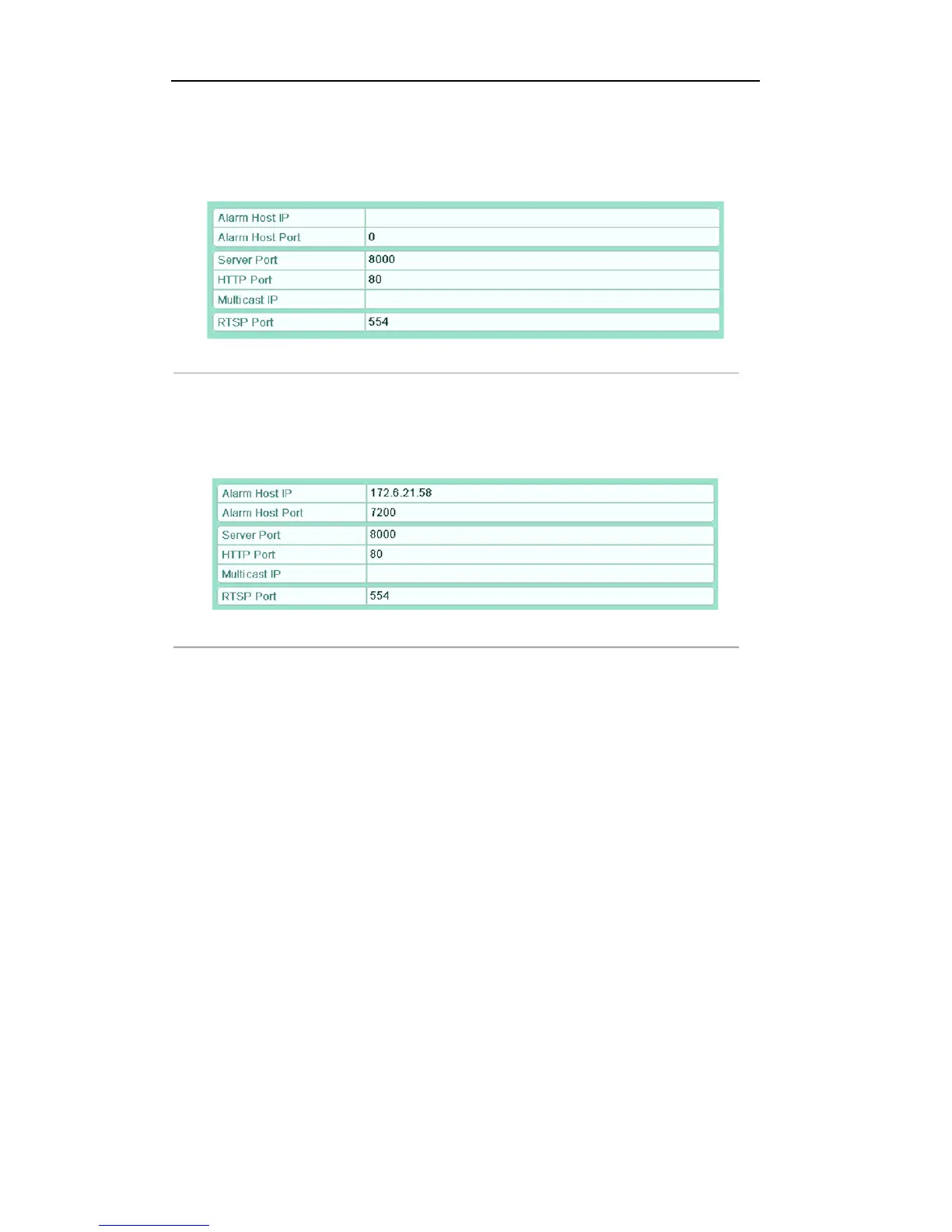
Figure'9.24'More'Settings'Interface'
3. Enter Alarm Host IP and Alarm Host Port in the text fields.
The Alarm Host IP refers to the IP address of the remote PC on which the CMS (Client Management
System) software (e.g., iVMS-4200) is installed, and the Alarm Host Port must be the same as the
alarm monitoring port configured in the software (default port is 7200).
Figure'9.25'Configure'Alarm'Host'
4. Click the Apply button to save and exit the interface.
8.2.7!Conf igur ing!Multicast!
Purpose:
The multicast can be configured to realize live view for more than the maximum number of cameras through
network.
A multicast address spans the Class-D IP range of 224.0.0.0 to 239.255.255.255. It is recommended to use the
IP address ranging from 239.252.0.0 to 239.255.255.255.
Steps:
1. Enter the Network Settings interface.
Menu > Configuration > Network
2. Select the More Settings tab to enter the More Settings interface.
3. Set Multicast IP. When adding a device to the CMS (Client Management System) software, the
multicast address must be the same as the device’s multicast IP.



 To Next Page