User Manual
62
4.8 Files Protection
Purpose:
You can lock the recorded files or set the HDD property to Read-only to protect the record files from being
overwritten.
Protect file by locking the record files:
Steps:
1. Enter Playback setting interface.
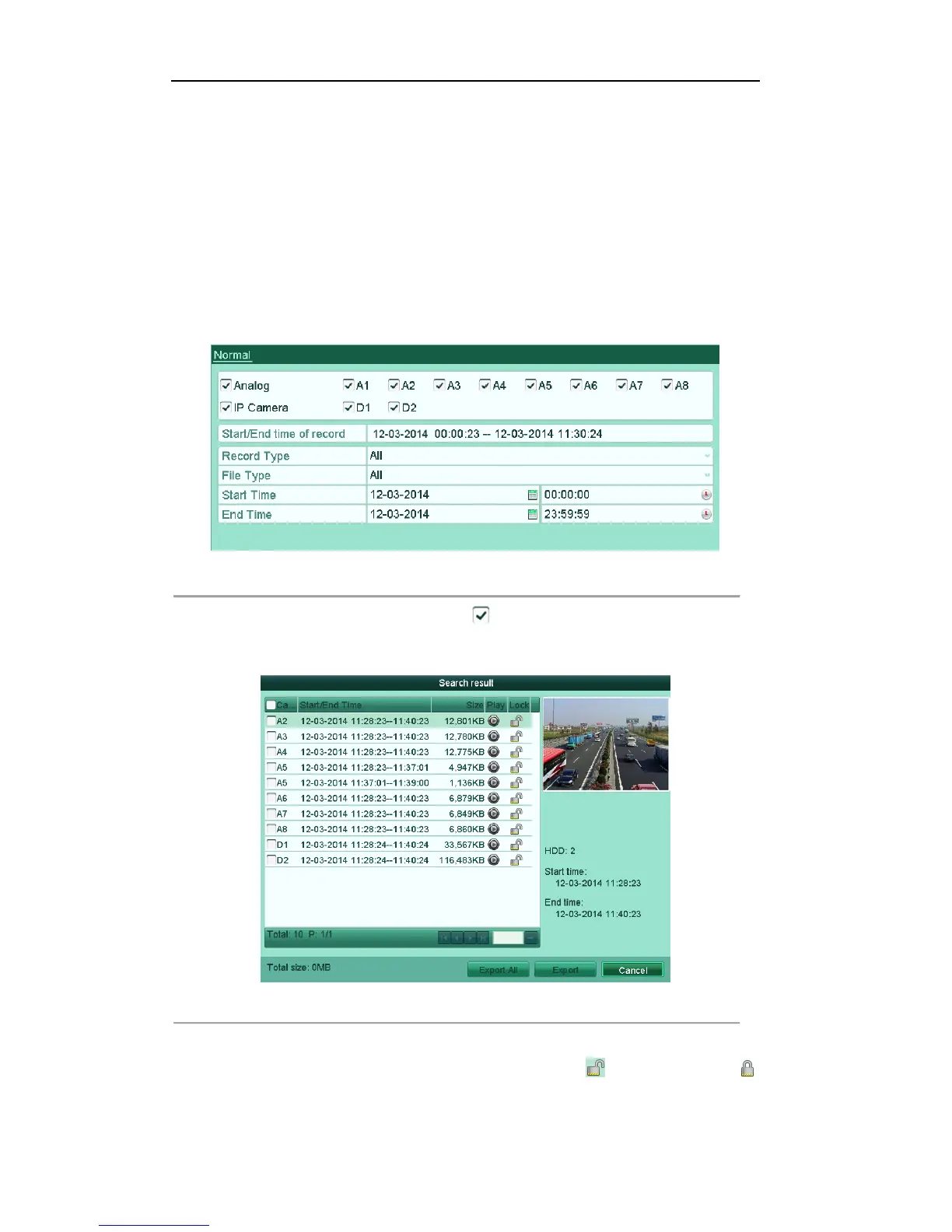
Menu> Export
Figure'5.30'Export'
2. Select the channels by checking the checkbox to .
3. Configure the record type, file type and start/end time.
4. Click Search to show the results.
Figure'5.31'Playback['Search'Result'
5. Protect the record files.
1) Find the record files you want to protect, and then click the icon which will turn to ,
indicating that the file is locked..
Note: The record files of which the recording is still not completed can’t be locked.



 To Next Page