User Manual
32
2.4 Channel-zero Encoding
Purpose:
Sometimes you need to get a remote view of many channels in real time from web browser or CMS (Client
Management System) software, in order to decrease the bandwidth requirement without affecting the image
quality, channel-zero encoding is supported as an option for you.
Steps:
1. Enter the Live View Settings interface.
Menu> Configuration> Live View
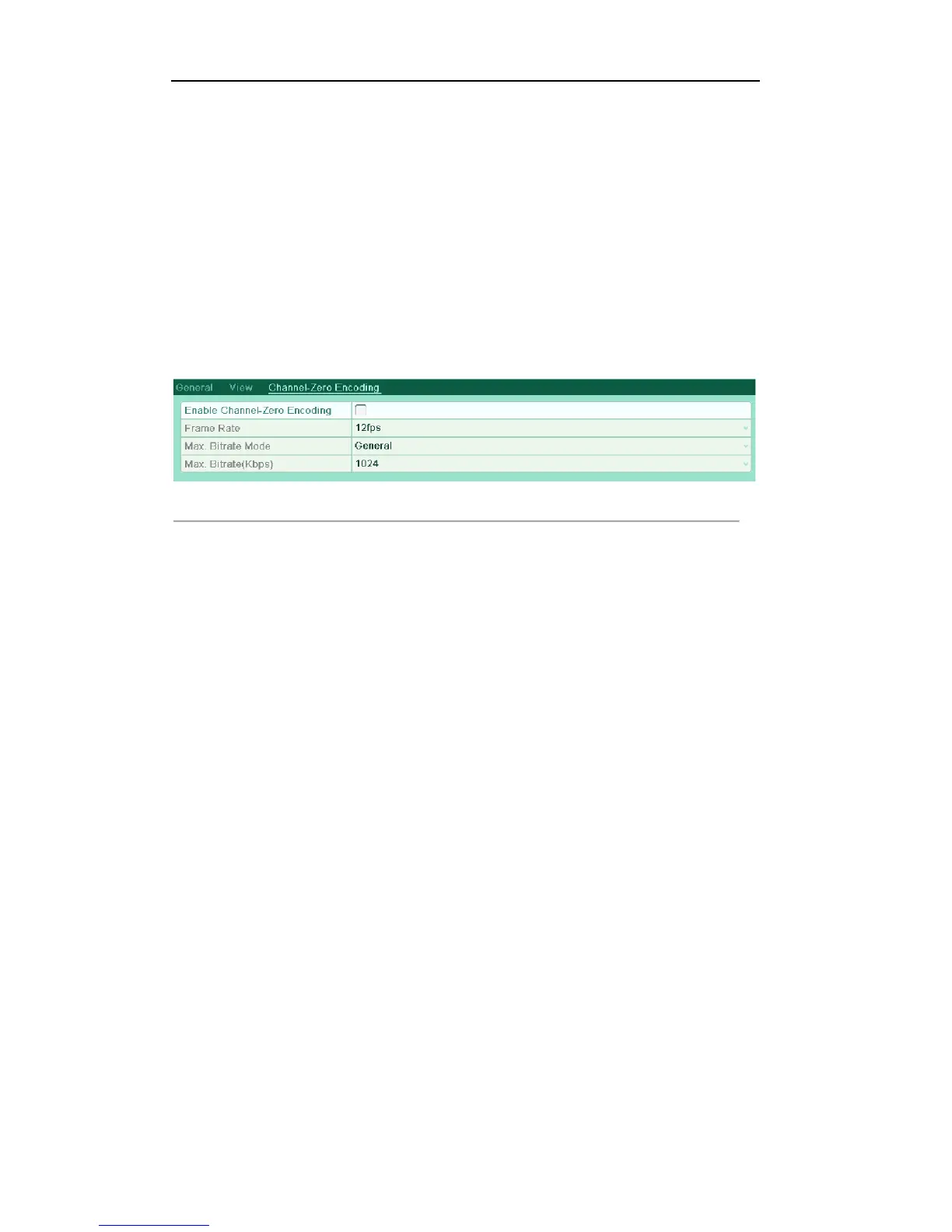
2. Select the Channel-Zero Encoding tab.
Figure'3.9'Live'View['Channel[Zero'Encoding
3. Check the checkbox after Enable Channel-Zero Encoding.
4. Configure the Frame Rate, Max. Bitrate Mode and Max. Bitrate.
After you set the Channel-Zero encoding, you can get a view in the remote client or Web browser of all the
channels in one screen.
2.5 Manual Video Quality Diagnostics
Purpose:
The video quality of the analog cameras can be diagnosed manually and you can view the diagnostic results
from a list.
Steps:
1. Enter the Manual Video Quality Diagnostics interface.
Menu> Manual >Manual Video Quality Diagnostics
2. Check the checkboxes to select the analog channels for diagnostics.
3. Click the button Diagnose, and the results will be displayed on a list. You can view the video status and
diagnostics time of the selected channels.



 To Next Page