User Manual
29
! Outdoor: the image is relatively clearer and sharper. The degree of contrast and saturation is high.
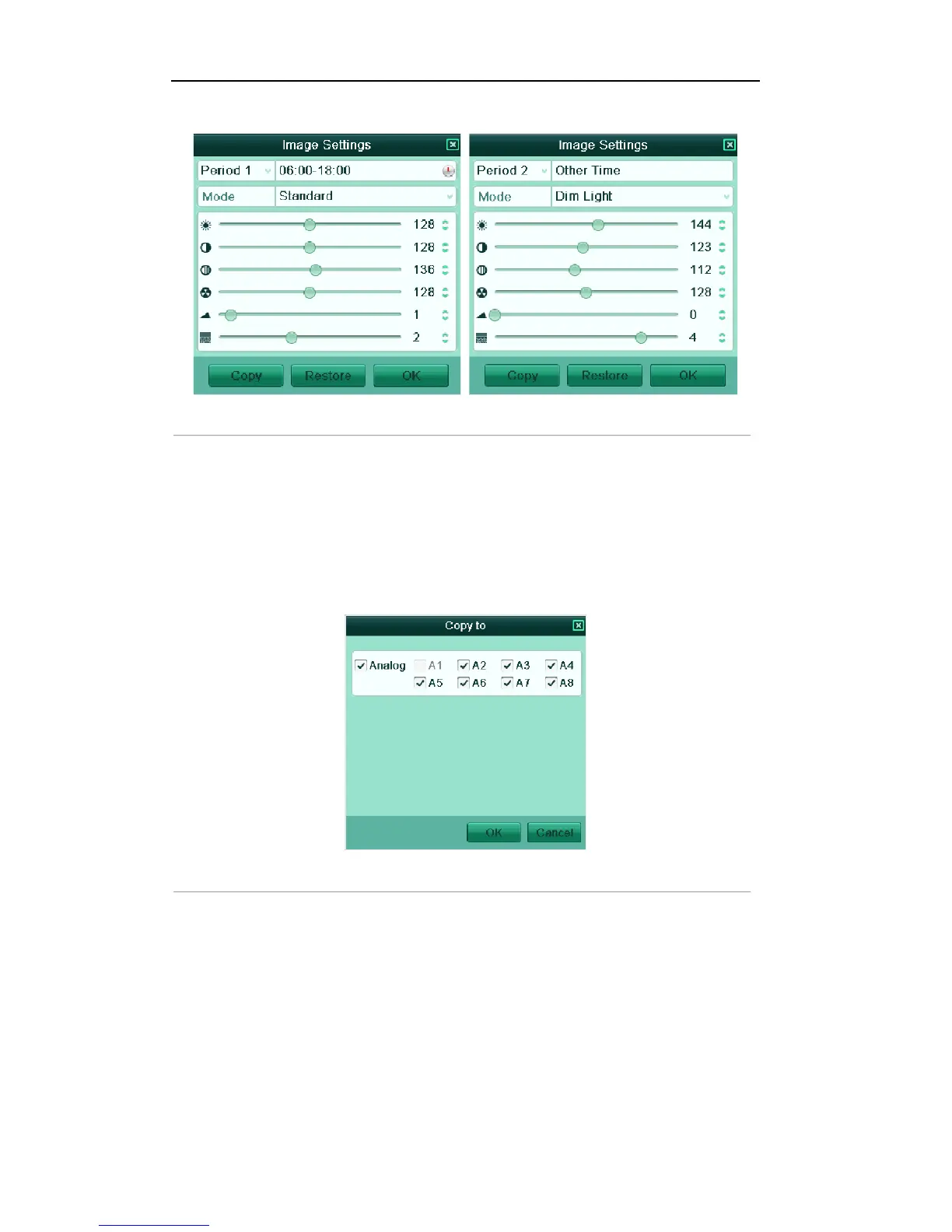
Figure'3.5'Image'Settings''
3. Adjust the image parameters including the brightness, contrast, saturation, hue, sharpness level and
denoising level by moving the sliding bar or increasing/decreasing the value.
Note: The adjustable value range is 0~255 for the brightness, contrast, saturation and hue, 0~15 for the
sharpness level and 0~5 for the denoising level.
4. Copy image parameters.
1) If you want to copy the image parameters of the current camera to other analog camera (s), click
the Copy button to enter the Copy to interface:
Figure'3.6'Copy'Image'Settings'to'O ther'Ca m era '(s)''
2) Select the analog camera (s) to be configured with the image settings. You can also click the
checkbox of Analog to select all cameras.
3) Click the OK button to finish the Copy settings.
Note: You can click the Restore button to restore the current image settings to default parameters.



 To Next Page