User Manual
54
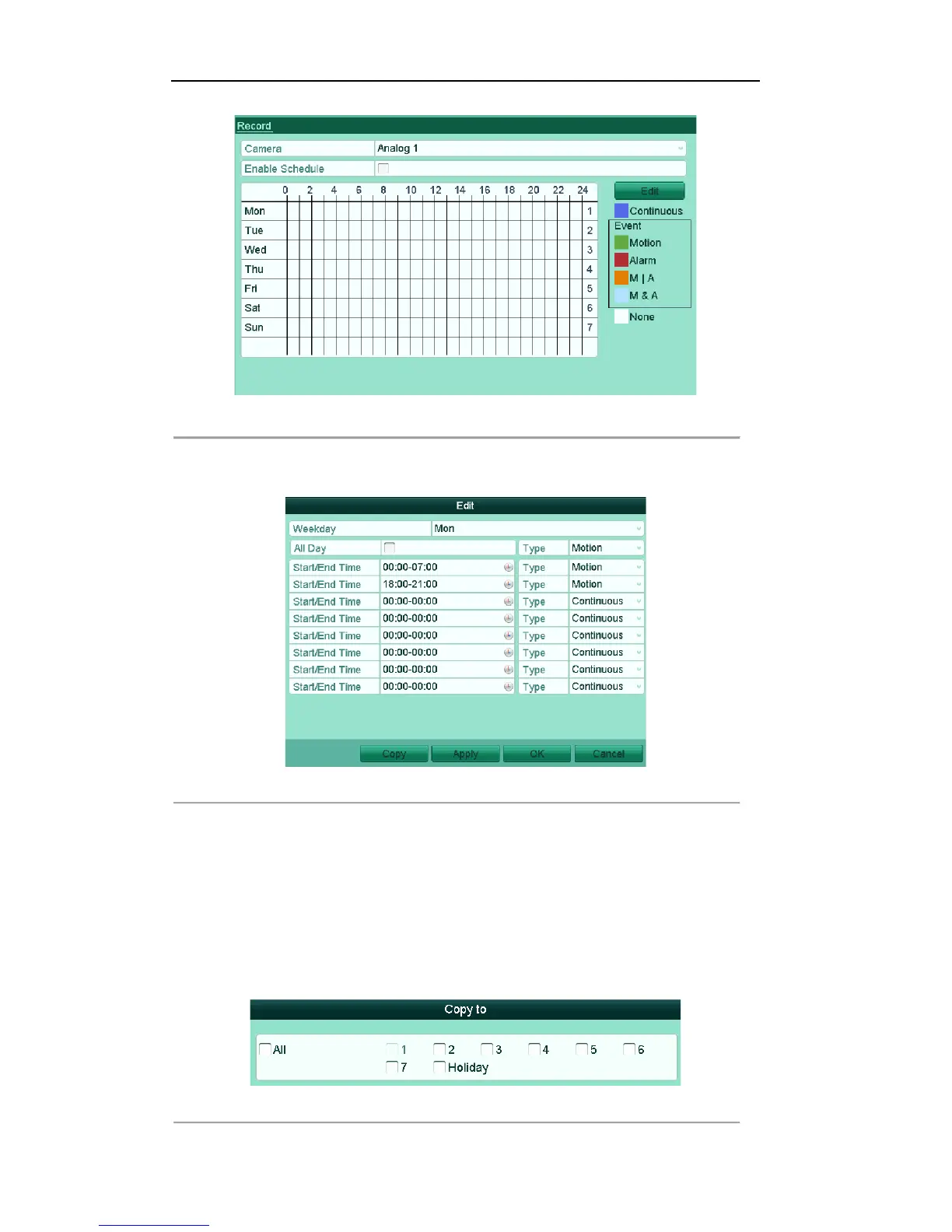
Figure'5.16'Record'Schedule'
1) Check the checkbox after the Enable Schedule item.
2) Click Edit.
Figure'5.17'Edit'Schedule['Motion'Detection'
3) In the message box, you can choose the day to which you want to set schedule.
4) Set the Type as Motion.
5) To schedule an all-day recording, check the checkbox after the All Day item.
6) To arrange other schedule, leave the All Day checkbox blank and set the Start/End time.
Note: Up to 8 periods can be configured for each day. And the time periods can’t be overlapped
each other.
Repeat the above steps3)-6) to schedule motion detection triggered recording for all the week. If
the schedule can also be set to other days, click Copy.
Figure'5.18'Copy'Schedule'to'Other'Days!



 To Next Page