User Manual
57
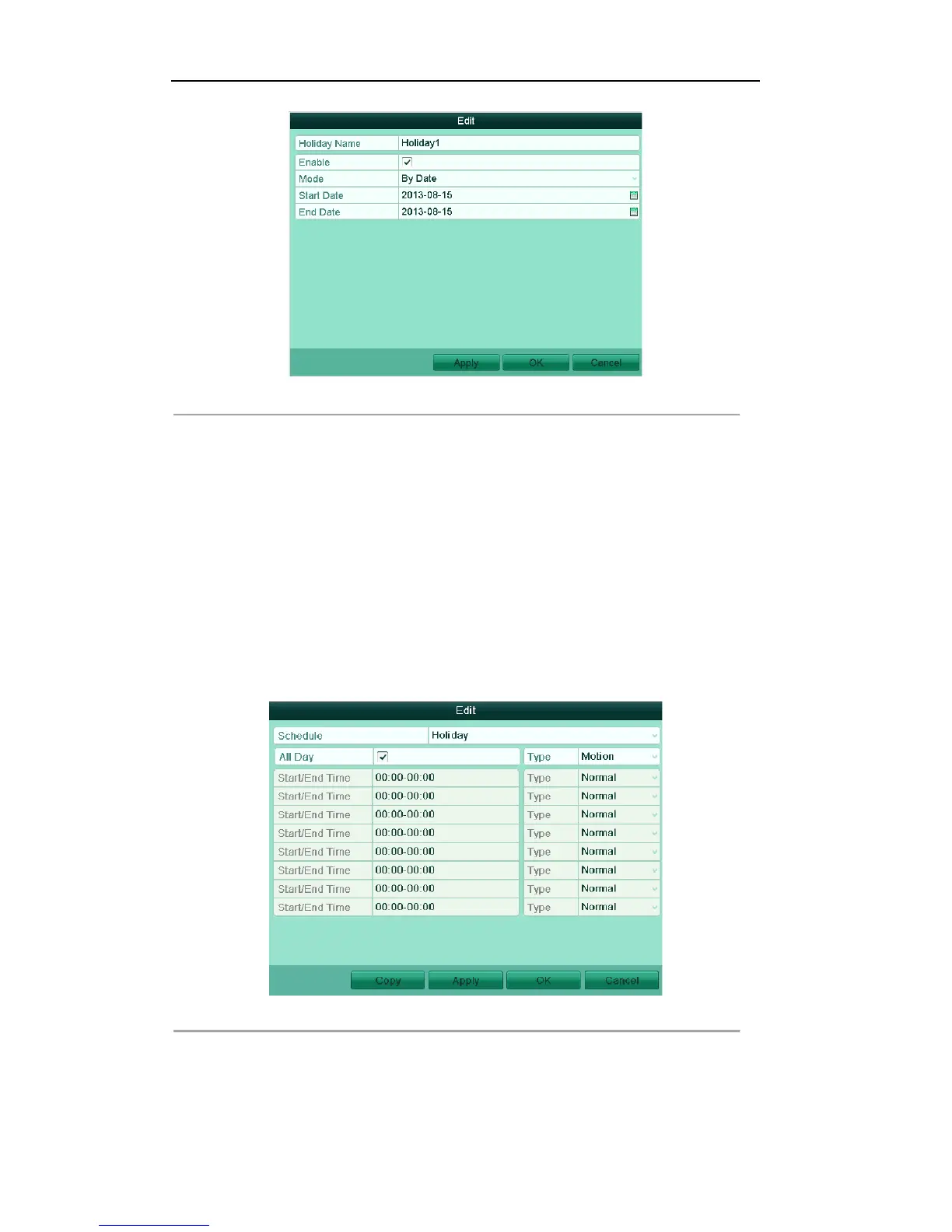
Figure'5.23'Edit'Holiday'Settings'
2) Check the checkbox after Enable.
3) Select Mode from the dropdown list.
There are three different modes for the date format to configure holiday schedule.
4) Set the start and end date.
5) Click Apply to save settings.
6) Click OK to exit the Edit interface.
3. Enter Record Schedule settings interface.
Menu> Record> Schedule
1) Select Record.
2) Check the checkbox after Enable Schedule.
3) Click Edit.
4) Select Holiday from the Schedule dropdown list.
Figure'5.24'Edit'Schedule['Holiday!
5) Select Motion or Continuous from the Type dropdown list.
6) If you need all day recording, check the All Day checkbox. Otherwise leave it blank.
7) Set start/end time for holiday schedule.



 To Next Page