User Manual
60
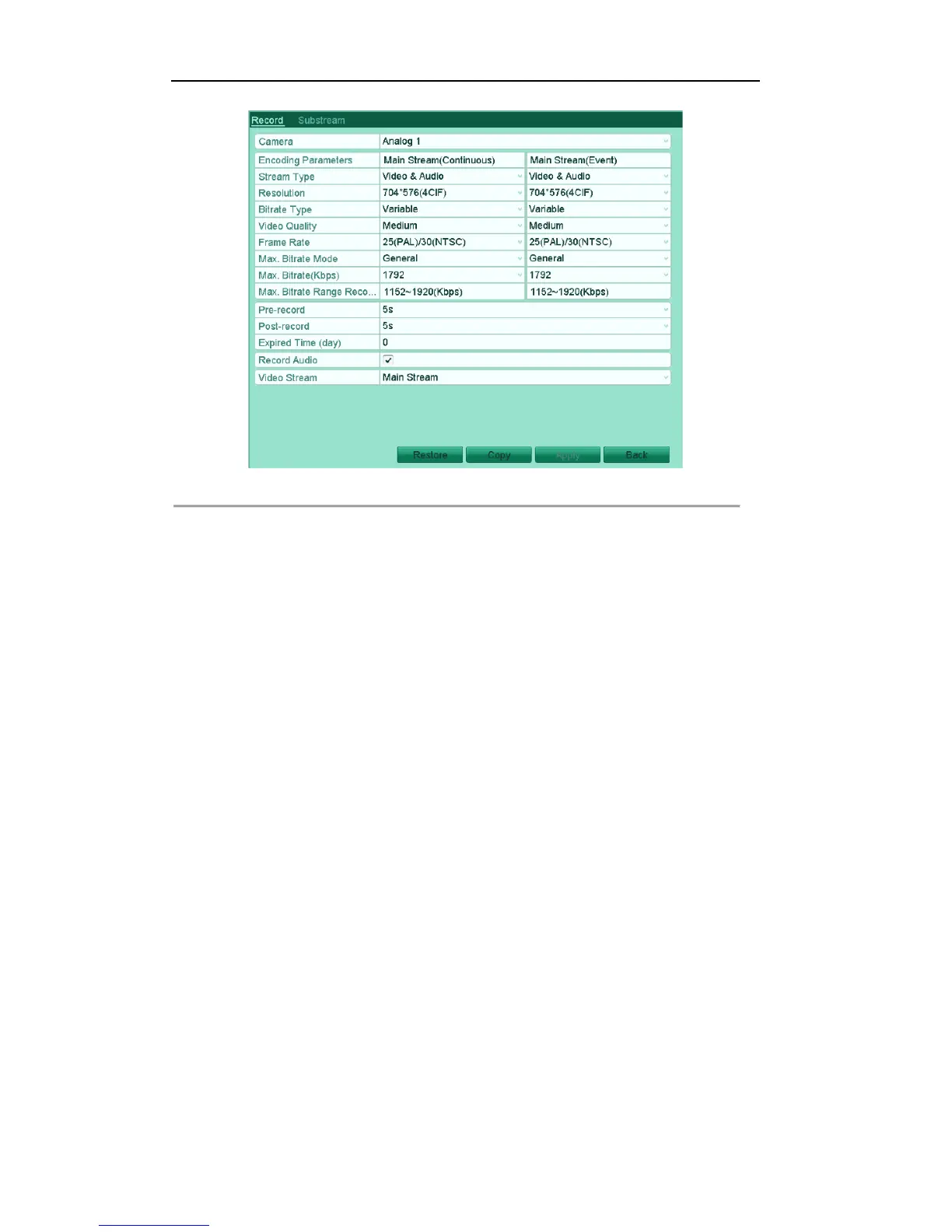
Figure'5.27'Encoding'Record'
2) Select Camera you want to configure.
3) Check the checkbox of the Redundant Record.
Notes:
1. The Redundant Record option is only available when the HDD mode is Group.
2. The redundant record is used when you want to save the record files in the redundant HDD. You
must configure the redundant HDD in HDD settings. For detailed information, see Chapter 10.3.2
Setting HDD Property.
4) Click Apply to save settings and back to the upper level menu.
5) Repeat the above steps2)-4) for configuring other channels.



 To Next Page