User Manual
83
Note: If the inserted device is not recognized:
• Click the Refresh button.
• Reconnect device.
• Check for compatibility from vendor.
You can also format USB flash drives or USB HDDs via the device. USB writer, SATA writer
and eSATA HDD cannot be formatted.
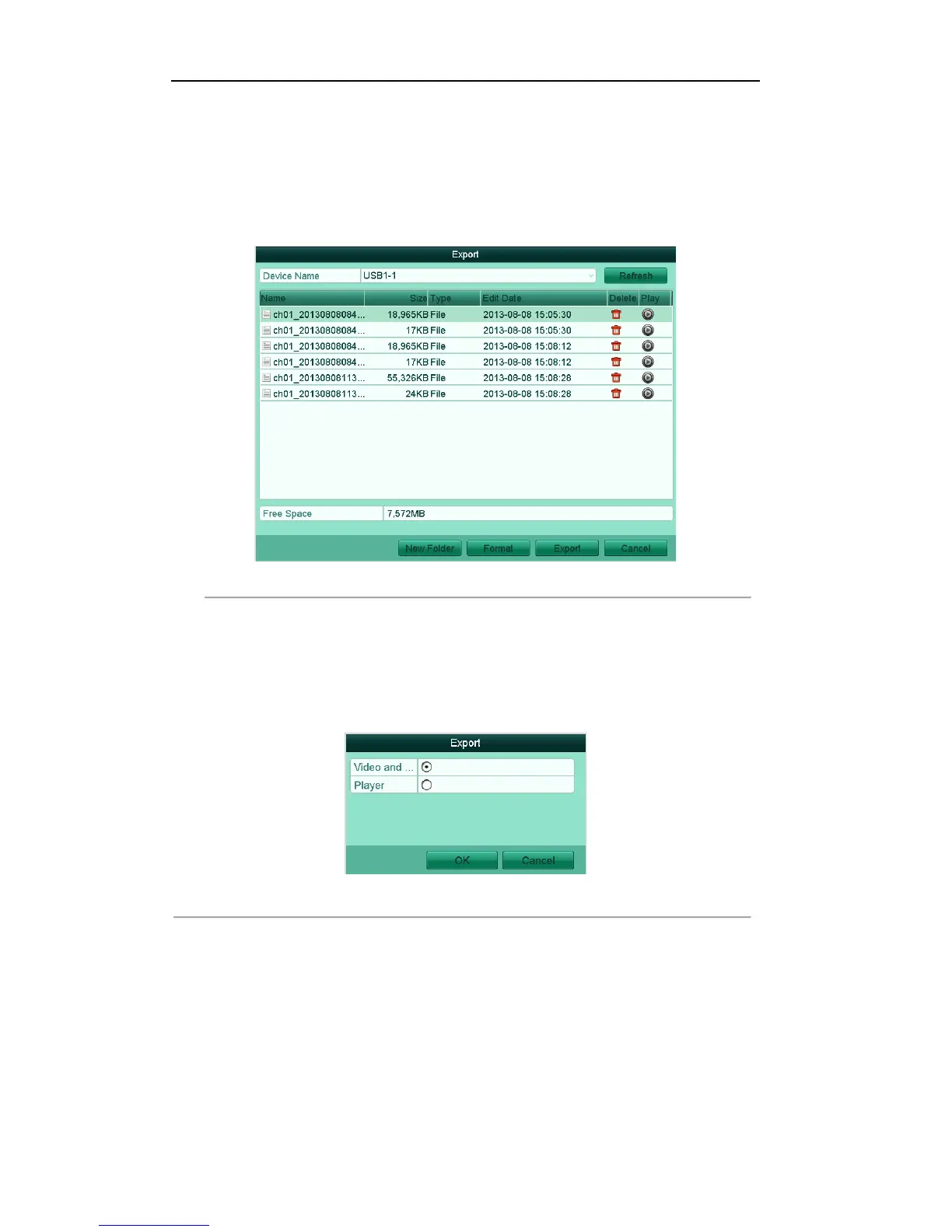
Figure'7.3'Normal'Export'Interface'using'U S B 'Fl as h 'Dr iv e
'
5. Check the checkboxes to select the record files, and click the button Export to enter the Export
interface.
Note: The size of the currently selected files is displayed in the lower-left corner of the window.
6. Select the backup device from the drop-down list, click the button Export. On the pop-up message box,
select to export the video files or the player to the backup device. Click OK to confirm.
Figure'7.4'Export'Selection'
'
A prompt message box will pop up after the backup process is complete. Click OK to confirm.



 To Next Page