User Manual
94
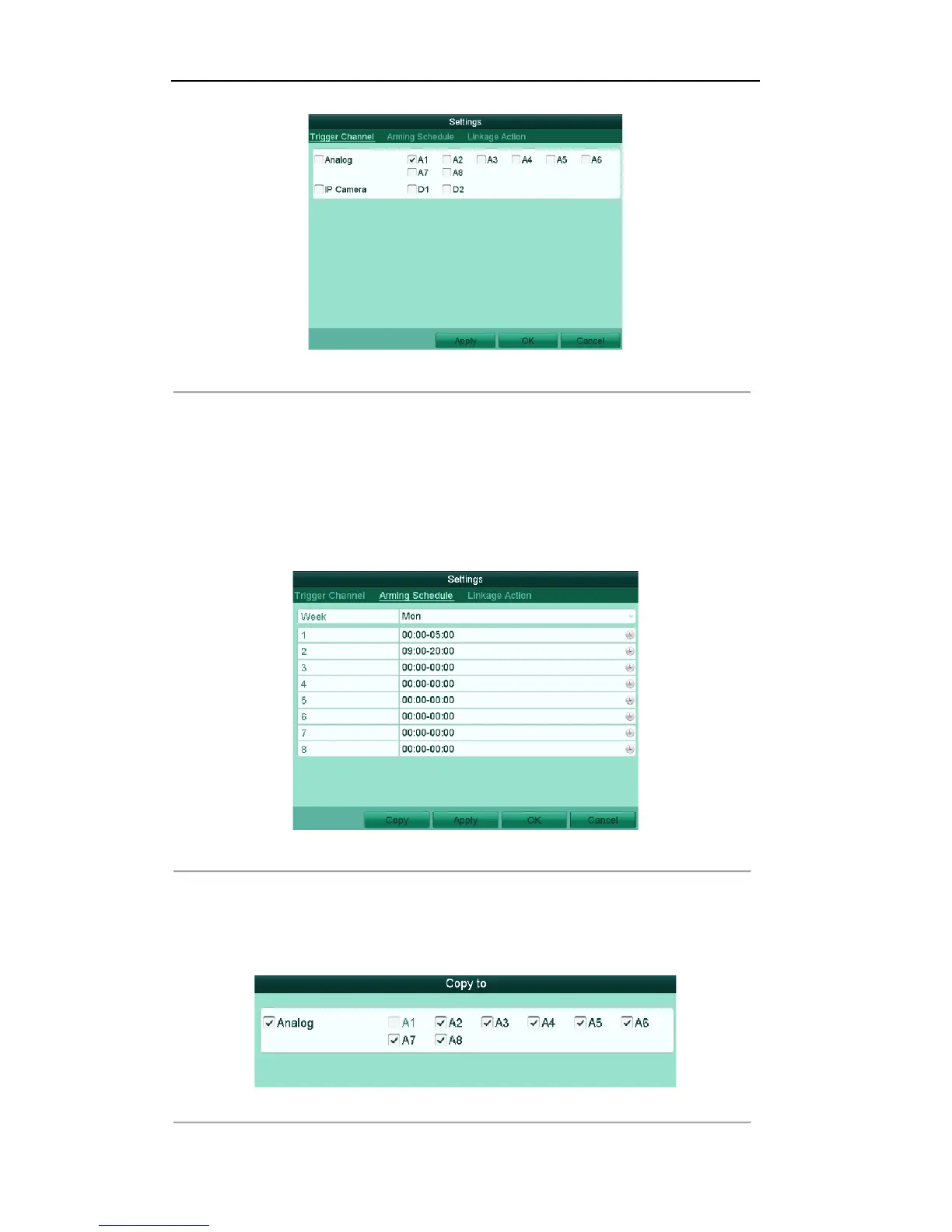
Figure'8.3'Set'Trigger'Camera'of'M otion'Detection'
4. Set up arming schedule of the channel.
1) Select Arming Schedule tab to set the channel’s arming schedule.
2) Choose one day of a week and up to eight time periods can be set within each day.
3) Click Apply to save the arming settings of the selected day.
4) Repeat the above steps to set up arming schedule of other days of a week. You can also use Copy
button to copy an arming schedule to other days.
Note: Time periods shall not be repeated or overlapped.
Figure'8.4'Set'Arming'Schedule'of'Motion'Detection
'
5. Click OK to complete the motion detection settings of the channel.
6. If you want to set up motion detection for another channel (s), repeat the above steps or copy the above
settings to the channel (s).
Note: You are not allowed to copy the “Trigger Channel” and “Linkage Action” settings.
Figure'8.5'Copy'Settings'of'Motion'Detection'



 To Next Page