AHD DVR User Manual
11
4 AddingIPCameras(ApplicableonlyforH y bridModels)
ThischaptermainlyintroduceshowtoconnectmultipleIPcamerasthroughNVR.OnceyoufinishaddingIP
cameras,youcanseetheliveimagesthroughthemonitoroftheNVR.
ToaddIPcamerasviaLAN:
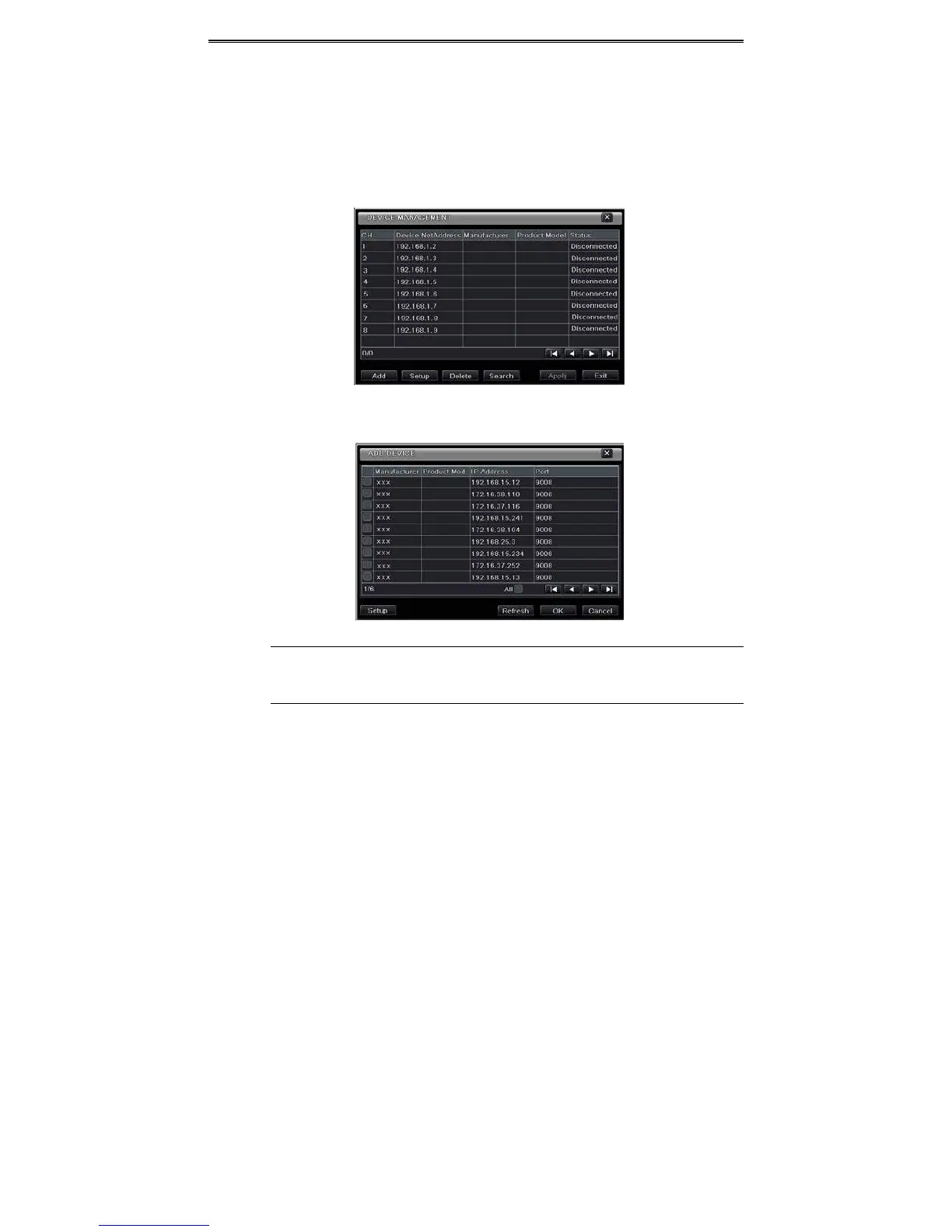
Step1:PleaseenterMenuIPCameratab.RefertoFig4‐1.
Click“Search”buttontosearchthedevicesin
thesamenetwork.
Fig4‐1DeviceManagemen t
Step2:Enterintothesearchtab.Click“Refresh”torefreshthesearcheddevices.YoucanmodifytheIP
addressofthesearcheddevicebyche c kingthedeviceandclicking“Setup”button.
Fig4‐2SearchDevices
Note:IfthenetworkofIPcamerasandNVRareinLAN,theirIPaddressmustbeinthesamenetwork
segment.Forexample:IftheIPaddressofNVRis192.168.013.057,theIPaddressofIPcameramust
be192.168.013.XXX.
Step3:Choosethesearcheddevicesandclick“OK”buttontoaddthesedevices.Theaddedcameraswillbe
listedinthedevicemanagementinterface.
Step4:Choosethecameradeviceandclick“Setup”buttontoenablethecamera.RefertoFig4‐3.Check
the“enable”checkbox,selectchannel
andinputtheusernameandpasswordofthisdevice.Thenclick“OK”
tosavesettings.



 To Next Page