AHD DVR User Manual
50
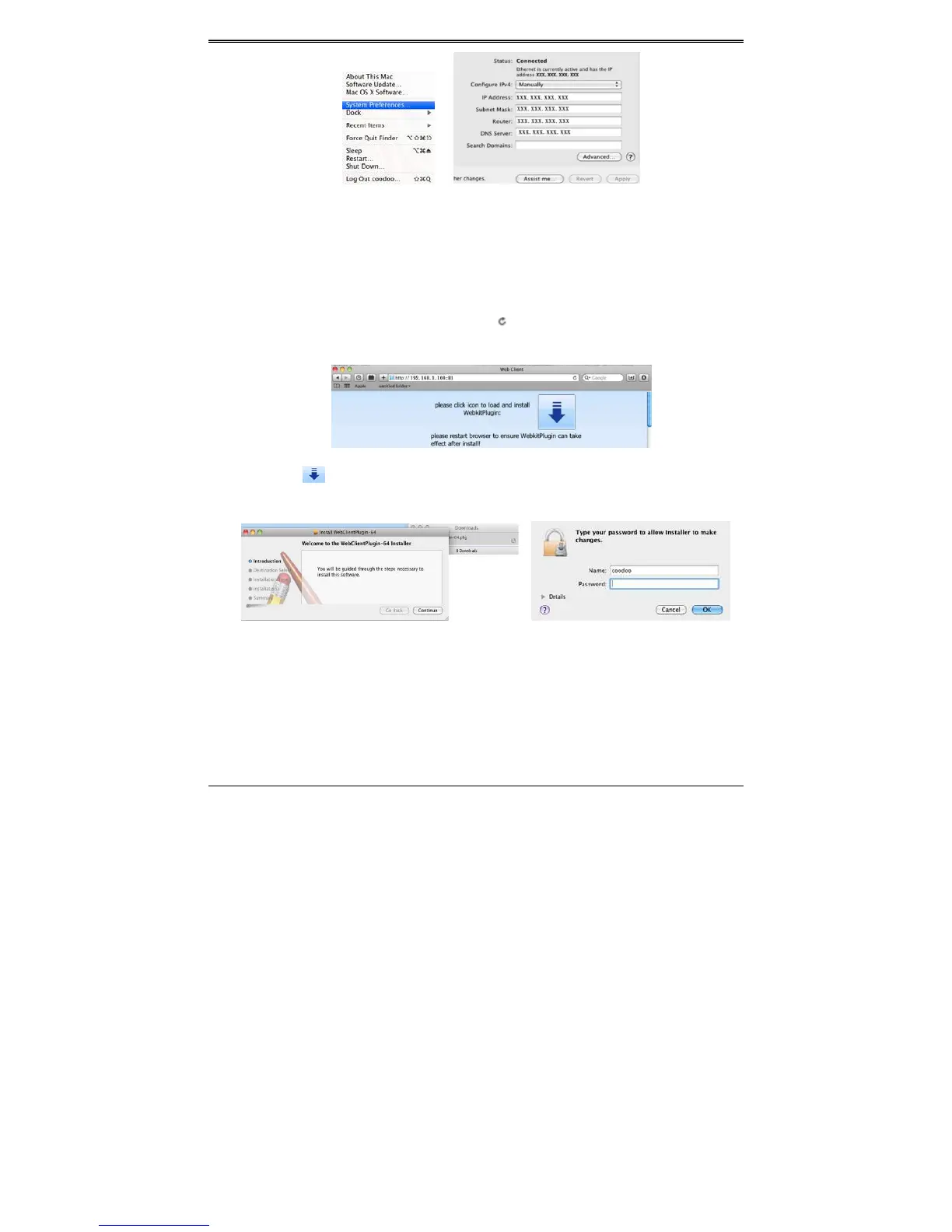
③ Afteracquiring the IP address, Subnet Mask and so on, please go to the DVR’ sMain
MenuSetupNetwork interface to manually input IP address, Subnet Mask and
GatewayaccordingtotheconfigurationofPC.Thenetworksegmentshouldbethesame
asthePC.IfusingDHCP,pleaseenable
DHCPintheDVRandrouter.
④ Aftertheaboveinformationiscompleted,youcanenterLANIPandHTTPportintheSafari
browser.Forex ample:inputhttp://192.168.1.100:81(here192.168.1.100isLANIPofDVR,
81istheHTTPport of DVR),andclick“”button.Thenthebrowser will
download
ActiveXcontrolasshownbelow:
⑤ ClickiconandthenselecttheActiveXcontrol,thewelcomeinterfacewillbeshown.
Click“Continue”“Install”button,thefollowingwindowwillpopup:
Inputthename andpasswordofApple PCand thenclick “OK”to installthisActive
X
control.
⑥ AfterfinishinginstallingtheActiveXcontrol,pleasequitfromtheSafaribrowser.Rightclick
Safariicononthedesktopandthenselect“Quit”buttontoquitthebrowser.Thenrestart
Safaribr owser.InputtheIPaddressandHTTPporttogotothelogininterfaceofDVR.
8.3.2ViaWAN
TherearealsotwowaysforDVRtoconnecttoInternet.



 To Next Page