AHD DVR User Manual
57
② Selectbackupfilesandclick“Browse”buttontosetthesavepath.Thenclick“Backup”
buttontostartbackup.Thebackupfileswillbesavedonuser’sPC.
8.6 RemoteSystemConfiguration
Youcandoremotesetupofthedevicewhichincludesfunctionslikebasicconfiguration,live
configuration, record configuration, schedule configuration, alarm configuration, network
configuration,PTZconfigurationanduserconfiguration.Youshouldselectanoptionfromthe
menulistontheleftandthensetuptherelativeparameters.Onlyoneuser
candoconfiguration
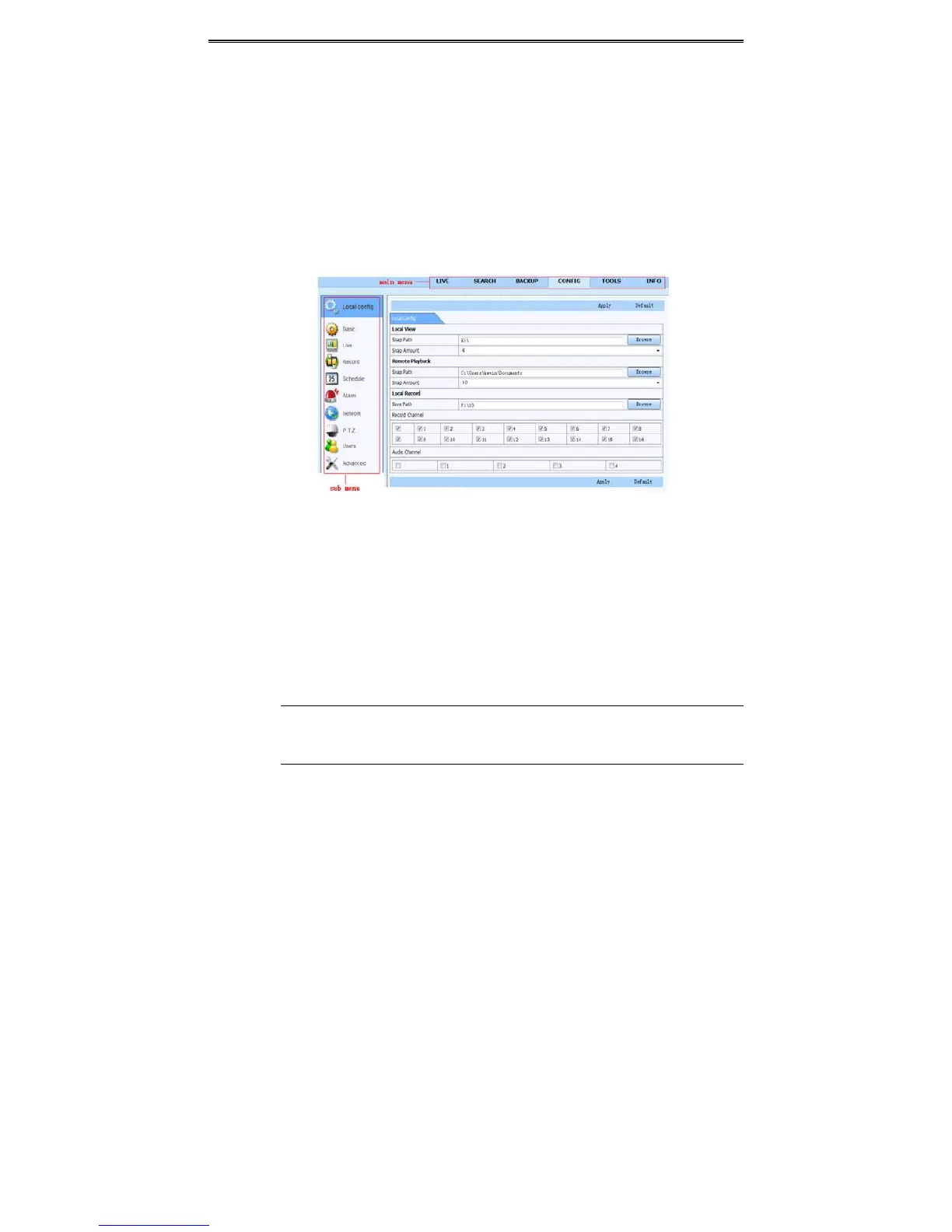
setupatagivenpointoftime.ClickConfigtabtogotothebelowinterface
ThesubmenulistandtheoptionsineverymenuaresimilartothatoftheDVR.Pleasereferto
Chapter4MainMenuSetupGuideformoredetails.
Fig7‐9RemoteMenuSetup
8.7 Tools
Clickonthetool’stabtoaccesstheDiskManagementtool.Theusercanviewthestatusofthe
harddrive(s),view/changethereadwritepropertiesandformattheharddrive(s).
8.8 RemoteManagement
TheInfointerfaceprovidesawebbasedinterfacetoaccessthegeneralinformationpertaining
totheDVR’ssettings.Theinterfaceincludesfivesubmenus:System,Event,Log,Networkand
Onlineusers.
Note:Theremaybesubtledifferenceswithrespecttofunctionsofremotesurveillance
between through IE and through Apple PC. Here we only take IE remote access for
example.



 To Next Page