AHD DVR User Manual
16
5.2 LiveConfiguration
Liveconfigurationincludesthreesubmenus:live,mainmonitorandmask.
5.2.1Live
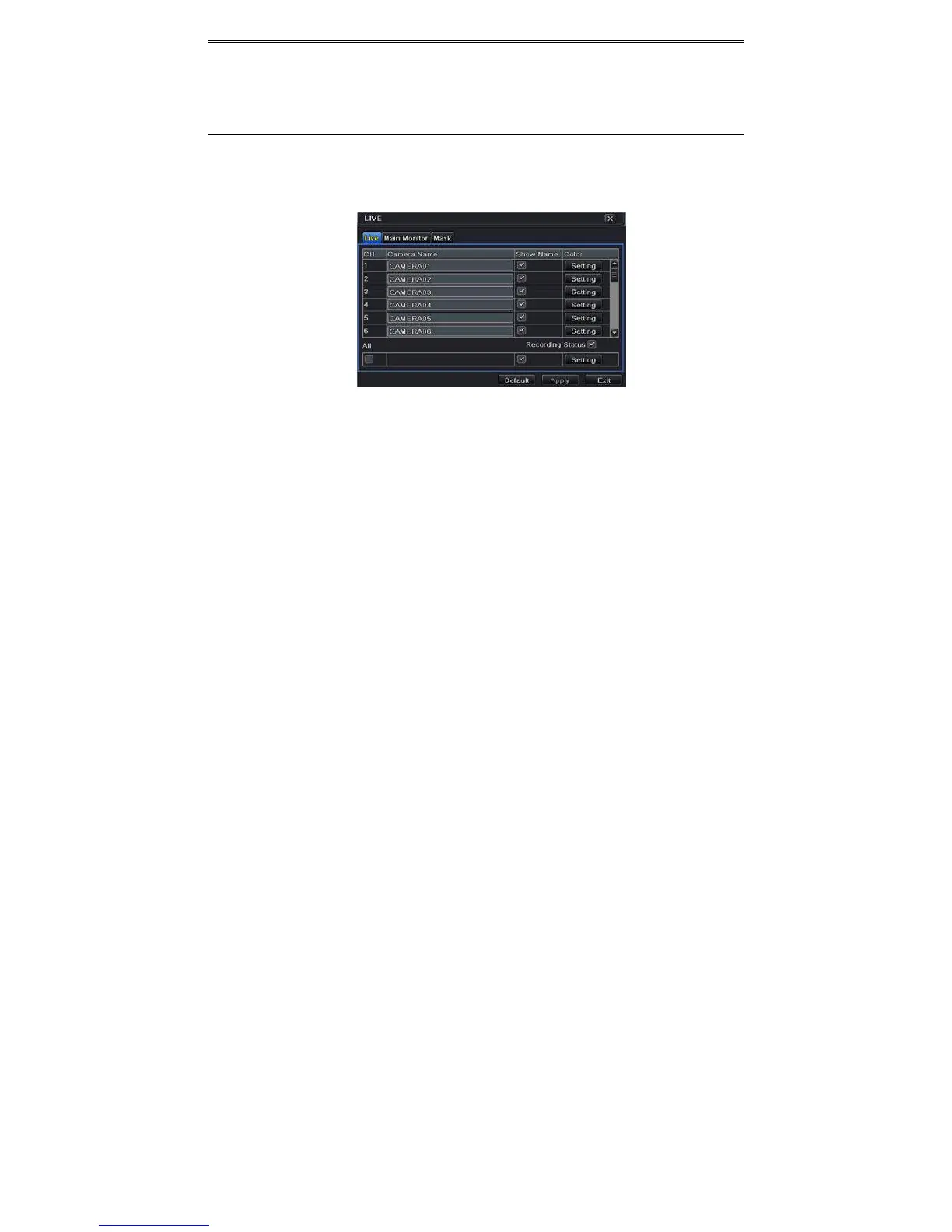
Inthisinterface,youcansetupcameranameandadjustcolors.
Tosetupcameraname:
① GotoMainMenuSetupLive.RefertoFig4‐6.
Fig4‐6LiveConfigura tion ‐Live
② Asoftwarekeyboardwillpopupbyclickingcameranamearea.Clickthelettersand(or)
digitalnumbersonthekeyboardtoinputthenameyouwanttodisplayinliveimage.
③ Checkmarkthecameranameintheshownamearea.
④ Allchannelswillshowthecameranamebychecking“All”checkbox.
⑤ Click“Apply”tosavethesetting.
Tosetupcolor:
① Click“Setting”buttonforaparticularcamera/channeltoseeawindowasFig4‐7.
② Inthisinterface,youcanadjustbrightness,hue,saturationandcontrastinlive.Click
“OK”buttontosavethesetting.



 To Next Page