AHD DVR User Manual
53
'Focus'button.Clickbuttonnear'Focus'buttontohavelongfocus.
Clickbuttonnear'Focus'buttontohaveshortfocus.
GotothePreset.
Selectanddoautocruise.
Track
Autoscan
Wiperbutton
Lightbutton
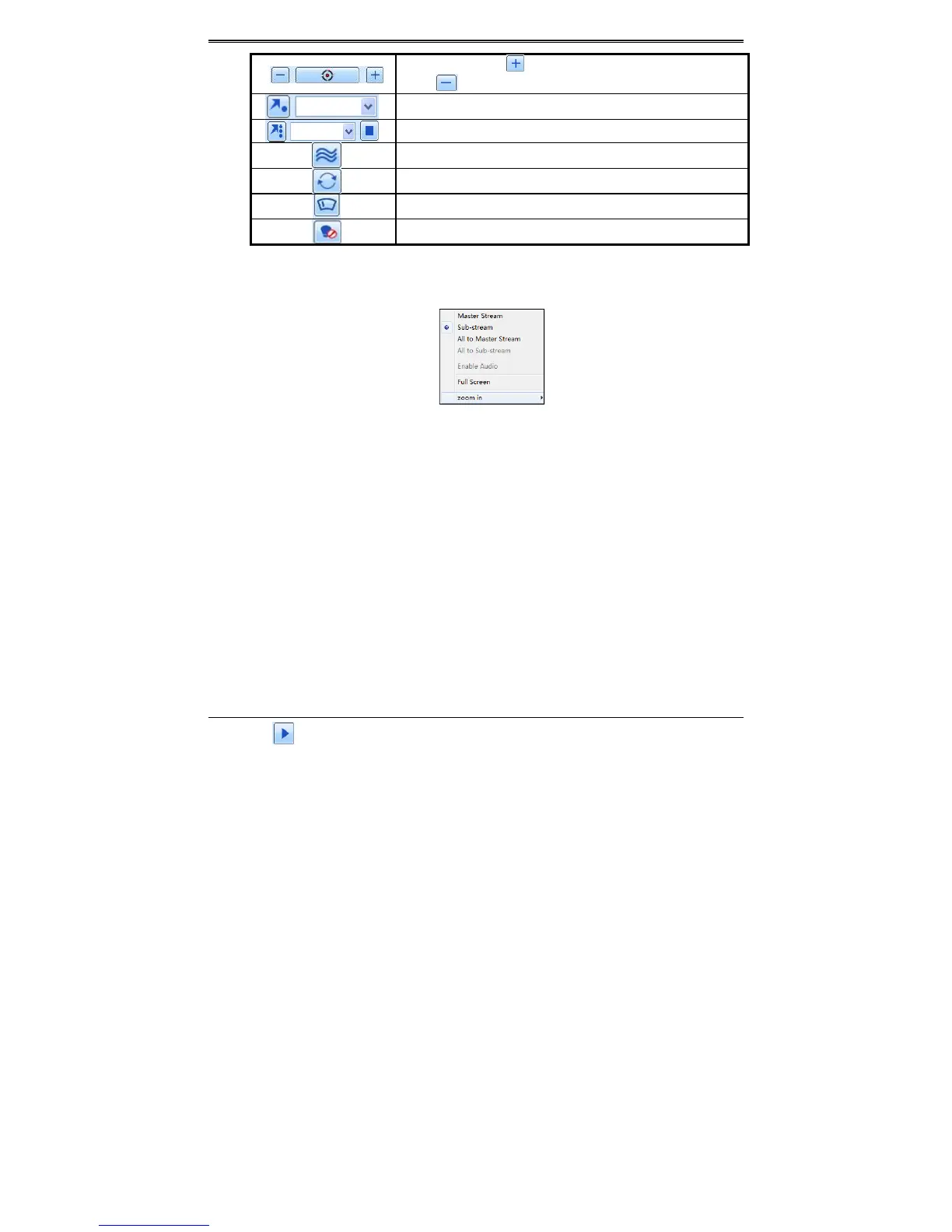
Clicktherightmouseontheliveinterface.Thiswilltakeyoutoapull‐downmenu.
Fig7‐2RightKeySubMenu
Stream:ThisDVRsupportsmasterstreamandsubstream.Mast erstreamhashigherframerate,
max 25FPS (PAL)/30 FPS (NTSC) for every channel, but it needs higher network bandwidth
simultaneously.Substreamhaslowframerate,max6FPS(PAL)/7FPS(NTSC)foreverychannel,
itrequireslownetwork bandwidth.Therefore,you
can selectthe stream accordingto your
bandwidth.
Alltomaster/substream:Setallchanneltomasterstreamorsubstream.
Enableaudio:Enableordisenableaudio.
Fullscreen:Thelivepreviewpicturewilldisplaywithfullscreenandthetoolbarwillbehid.
Doubleclickleftmouseorclick
rightmousetoreturn.
Zoomin:Singlechannellargescreenelectronicamplification.Clickthechannelwhichneedsto
bezoomed.Rightclicktoselectzoominbuttontozoomintheimage.Doubleclickorrightclick
toexit.
8.5 RemotePlayback&Backup
8.5.1RemotePlayback
Clickbuttontogotorecordplaybackinterface.RefertoFig7‐3.
Selecttherecorddateandchannelsanddouble‐clickthefilenameintherecordfilelistbox.
Thenyoucanplaythatfileandpreviewthepicture.



 To Next Page