AHD DVR User Manual
30
③ EnabletheautoreportintheECMS/NVMSwhenaddinganewdevice.Theninputthe
remaininginformationofthedeviceintheECMS/NVMSandself‐defineadeviceID.
④ Inputtheabove‐mentionedserverIP,ser verportanddeviceIDintheserverinterface.
Then click “Apply” button to
save the setting. Now, the ECMS/NVMS system will
automaticallyconnectthisdevice.
5.6.5NAT
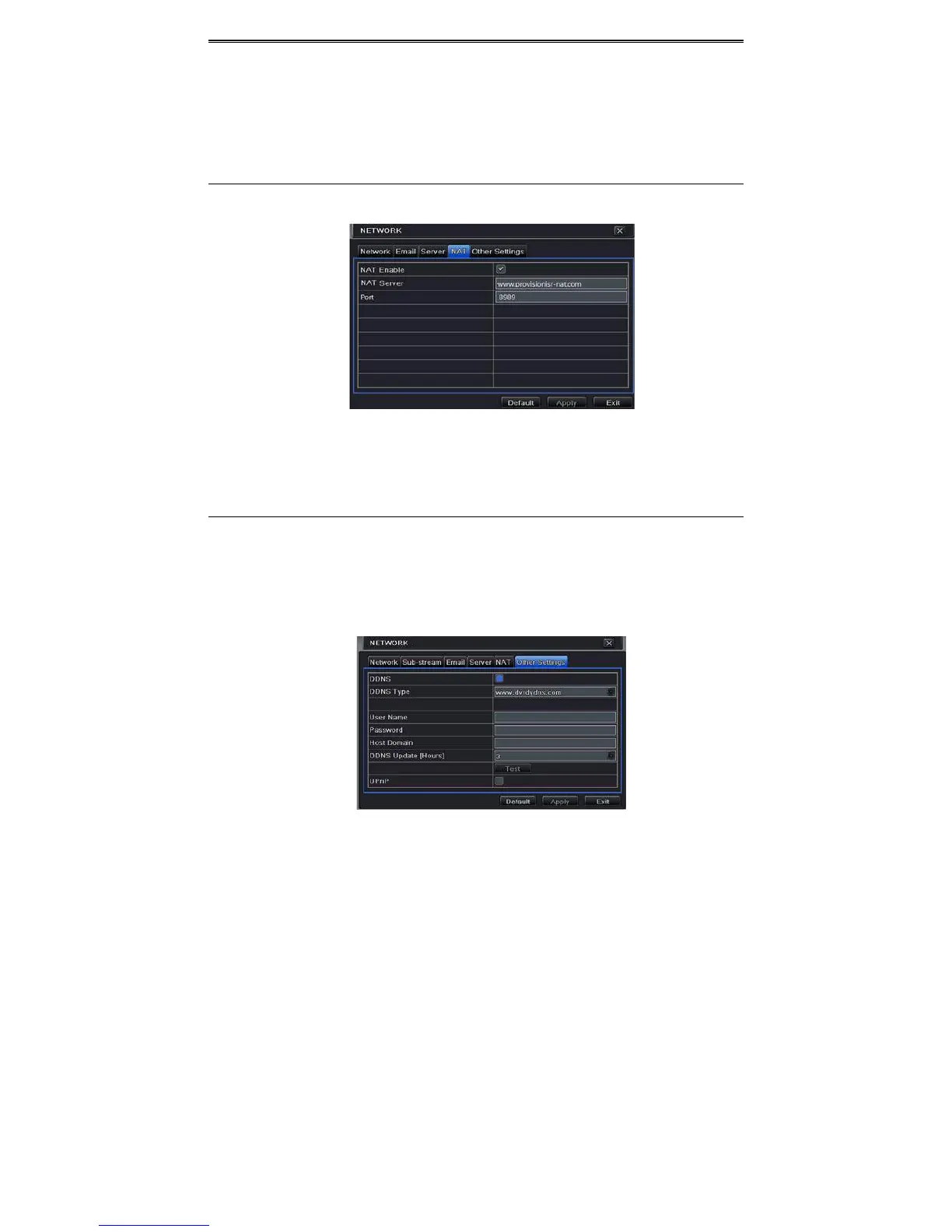
① GotoMainMenuSetupNetworkNATinterface.RefertoFig4‐27.
Fig4‐27NetworkConfigura tion‐NAT
② EnableNATandinputtheNATServer(ThedefaultNATServeriswww.provisionisr‐nat.com
andthedefaultportis8989
).
③ Click“Apply”tosavethesettings.
5.6.6OtherSet tings
IfyourDVRissettousePPPoEasitsdefaultnetworkconnection,youmaysetupDDNStobe
usedinconnection.Thesettingstepsareasfollows:
① EnableandselectDDNSserver.
② Enterusername,passwordandhostdomainnameoftheregisteredwebsite.
③ Click“Test”buttontotesttheeffectivenessoftherelevantinformation.
④ Click“Apply”buttontosavethesetting.



 To Next Page