AHD DVR User Manual
27
5.6 NetworkConfiguration
NetworkconfigurationincludesNetwork,SubStream,Email,Server,NATandOtherSettings.
NetworksettingsmustbeconfiguredifDVRisusedformonitoringovernetwork.
5.6.1Network
Tosetupnetwork:
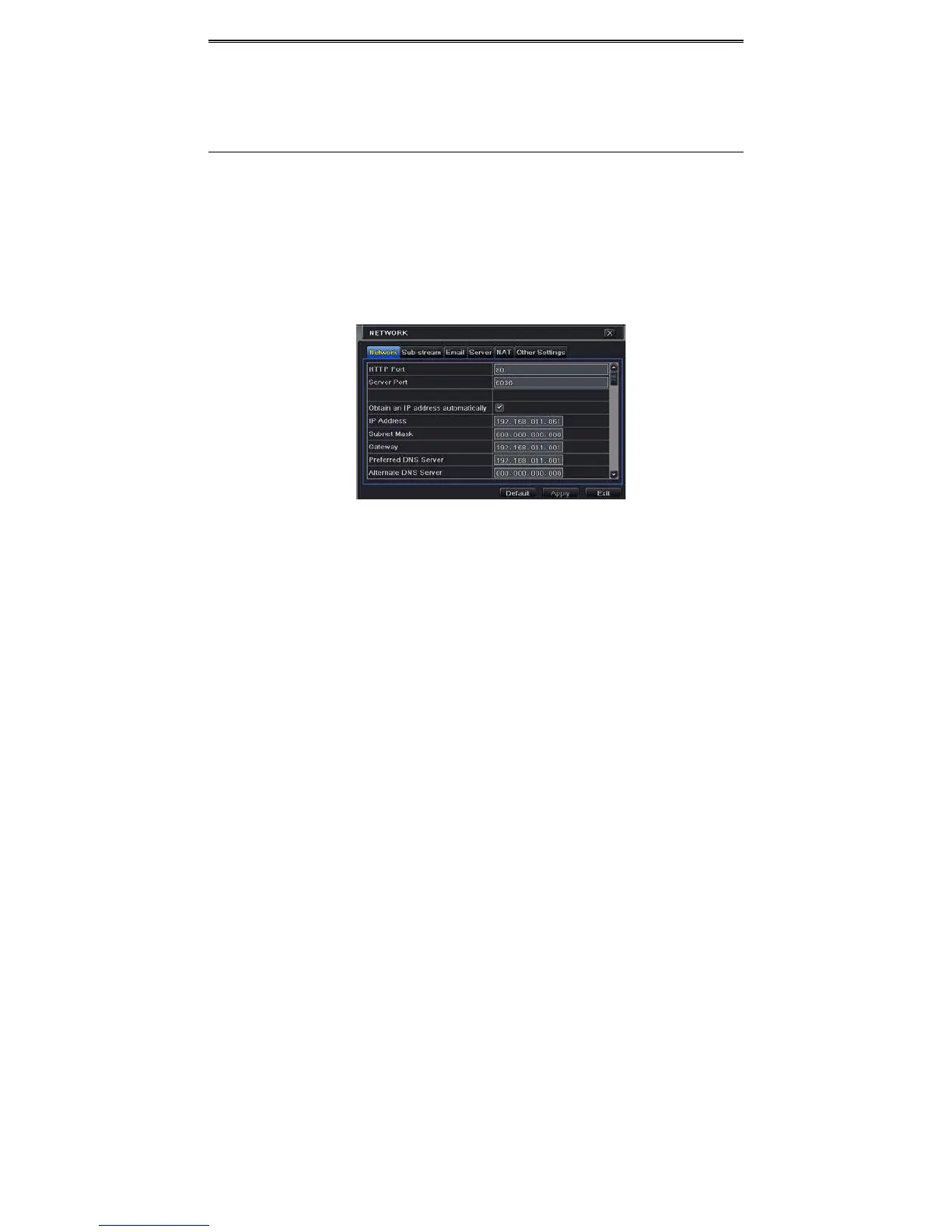
① GotoMainMenuSetupNetworktab.RefertoFig4‐23.
② SetHTTPport.ThedefaultHTTPportis80.Ifthevalueischanged,youshalladdtheport
numberwhentypingIPaddressinIEaddressblank.e.g.IfHTTPportissetto82andIP
address is http://192.168.0.25
, you should input the following IP address:
http://192.168.0.25:82intoIEbrowser.
③ Setserverport.Thedefaultserverportis6036.
④ Connectinternet.Therearethreewaystoconnectinternet.
Fig4‐23NetworkConfigura tion‐Network
IfyouhaveaDHCPserverrunningandwouldlikeyourDVRtoautomaticallyobtainanIP
addressand othernetworksettings,checkthecheckboxbeside“ObtainanIPaddress
automatically”.ThenthedevicewilldistributeIPaddress,subnetmask,andgatewayIP
andDNSserver.
Ifyou
wanttoconfigureyourownsettings,disable“ObtainanIPaddressautomatically”
itemandinputtheIPaddress,subnetmask,gatewayIPandDNSserver.
IfyouconnectinternetthroughPPPoE,disable“ObtainanIPaddressautomatically”item
andcheckPPPoEcheckboxandthenenterusernameandpassword.Oncethe
setupis
completed,yourDVRwillautomaticallydialupintoyournetwork.
⑤ Testtheeffectivenessofthenetworkbyclicking“Test”button.
⑥ Ifthenetworkiswellconnected,pleaseclick“Apply”buttontosavethesetting.



 To Next Page