AHD DVR User Manual
7
2.3 RemoteContr oller
ItusestwoAAAsizebatteries.
①Openthebatterycoveroftheremotecontroller.
②Placebatteries.Pleasetakecarethepolarity(+and‐).
③Replacethebatterycover.
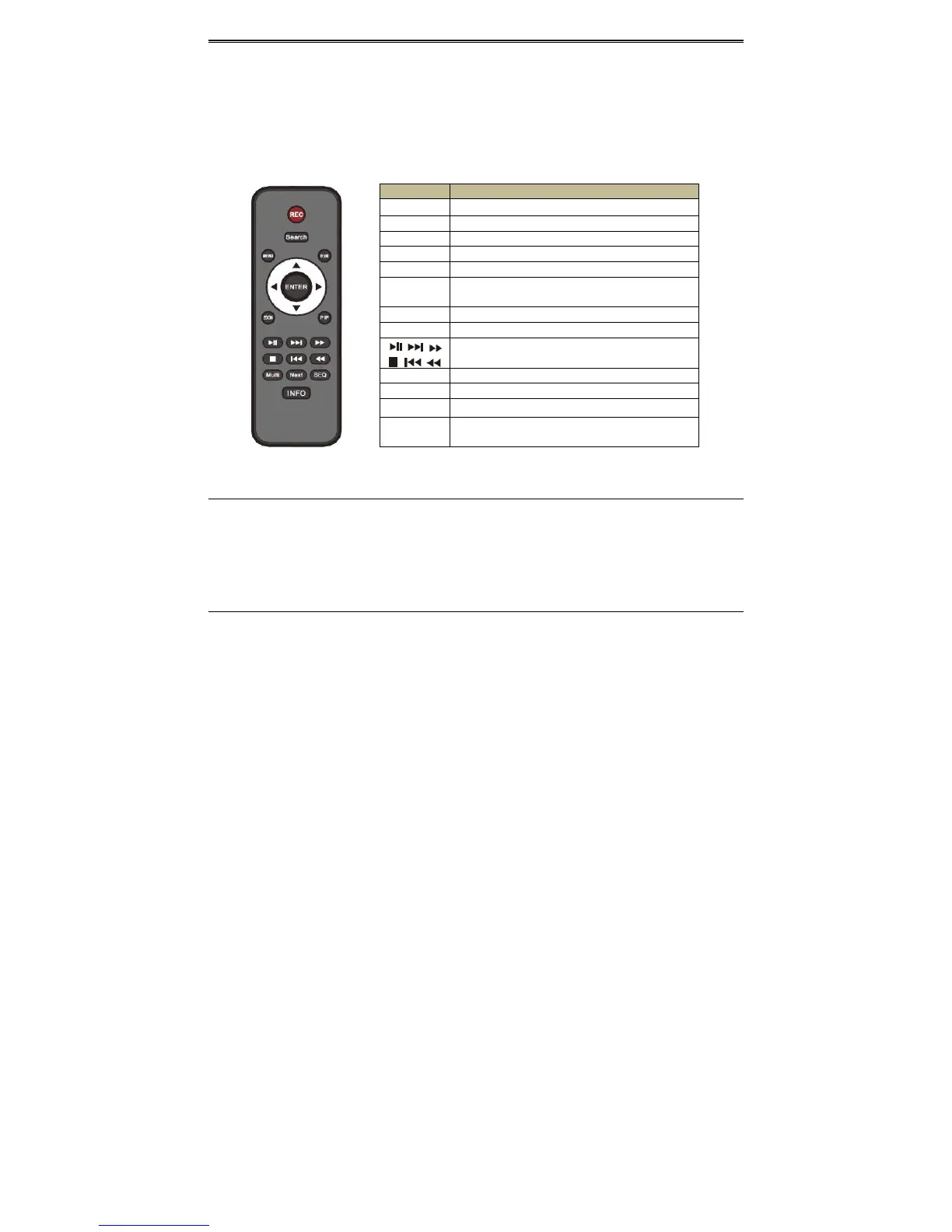
Theinterfaceofremotecontrollerisshownbelow.
2.4 Contr olwith Mouse
2.4.1ConnectMouse
ItsupportsUSBmousethroughtheportsontherearpanel.
Ifmouseisnotdetectedordoesn’twork,checkbelowsteps:
1.MakesurethemouseispluggedintheUSBmouseport.
2.Trywithagoodknowmouse.
2.4.2UseMouse
Duringlive:
Double‐clickonanycamerawindowtoseethefullscreen.Double‐clickagaintoreturntothe
previousscreen.
Rightclicktorevealthecontrolmenuonthescreen.Rightclickagaintohidethemenu.
InConfiguration:
Clicktoenteraparticularoption.Rightclickto
canceltheoptionortoreturntotheprevious
menu.
Inordertoinputavalueinaparticularscreen,movecursortotheinputboxandclick.Aninput
window will appear as below. It supports digits, alphabets and symbols input. Click “Shift”
buttontoinputcapitallettersandsymbols;
click“Shift”buttonagaintoreturn.
Button Function
REC Recordmanually.
Search Toentersearchmode.
MEUN Toentermenu.
Exit To exitthecurrentinterface.
ENTER Toconfirmthechoiceorsetup.
Direction
button
Tomovecursorinsetup.
ZOOM Tozoomin.
PIP Tosetpictureinpicture.
To control playback. Play/Pause/Stop/Previous
Section/NextSection/Rewind/FastForward.
Multi Tochoosemultiscreendisplaymode.
Next Toswitchbetweensinglepictureandpicturegroup.
SEQ Toenterautodwellmode.
INFO
Get information about DVR like firmware version,
HDDinformation.



 To Next Page