AHD DVR User Manual
12
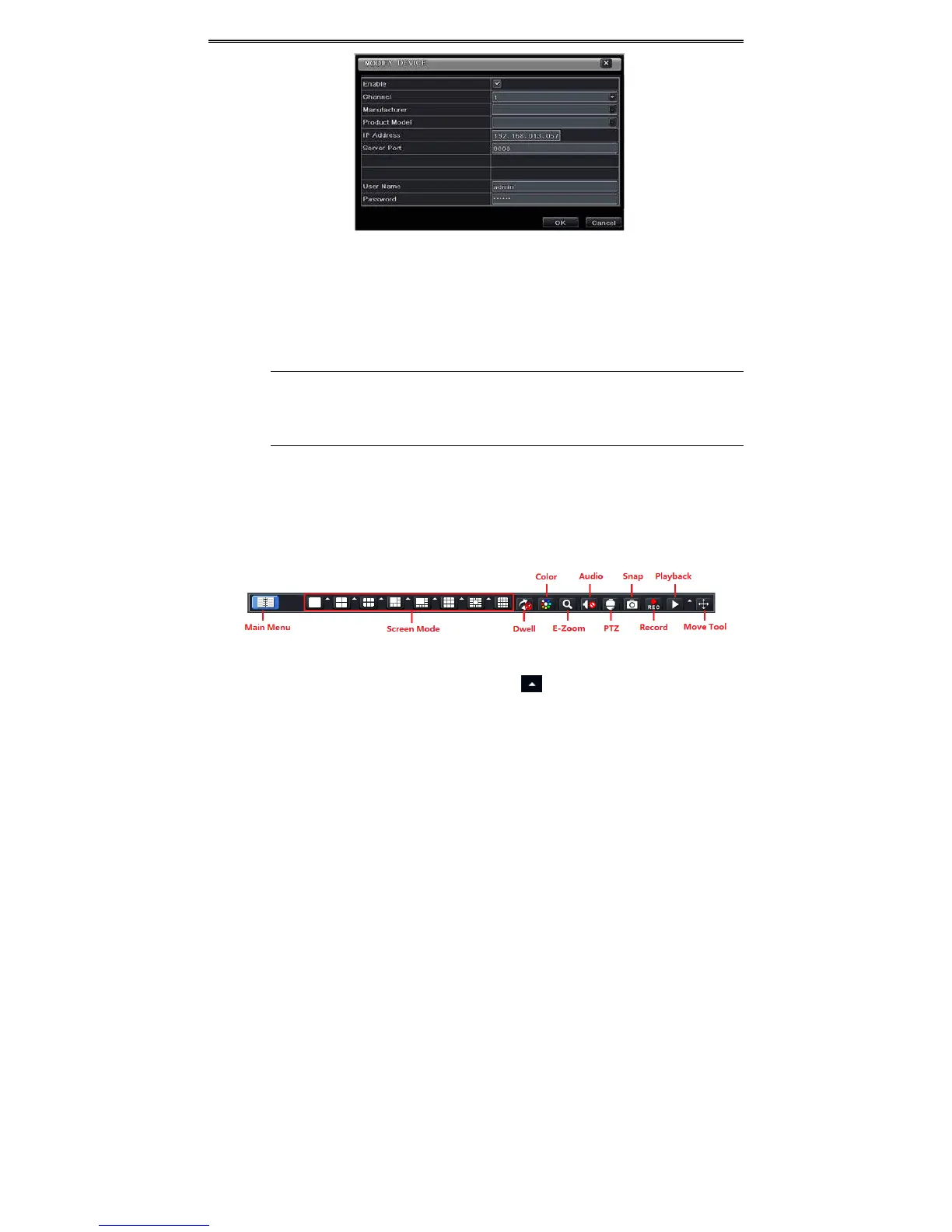
Fig4‐3AddDevice
ToaddIPcamerasviaWAN:
Step1:PleaseenterMenuIPCameratab.RefertoFig4‐1.
Step2:Click“Add”buttontopopupawindowsimilartoFig4‐3.Youneedtocheck“Enable”box,select
channel,manufacturerandproductmodelandmanuallyinput
IPaddress,serverport,usernameand
passwordofthisdevice.
Note:IftheNVRandtheIPcamerasyouwanttoaddarebothinWAN,theIPaddressoftheIPcamera
inputheremustbeWANIP.YoushouldforwardtheLANIPaddressandportoftheIPcamerainthe
routeranduseitsWANIPaddress,providedthattheIPcameraisinlocalareanetwork,otherwise,
theNVRcannotconnectthisIPcamera.
5 MainMenuSetupGuide
ClickrightmouseorpressFN/ESCbuttononthefrontpanelandthenthecontrolbarwilldisplay
atthebottomofthescreen.RefertoFig4‐1.
Fig4‐1MainMenuToolbar
ScreenMode:Clicktoselectscreenmode.Clicktheiconbesidethescreendisplaymode
toselectchannels.Imagescandragtoanyplacetodisplayintheliveinterface.
Dwell:Dwellmeanstodisplayliveimagesfromdifferentcamerasinasequence.Theimagesmay
bedisplayedasa
singlechannelor ina gridfashion fromdifferentcameras.Dwell modeis
enabledonlywhenthechosendisplaymodeisnotabletodisplayalltheavailablecameras.
Color:Ifthisbuttonisenabled,youcanadjustthecoloroflivepictures.
E‐Zoom:Singlechannellargescreenelectronic
amplification.



 To Next Page