AHD DVR User Manual
13
Audio:Enablesound.
PTZ:ClickthePTZbuttontocontrolrotationposition,speedandautoscanofthePTZ.
Snap:Clickthisbuttontosnapthelivepictures.Thesepictureswillautomaticallybesavedinthe
SATAdisk.
Record:Clickthisbuttontostart/stoprecording.
Playback:Clickthisbuttonto
playbacktherecordfiles.Clicktheiconbesidetheplayback
icontoselectplaybacktime.Forexample,if2minutesisselectedandthenclickplaybackbutton,
itwillstarttoplayfrom2minutesago.
Usercanclickbuttonanddragitanywherewiththeleftmouse.
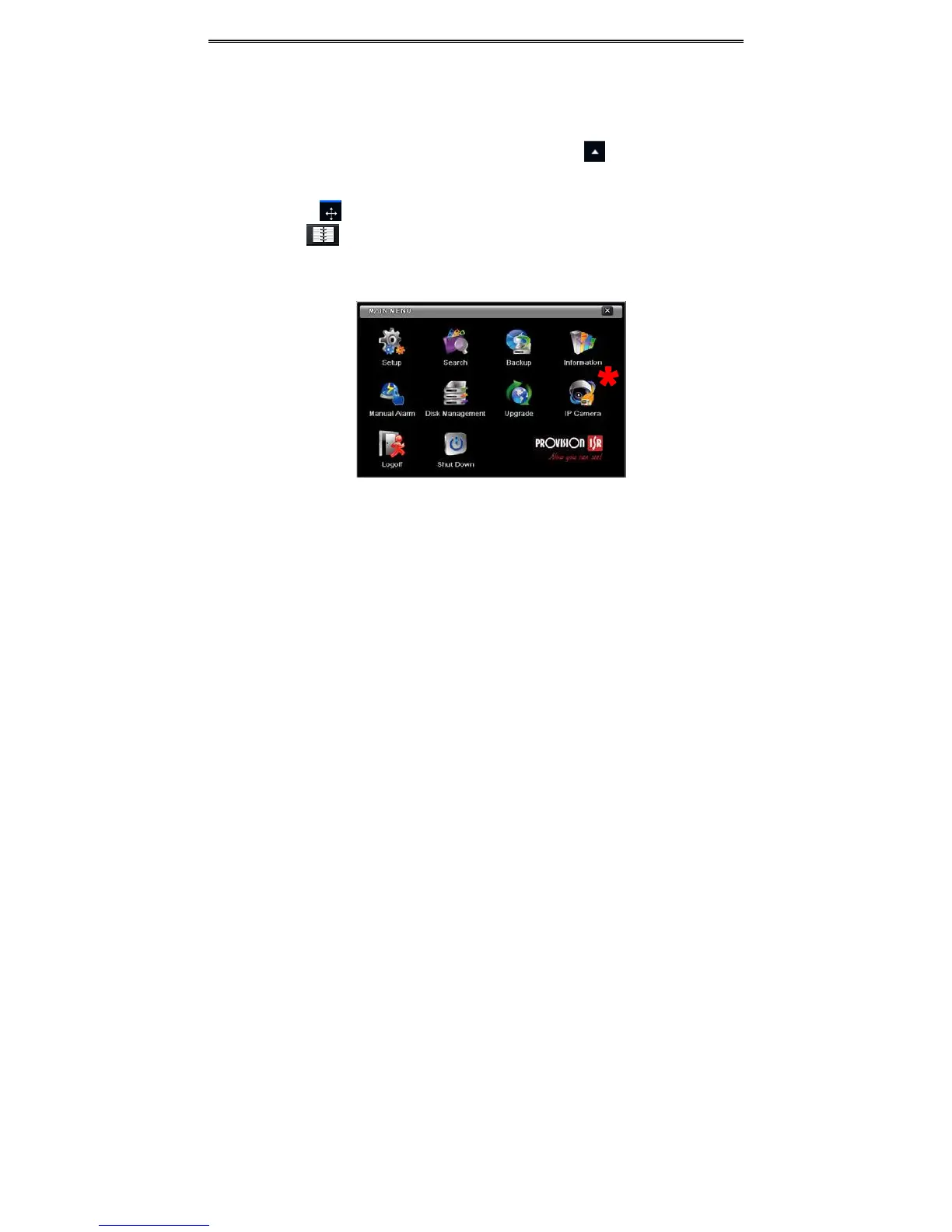
ClickMenubuttontopopupawindowasFig4‐2.YoucanalsopressMENUbuttonon
thefrontpaneloroperatewithremotecontrollertodisplaythemainmenu.ClickingSetupicon
willpop‐uptheconfigurationmenu:
Fig4‐2Setup
*Notice:IPCamerasetupisavaila bleonlyinversion3.4.3andhigherandnot
supported bySA‐4100AHD‐1(MM)



 To Next Page