AHD DVR User Manual
47
8 RemoteSurveillan ce
8.1 IERemoteSurveillancebyNAT
8.1.1NATSettin gs
① TheDVRshallbepoweredonandconnectedtothenetwork.
② GotoMainMenuSetupNetworkNetwork.YoucanobtaintheIPaddress,Subnet
MaskandGatewayautomatically.Youcanalsomanuallyinputthemaccordingtothe
actualnetworksituation.AndtheIPaddressshallbeinthesamenetworksegmentas
thenetworkwhichisused.
③ SetthepreferredoralternativeDNSServer(Pleaseref erto4.6.1Networkfordetails).
④ GotoMainMenuSetupNetworkNATtab.
⑤ EnableNATandinputtheNATServer(ThedefaultNAT Serveriswww.provisionisr‐nat.com).
⑥ Click“Apply”tosavetheparameters(Pleasereferto4.6.5NAT fordetails).
8.1.2NATAccess
After finishing the NAT settings, you can enter the NAT Server on the PC (Input
http://www.provisionisr‐cloud.comtogototheIEclient).Ifyouarethefirsttimetoaccessthe
NAT,thenetworkwilldownloadtheActiveXautomatically.
Note:IfyoucannotdownloadandinstallActiveX,pleaserefertoFAQQ7.
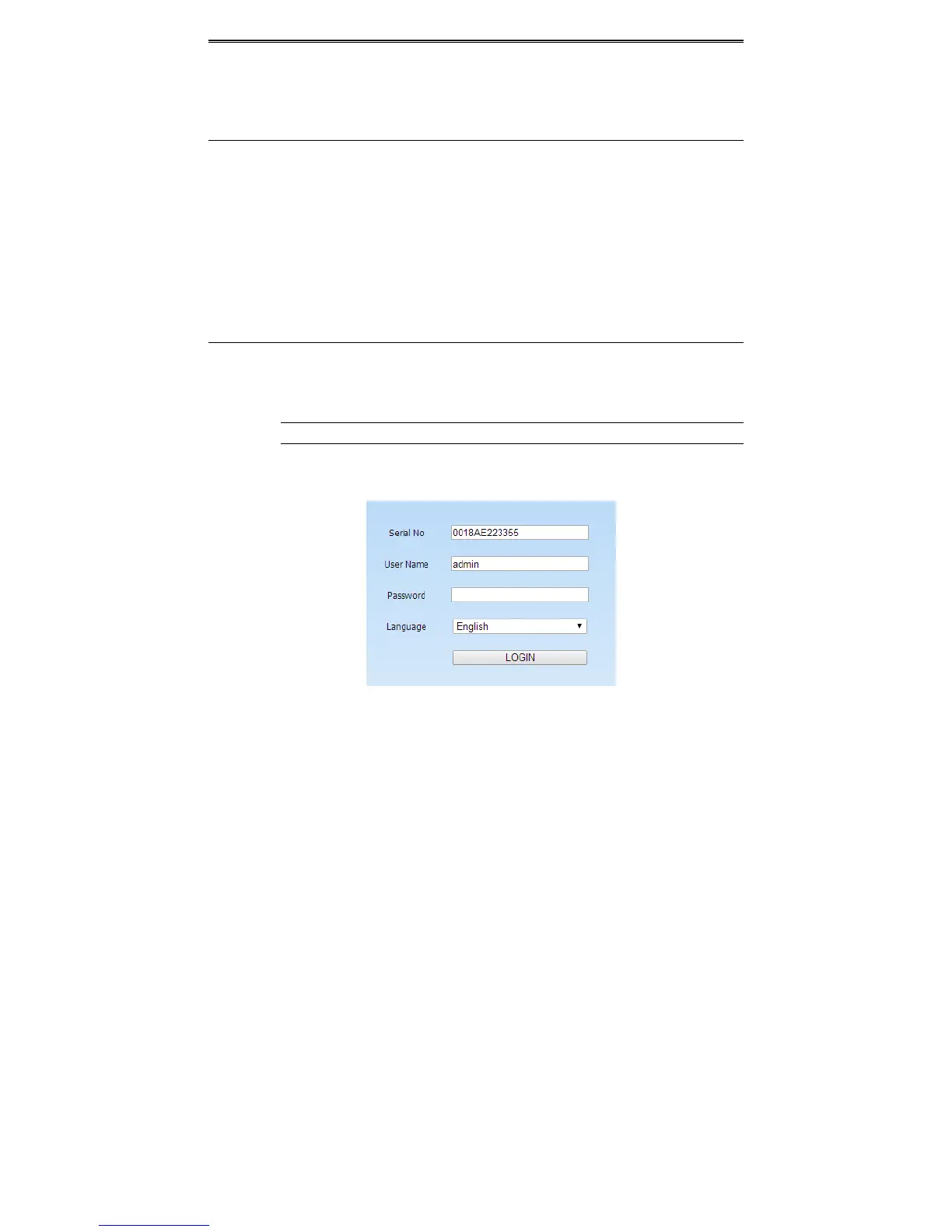
AfterinstallingActiveXsuccessfully,itwillpopuptheloginbox:
SerialNo:TheMACaddressoftheDVR(GotoMainMenuInformationQRCODEtocheck
thenumberbelowtheQRcode).
UserName:TheloginusernameofDVR.Thedefaultusernameisadmin.
Password:Thelogin
passwordofDVR.Thedefaultpasswordis123456.



 To Next Page