AHD DVR User Manual
23
5.4.2MotionSchedule
Thistaballowstosetscheduleformotionbasedrecording.Thesettingstepsareasfollows:
① GotoMainMenuSetupScheduleMotiontab.
② Thesetupstepsforscheduleformotionbasedrecordingaresimilartonormalschedule
setup.Youcanreferto4.4.1Schedulefordetails.
Note:Thedefaultscheduleofmotionbasedrecordingis24
ⅹ
7.Ifyouwanttoactivate
motionbasedrecording,youmustenablemotionalarmandsetupscheduleformotion
alarm(seeChapter4.5.1MotionAlarmformoredetails).
5.5 AlarmConfiguration
Alarmconfigurationincludesfoursubmenus:motion,videoloss,otheralarmandalarmout.
5.5.1MotionAlarm
Motionincludestwosubmenus:motionandschedule.Thestepstosetmotionalarmareas
follows:
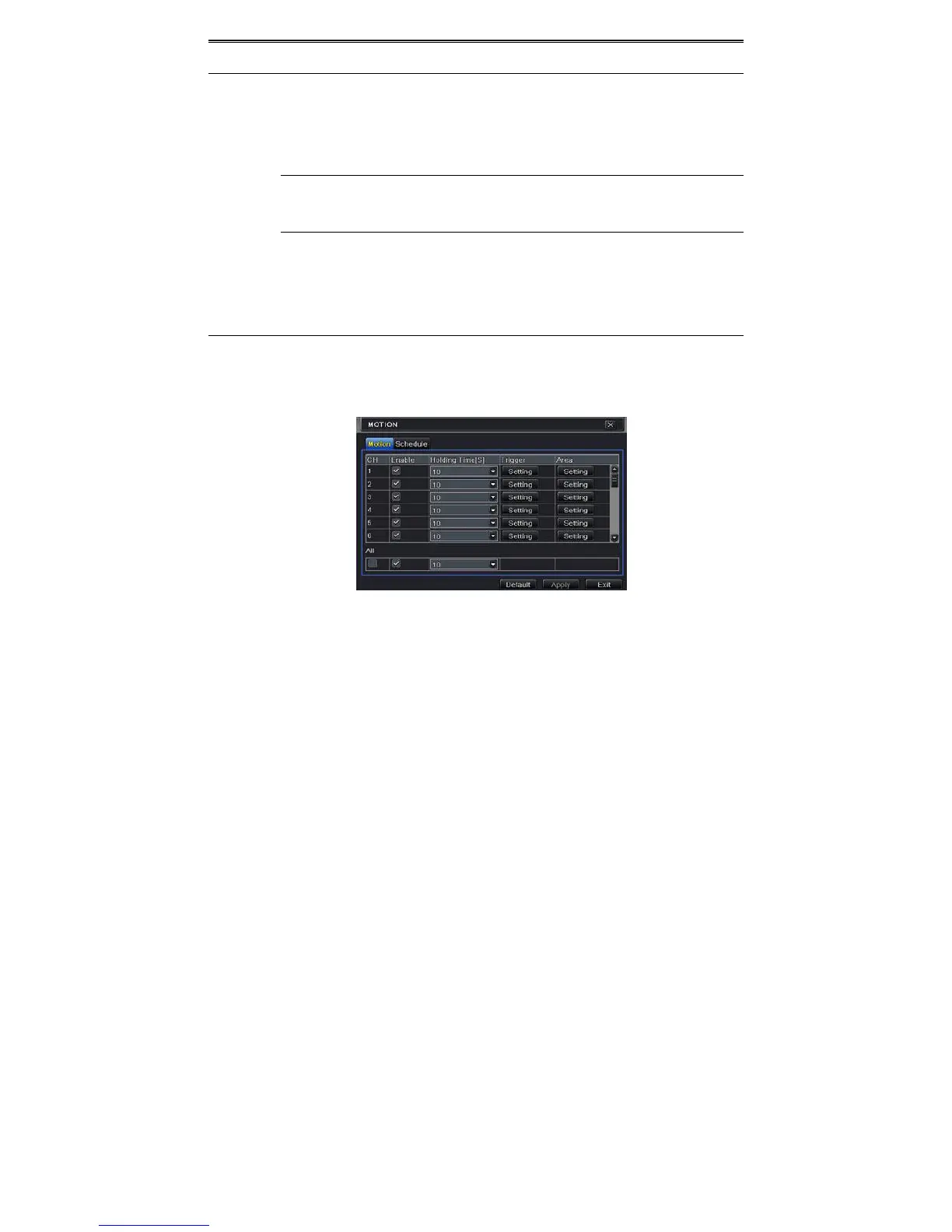
① GotoMainMenuSetupAlarmMotion.RefertoFig4‐17.
Fig4‐17AlarmConfiguration‐Motion
② Enablemotionalarm,setalarmholdtimewhichreferstothetimetillwhichthesystem
willwaitforfurtherdetectionofmotion.e.g.Iftheholdingtimeissetto10seconds,once
thesystemdetectsamotion,itwillgotoalarmbutwouldnotdetectany
othermotion
alarm(specifictochannel)until10seconds.Ifthereisothermotiondetectedduringthis
perioditisconsidereditascontinuousmovement,other wiseitwillbeconsideredasa
singlemotion.
③ Click“Setting”buttonundertheTriggerarea.Thenawindowwillpopupasbelow:



 To Next Page