AHD DVR User Manual
49
② WhenaccessingtheremoteinterfaceofDVR,usercaninputWANIPtoaccessdirectly
(usercangotoMainMenuInformationNetworkinterfacetocheckIPaddress).The
browserwilldownloadActiveXcontrol.
③ Thefollowingsettingstepsareasthesameas④and⑤inPoint1.
8.3 RemoteSurveillancethroughApplePC
Note:Becausethecurrentplug‐inversionofclientendjustonlysupports32‐bitmode,
sothesafaribrowsershallstart32‐bitmode.IfthebrowseristheearlierMACOSversion,
thedefaultsettingis32‐bitmodeandthesettingcanbeskipped.
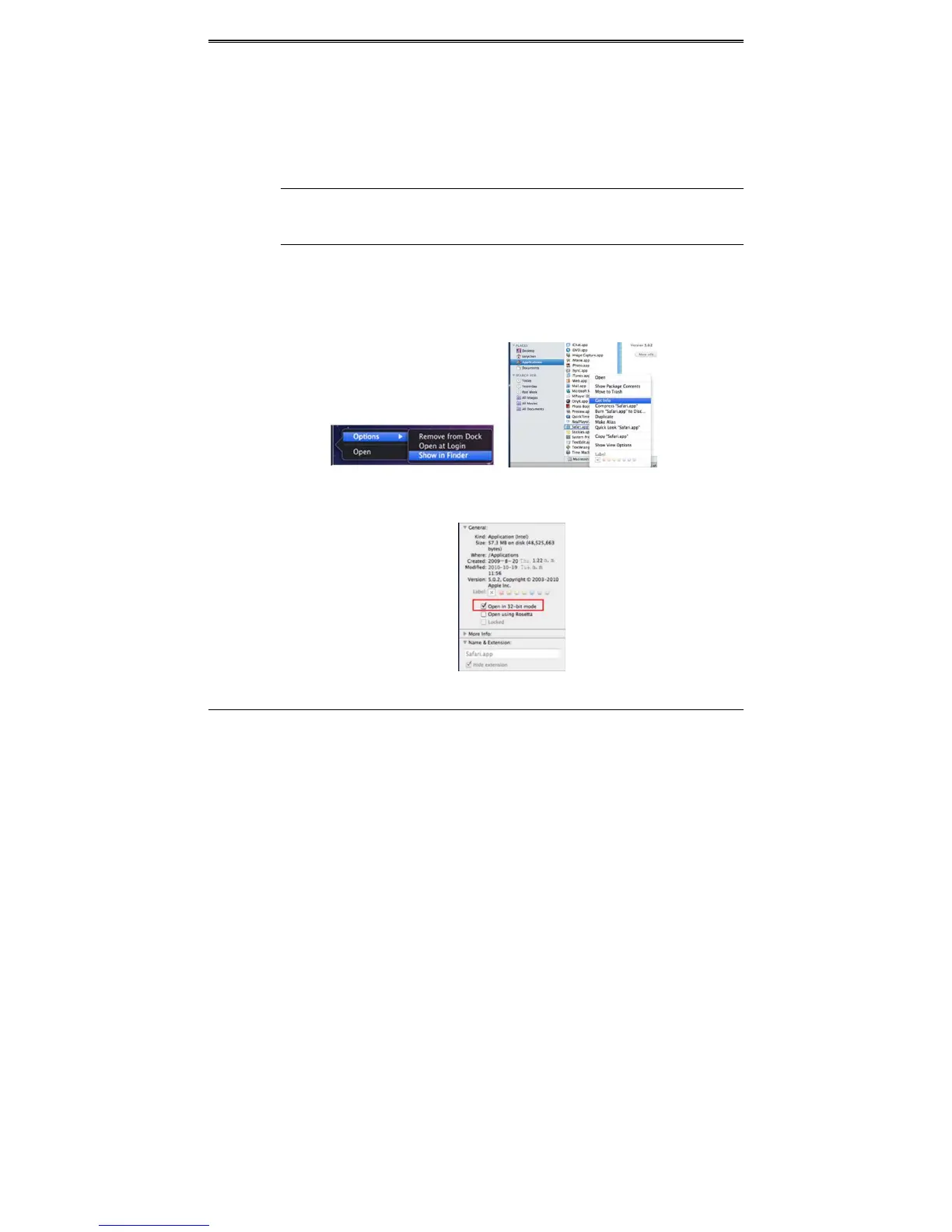
Thesettingstepsareasfollows:
① Rightclicksafariiconandselect“ShowinFinder”.
② SelectApplicationsRightclick“Safari.App”Select“GetInfo”.
③ Select“Openin32‐bitmode”.
8.3.1ViaLAN
① AfterstartingApplecomputer,clickAppleicon.Thefollowingwindowwillpopup.Please
select“SystemPreferences”“Internet&Wireless”“Network”.
② Go to Network interface and then click “Ethernet Connected” to check the internet
connectionofApplePC.



 To Next Page