AHD DVR User Manual
3
2 HardwareInstallation
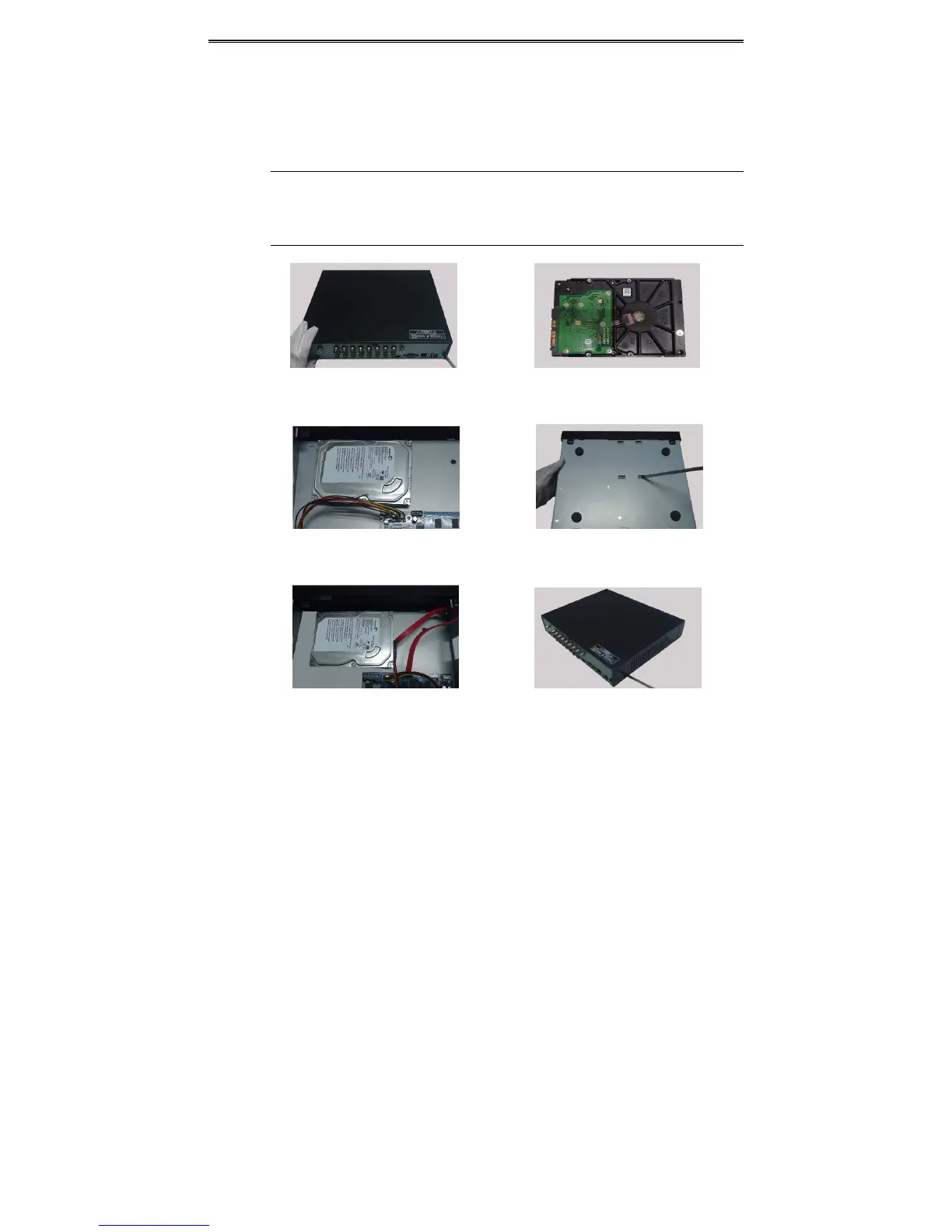
2.1 InstallHardDrive
ChecktheunitandtheaccessoriesaftergettingtheDVR.Pleasedon’tpoweruptheunittillthe
physicalinstallationiscomplete.
Notice: 1. This series support one SATA hard drive. Please use the hard drive the
manufacturersrecommendspeciallyforsecurityandsafefield.
2.PleasecalculateHDDcapacityaccordingtotherecordingsetting.Pleasereferto
“AppendixBCalculateRecordingCapacity”.
① Loosenthescrewsonthebackandside②TakeouttheHDD.
ofthedevicetoremovethecover.
③PuttheHDDontheboomofthe④Turnover thedeviceandfix theHDD
device.withthescrews.
⑤Connectthepoweranddatacables.⑥Installthecoverbackandfixitwiththe
screws.



 To Next Page