AHD DVR User Manual
42
③ ClickSearchbuttontodisplaythesearchedfilesinthefilelistbox.
④ Use“All”buttontolock/unlockordeleteallfilesinthefilemanagementcolumn.
⑤ Doubleclickanunlockeditemtoplay.
Lock:SelectafileandclickLockbuttontolockthisfile,afterthat,thatfilewillnotbedeletedor
covered.
Unlock:Selectalockedfileandclick“Lock”buttontounlockthisfile.
Delete:Selectanunlockedfileandclick“Delete”buttontodeletethisfile.
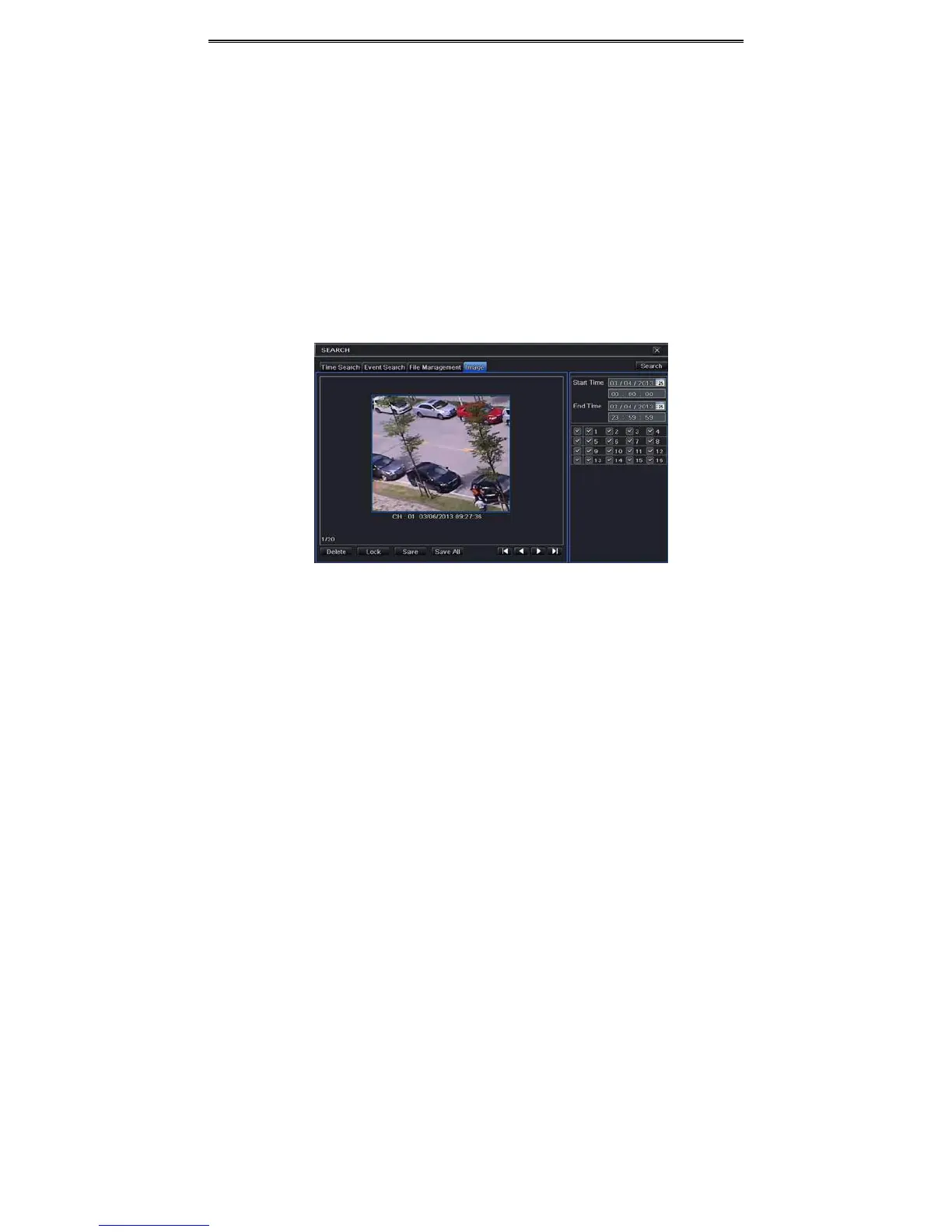
6.4 Search byImage
① GotoMainMenuSearchImagetab.
② Selectdataandchannelsontherighthandside.
③ Press“Search”buttontosearchforarecordedimage.
④ Onceanalarmimagehasbeenidentified,theusercandoubleclicktheimagetoplay
recording.
Fig5‐4SearchConfigura tion ‐Image
Lock:Selecttheimageandclick“Lock”buttontolockthisimage.
Sav e:Click“Save”buttontocopytheimageontheHDD.
Sav eAll:Click“SaveAll”buttontocopyallimagesontheHDD.
6.5 Backup
ThisunitsupportsbackupbyUSBFlash.YoucanalsomakebackupbyIEbrowserviainternet
(seesection7.5.2Remotebackup).
① InsertUSBstoragedeviceandthengotobackupconfiguration.RefertoFig5‐5.
② Setthestart&endtime,selectchannelsandclickSearchbuttontodisplaythesearched
datainthedatabackuplistbox.



 To Next Page