AHD DVR User Manual
65
8.10 ByPhoneswithAndroid
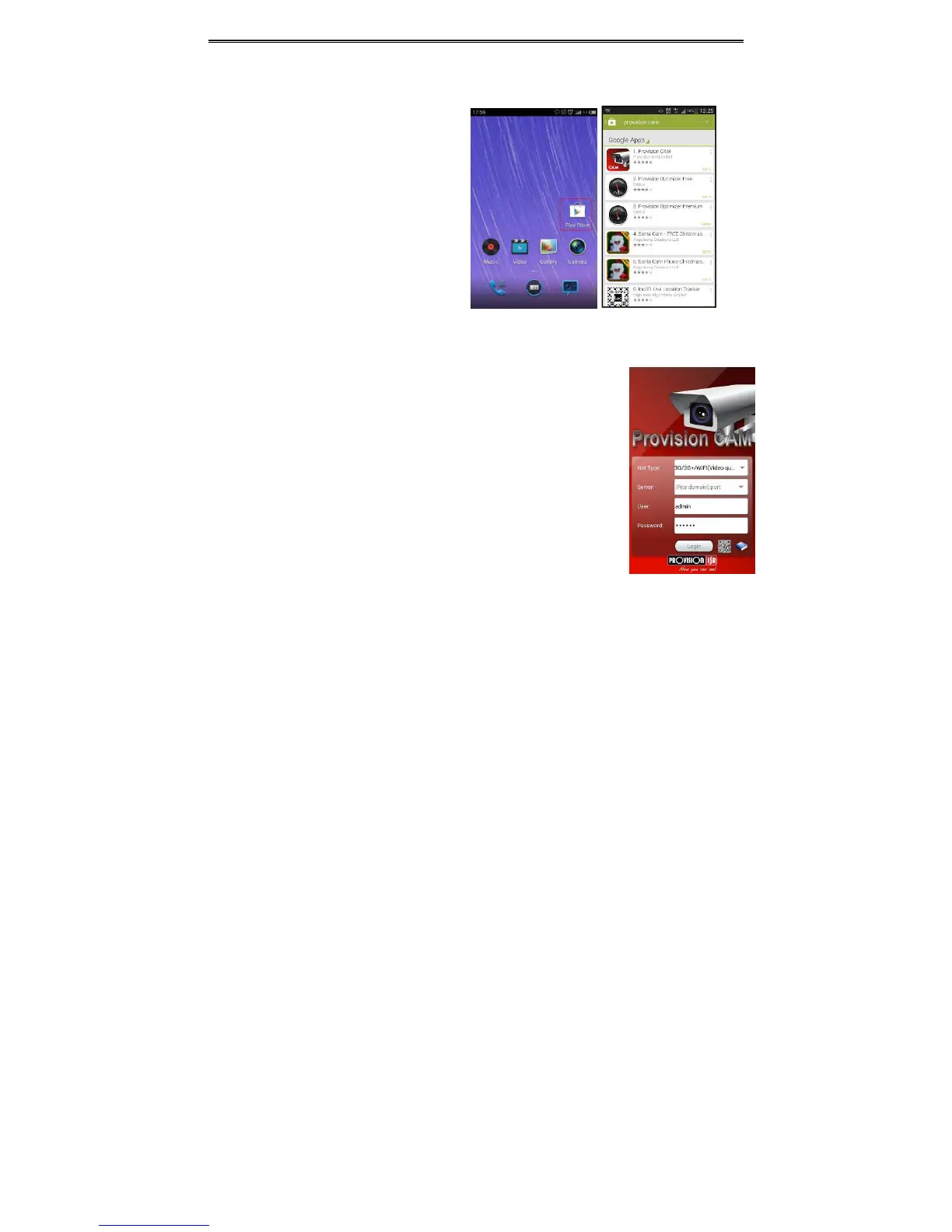
SoftwareInstallation
Step 1: Run “Play Store” (or Googlemarket)
program.
Step2:Search“ProvisionCam”.
Step3:Press“Install”button.
Step4:Installthesoftwaresubjecttothe
notes.Oncethedownloadingisdone,the
softwarewillinstallautomatically
LoginMenu
Step1:Choosenetworktype.Therearetwonetworkconnectionways:
3G/3G+WIFI,wellvideoquality.Thisnetworksupportsmainstreamandsub
stream.Thereal‐timeimagewillbedisplayedbyusingsubstream.
3G‐,poorvideoqualitycontrasttotheabovementionednetwork.
Step2:
Inputserver,accountandpassword.
Server:Option1(availableonlyifNATP2Pserverisen abled,please referto
section5.6.4):ClickonthesmallQRcodeiconinthebottomoftheloginscreen
thenSnaptheQRcodefromthestickerontheDVRorfromtheDVRinterface
(MenuInformationQRCODE).
Server,Option2:WANIPaddress(ordomainname)plusHTTPportofthedevice.
Forexample:210.21.183:89or123.dvrdydns.com:89.Note:Thedefaulthttpport
ofthedeviceis80.Ifthisportismodified,pleaseusethemodifiedport.
AccountandPassword:Thelogin
accountandpasswordofthedevice.The
defaultaccountisadminandthedefaultpasswordis123456.
Step3:Click【Login】buttontoaccessthedevice.



 To Next Page