AHD DVR User Manual
52
Screendisplaymode:
Clicktheiconbesidethescreendisplaymodetoselectchannels.
Snappictures:
Click “Snap”icon to automatically capture pictures and save those pictures in the
computer.YoucansetupthesavepathforthosepictureintheRemotePreviewinterface
ConfigurationLocalconfiguration.
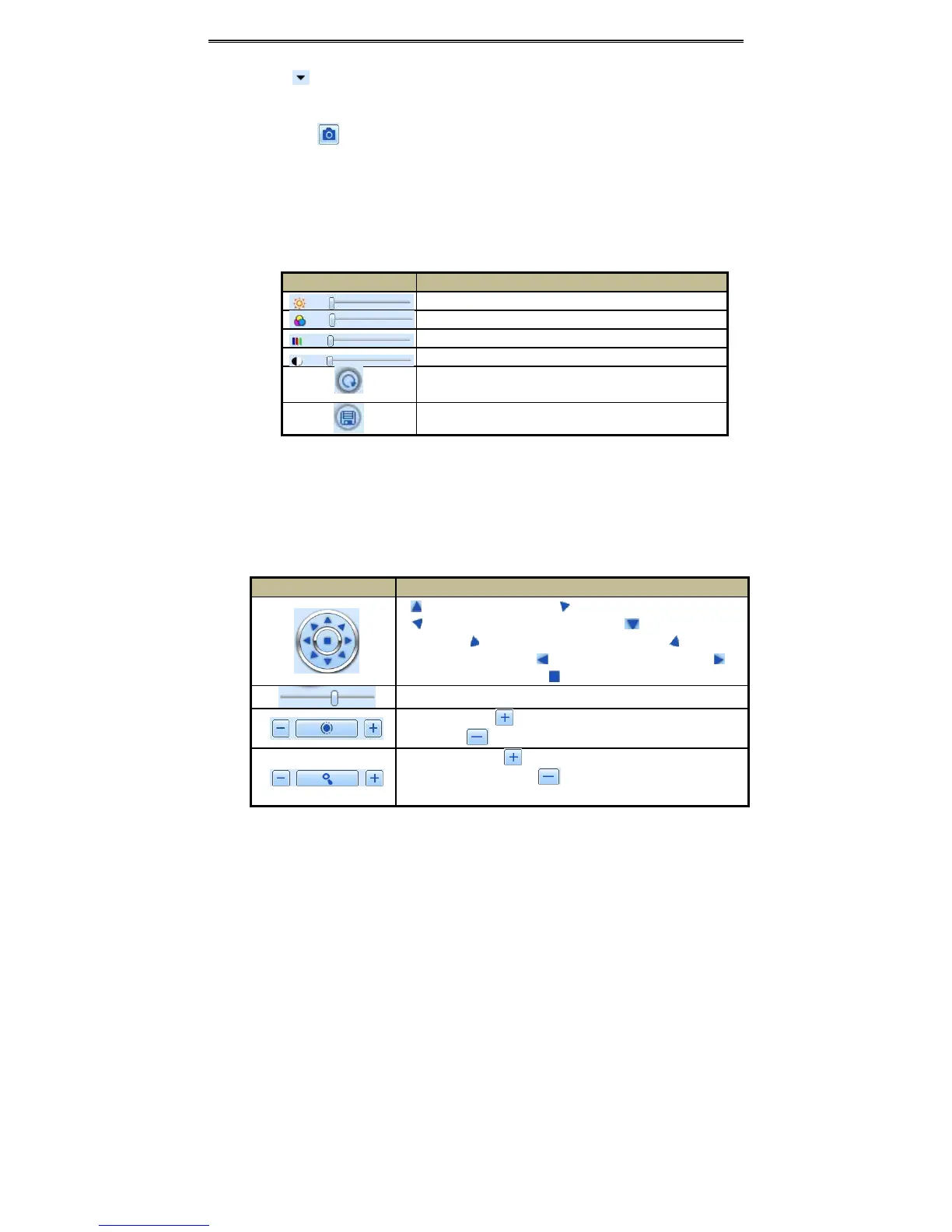
Coloradjustm ent:
DragtheslidebartoadjustBrightness,Contrast,Hue,andSaturation.ClickDefaulttoresetthem
tooriginalvalue.
Buttons Description
Dragthescrollbartoadjustthebrightnessofchannel
Dragthescrollbartoadjustthecontrastofchannel
Dragthescrollbartoadjustthesaturationofchannel
Dragthescrollbartoadjustthehueofchannel
Clickthisbuttontorecoverthedefaultvalueofbrightness,contrast,
saturationandhue.
Savetheadjustment
PTZcontrol:
PleaseconnectspeeddometothedeviceviaRS485firstly,makesuretheprotocolofthespeed
domeissupportedbythedeviceandsettherelativeparametersmanually.Usercancontrolthe
domeup,down,right,leftorstoprotatingonControlCenter,adjustrotationspeed,Iris
and
zoom,focusonthedome,andsetthepresets,etc.
Buttonsdefinition:
Buttons Description
torotatethedomeupwards.torotatethedomediagonallyup‐left.
to rotate the dome diagonally up‐rightto rotate the dome
downwards.torotatethedomediagonallydown‐righttorotatethe
domediagonallydown‐lefttorotate thedometowards left. to
rotatethedometowardsrighttostoprotatingthedome.
Dragthescrollbartoadjustrotatingspeedofthedome.
'Iris' button.Clickbuttonnear 'Iris' button to increase light of the
dome.Clickbuttonnear'Iris'buttontodecreaselightofthedome.
'Zoom'button.Clickbuttonnear'Zoom'buttontozoominthelocale
pictureofthiscamera.Clickbuttonnear'Zoom'buttontozoomout
thelocalepictureofthiscamera.



 To Next Page