AHD DVR User Manual
61
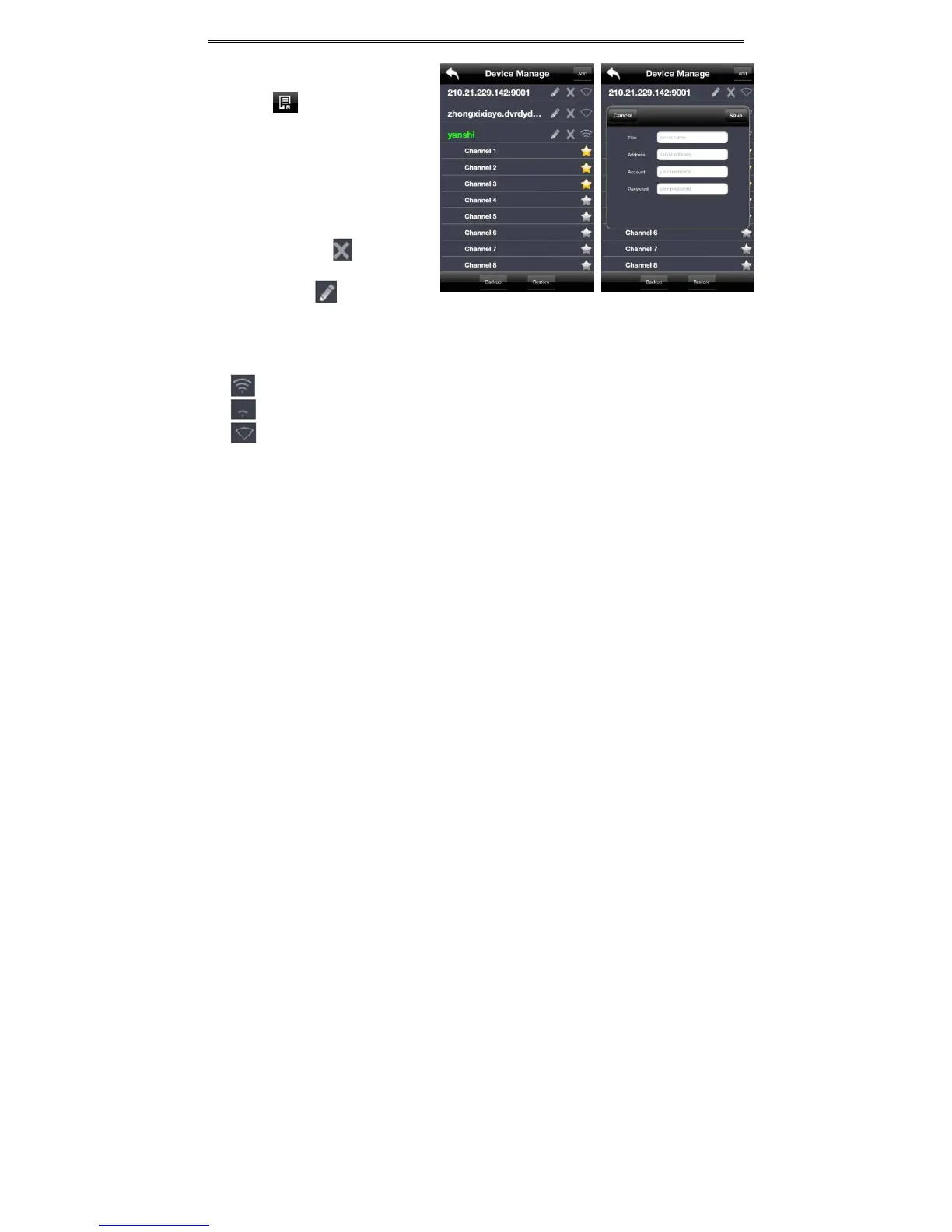
3. Serverlist
Clickbutton to pop up the
followingpicture.
Add device: Click “Add” button in the top
rightcornertopopupadialogboxasshownin
the following left picture. Input the relative
information of the device and click “Save”
button.
Delete device: Click
button behind
thedevicenametodeletethisdevice.
Editdevice:Clickbuttonbehindthe
devicenametoedittheinformationofthisdevice.
Backup&restore:Itisrecommendedtoclick“Backup”buttontoreservetheinformationofalldevices.
Thenyoucanclick“Restore”buttontorestore
alldeviceinformationafteryoure‐installtheclientorresetthe
device.
indicatesthedevicehasbeenconnected;
indicatesthedeviceisconnecting;
indicatesthedeviceisnotconnected.
4. LivePreview
Onceyouaccessthedevice,thesystemwillautomaticallydisplaythescreenmodeinaccordancewith
thechannelnumberofthedevice
Note:Themaximumnumberofchannelswhichcanbeconnectedarenineafterlogin.
1. Click“Screenmode”buttontoselectchannelasshowninFig1.
2. Whenthereisvideoplayinginascreen,youcanswitchthe
channelbylongpressingthescreenas
showninFig2.
3. Whennovideoisplayinginascreen,clickthisscreentochoosechannelasshowninFig3.
4. Whenthesinglechannelisplaying,youcanzoomin/outtheimagebyswipingyoufingerupanddown
as
showninFig4.
5. Whenthesinglechannelisplaying,thechannelcanbeswitchedbyswipingyourfingerleftorrightas
showninFig5.
6. Whenmultichannelsareplaying,dragonechannelscreentotheotherchannelscreen.Thiswillmake



 To Next Page