AHD DVR User Manual
63
5. CMSFunction
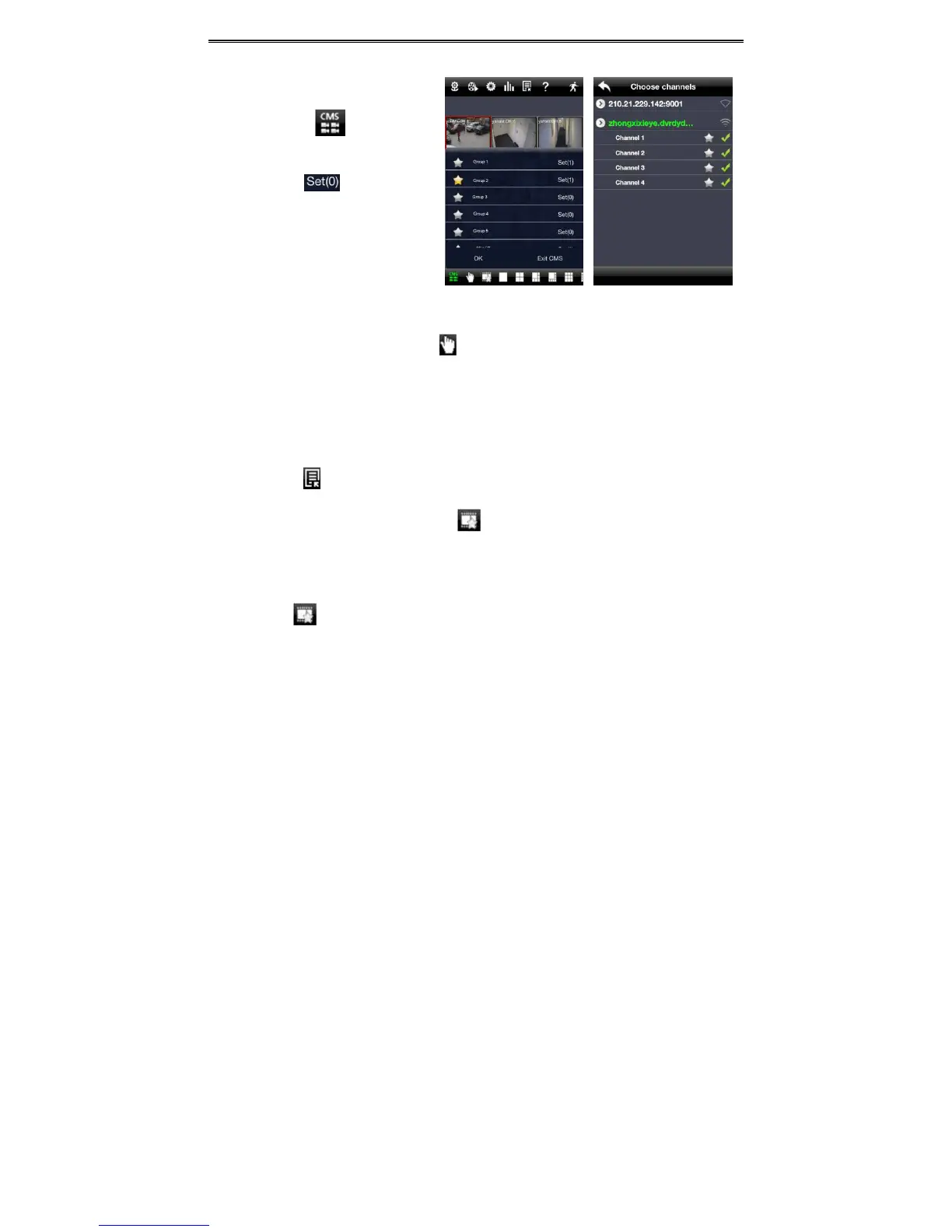
This function makes multi‐device
managementsandpreviewcometrue.
Step 1: Clickto enable CMS
function.Whenthisiconturnsgreen,it
meansthisfunctionisenabled.
Step2:Clicktochoosechannel
asshownintherightpicture.Afteryou
choose the channel, click “ok” ,
the
system will display the related image
automatically.
Ifchannelshavebeenaddedintothegroup,youcanseetheimagesbyclickingthegroupname.
Onviewingthegroupchannelima ges,clickbuttonandselectchannelstocheckotherchannelimages.
Click“ExitCMS”to
exitCMSmodeandreturntothemaininterfaceofthedevice.
6. FavoriteChannel/Group
Therearetwokindsoffavoritechannels:favoritechannelsofthedeviceandfavoritegroupofCMS.
Favoritechannelsofthedevice
Step1:Clicktoenterintodevicemanagementlist.Clickthe
devicenametoextendchannel.Enlighten
thechannelstosavefavoritechannelsasshowninthefollowingpictureontheleft.
Step2:Returntothemaininterfaceandclickbuttontoplaythefavoritechannels.
FavoritegroupsofCMS
EnableCMSfunctionandenlightenthegrouptosave
thefavoritegroupsasshowninthefollowingpicture
ontheright.
Thenclickbuttontoplay.Onlyonefavoritegroupcanbecollected.



 To Next Page