AHD DVR User Manual
67
Click“Playback”inthemainmenu interfacetoenterplaybackinterface.
Thenchoosethechannelyouwanttoplayback.Thiswilltakeyoutoseethe
recordfile.Clickthisfiletoplay.
ServerList:
Inthemainmenuinterface,click“Serverlist”toseetheabovepictureon
thelefthand.
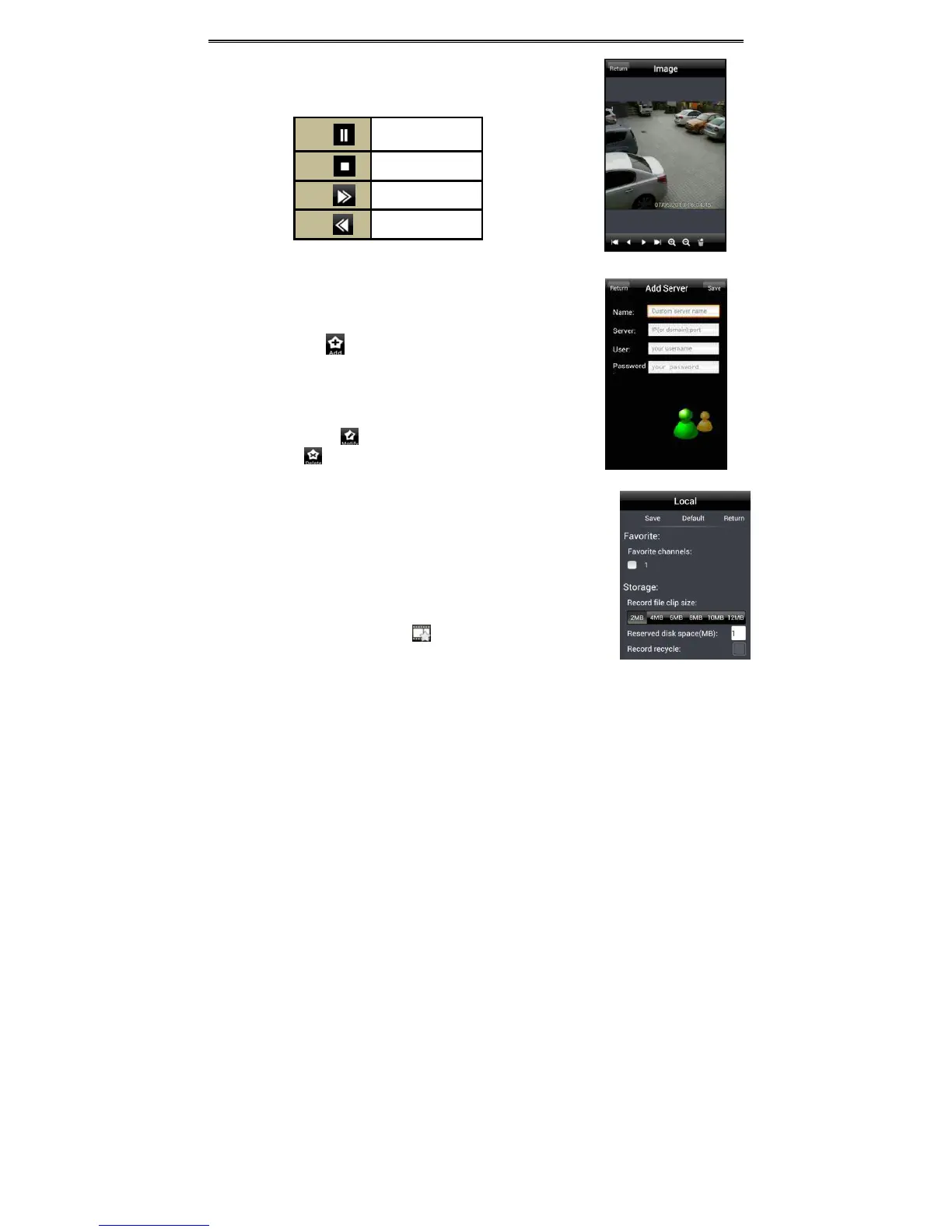
AddServer:Click buttontopopupawindowasshownintheabove
pictureontherighthand.Enterthename,server,userandpasswordofthe
deviceyouwanttoadd.Thenclick“Save”buttontosavetheserver.When
you log in next time, you can choose and qu ickly access
this server by
clickingthelittletrianglebuttonintheservercolumn.
ModifyServer:Click buttontomodifytheserverinformation.Delete
Server:Click buttontodeletetheserverinformation.
Settings:
In the main menu interface, click “Settings” to enter the settingsinterface
whereyou can configure local settings.Click“Local” to enter local settings
interface.Inthisinterface,youcansetfavoritechannelandstorage.
FavoriteChannel:
Checkthefavoritechannelsandclick
“Save”buttontosavethesechannels.
Thengointoliveinterfaceandclickbuttontoplaythesefavorite
channels.
Pause/Play
Stop
Forward
Backward



 To Next Page