
 Need help?
Do you have a question about the Pulseroller ConveyLinx-IO and is the answer not in the manual?
Identifies intended users and prerequisite knowledge for the manual.
Outlines the manual's objectives, including identifying components and providing guidelines.
Clarifies what topics are not covered, such as power supply sizing recommendations.
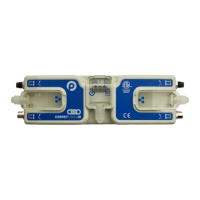
Explains ConveyLinx as a series of interconnected modules for conveyor control and ZPA applications.
Lists key features of the ConveyLinx-Ai2 module, including built-in Ethernet switch and M8 ports.
Describes the 4-pin M8 male receptacles used for I/O connections and their configuration options.
Details the standard M8 female receptacles for I/O connections and their pin configurations.
Explains the RJ-45 Ethernet ports and the requirement for IP54-rated protective shrouds.
Covers the use of items (shrouds, covers) to maintain IP54 rating for power and Ethernet wiring.
Explains the design for separate power connections for module logic and digital outputs.
Provides guidelines for connecting DC common terminals to ground and avoiding grounding loops.
Details the LED states for Ethernet Link and Activity indicators and their meanings.
Explains the meanings of the Module Status LED states during operation and firmware updates.
Describes the LED states for Left & Right IO LEDs indicating input status.
Describes the LED states for Left & Right IO LEDs indicating output status.
Details the LED states for the Power indicator, signifying power supply status.
Guides on downloading, extracting, and installing the EasyRoll software for configuration.
Explains IP address format, Subnet, Node, and their significance in ConveyLinx networking.
Describes how to physically connect a PC to the ConveyLinx network for configuration.
Provides a step-by-step guide to initiate and perform the auto-configuration process.
Describes the expected outcomes after successful auto-configuration, including module reboot and LED status.
Explains how low voltage conditions affect digital outputs and the module's recovery process.
Outlines the steps for replacing a module using the EasyRoll software and its network features.
Details the procedure for replacing a module using the physical replacement button on the module.
Introduces EasyRoll as a PC application for configuring ConveyLinx systems and changing parameters.
Lists fundamental EasyRoll functions like graphical views, transparency configuration, and locating modules.
Highlights advanced capabilities such as firmware upgrades, network discovery, and backup/restore.
Explains how to use the ConveyLinx built-in DHCP service to automatically assign a PC's IP address.
Discusses manual PC IP configuration for larger or dedicated system setups.
Describes how to use EasyRoll's network discovery to find the Auto-Configuration Master.
Guides on launching the EasyRoll application from the Windows start menu.
Details changing the PC's IP address to match the Auto-Configuration Master's subnet.
Explains how to modify the Auto-Configuration Master's IP address for network adjustments.
Guides on connecting to ConveyLinx, entering network IP and node range.
Explains how to navigate through nodes using the main screen controls for data display.
Details using the 'Blink & Wink' feature to visually identify selected ConveyLinx modules.
Explains how to disable the transparency mode via the EasyRoll main screen checkbox.
Details methods to open the Advanced Dialog for module configuration.
Describes the utility for updating module firmware using provided upgrade files.
Explains how to use the Connections utility to establish logical connections between modules.
Details using Network Services to explore networks and set IP addresses for modules.
Describes network architecture, protocols (Modbus, EtherNet/IP, Profinet), and assembly concepts.
Details Modbus assembly instance structure for PLC data exchange.
Explains how ConveyLinx-IO is configured as a Generic Ethernet I/O device for Allen-Bradley PLCs.
Outlines the requirements for connecting to Siemens PLCs using Profinet IO and GSDXML files.
Explains notation for registers and configuration charts for PLC data exchange.
Shows data sent to the PLC for module configuration, detailing input/output and polarity settings.
Describes the input data structure, including bitwise values for port status and error conditions.
Details the output data structure, specifying how to energize outputs and bit definitions.
Provides detailed physical dimensions of the ConveyLinx-IO module in millimeters.
Displays the mounting footprint and dimensions for installing the module.
Lists operating voltage, temperature, humidity, and electrical specifications for the module.
Specifies input characteristics like sensing type, current limits, and short circuit protection.
Details output capabilities including output count, current limits, and protection.
Lists Ethernet features, including ports, speed, duplex, and cable detection.
Lists the network protocols supported by the module, such as Modbus/TCP, EtherNet/IP, Profinet I/O.
Explains IP address structure, subnetting, and their importance for ConveyLinx networking.
Illustrates PC IP settings for communicating with multiple ConveyLinx subnets.
 General
| Category | Controller |
|---|---|
| Voltage | 24V DC |
| IP Rating | IP20 |
| Communication | Ethernet |
| Communication Protocol | Modbus TCP |

 To Next Page
