103
Updates, Settings & Maintenance
11
11.6 Updating the Smart Battery Pack
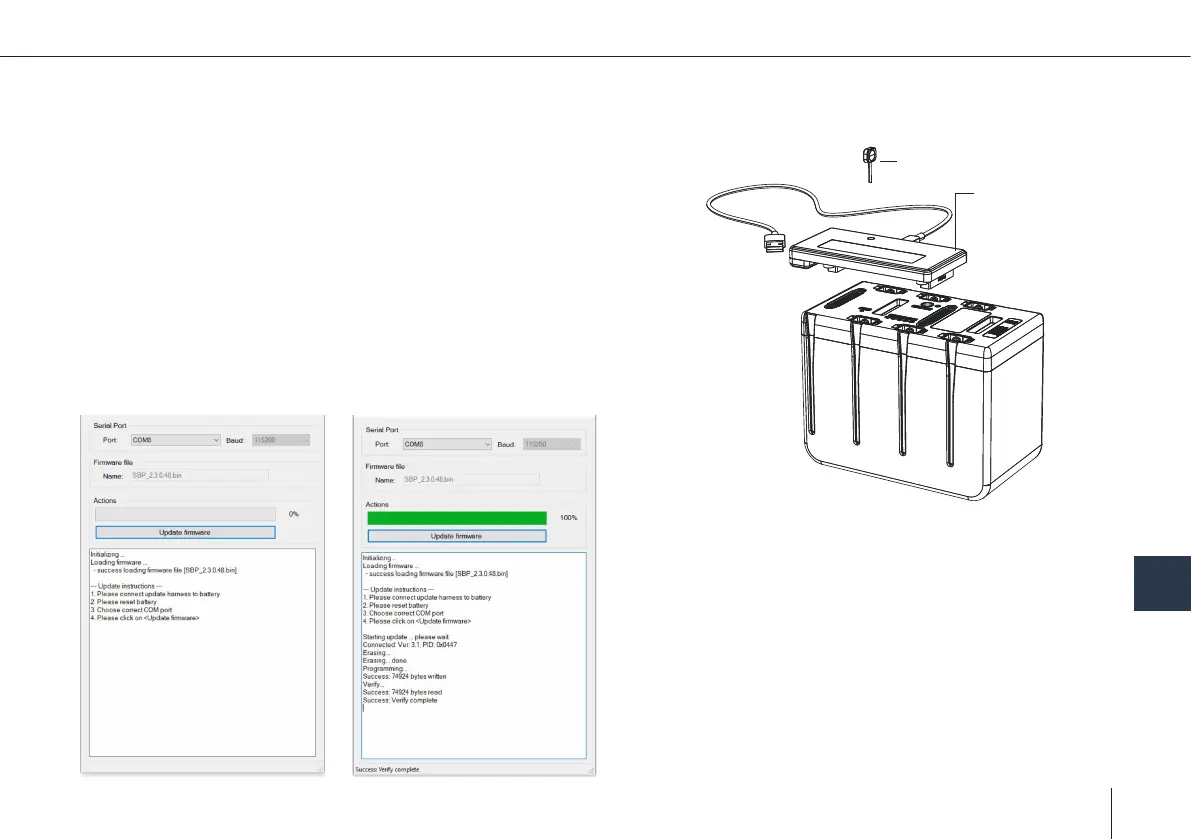
Update harness
Reset pin
In order to do the SBP Update a special prgramm is needed. The program
will be provided with every update via email.
Please note that the battery pack needs to be ready to y.
1. Please connect update harness to the battery.
2. Please reset the battery with the reset pin.
3. Choose the correct COM port until the "Update rmware" button is
available.
4. Please select "Update rmware".
5. The process is completed when "Success: Verify complete" is displayed.



 To Next Page