33
6
6.5 Ground Control Station (GCS)
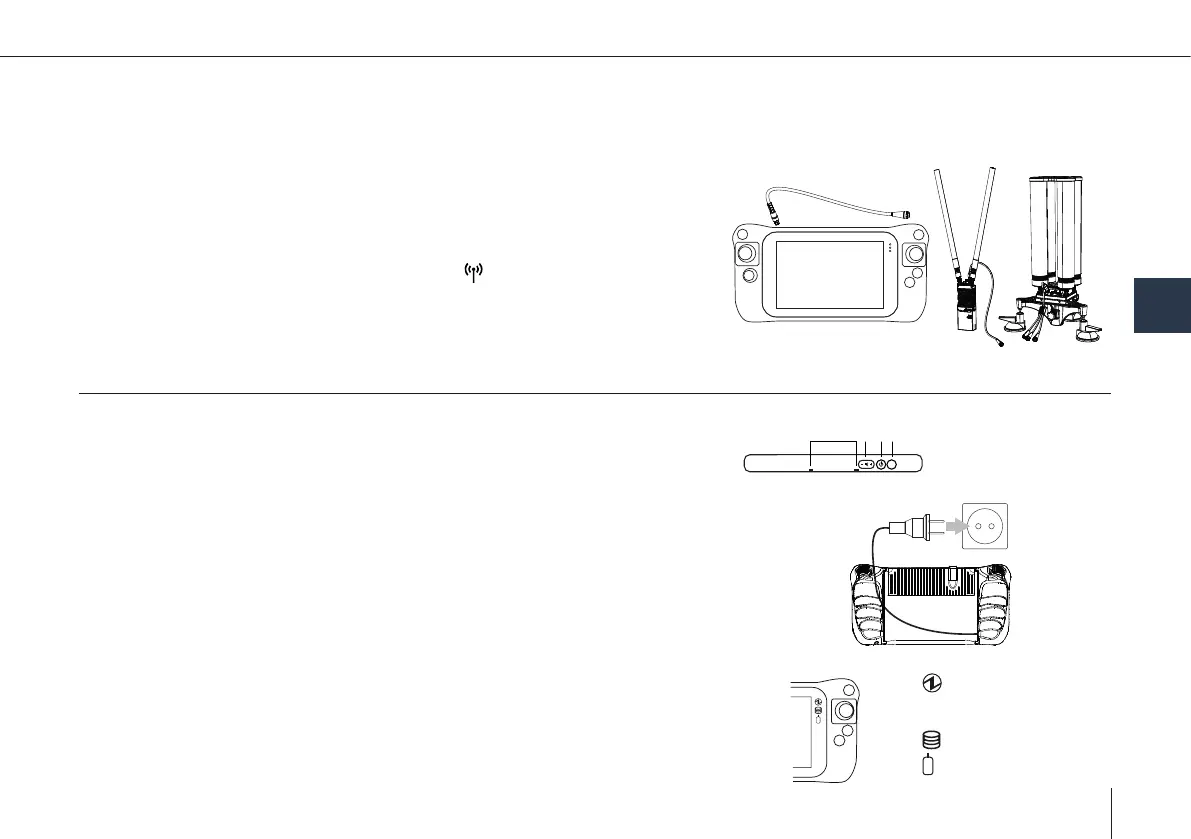
The GCS includes the Data Link Handheld (or Data Link Station) and the mission computer (Skynav and/or Toughbook).
Connection between GCS and the UAV
1. Connect the Data Link Handheld or Data Link Station to the Skynav/Toughbook.
2. Power the tablet and open QBase.
3. Connect the battery to power the UAV.
4. The connection is automatically established .
Note: To connect an additional laptop to the GCS refer to chapter 11.8.
6.5.1 Skynav tablet
A BC D
A: Microphone
B: Volume button
C: Power button
D: Rotation Lock button
LED indicators
Power indicator
off: Power off
green: Power on,
ashing green: sleep.
Drive status
Battery status
Turn on
1. Press and hold the power button (C) until the power indicator (icon) lights up.
Note: Do not press the power switch repeatedly.
The computer will forcibly be turned off if you hold the power switch for
four seconds or longer.
Once you turn off the computer, wait for ten seconds or more before you
turn on the computer again.
Turn off
1. Touch (Start) at the lower left.
2. Touch (Power) - [Shutdown].
Charging
1. Connect the power cord to the tablet.
2. Connect the power cord to a power outlet.
3. The charging process will start automatically.



 To Next Page