71
Mission Operation
8
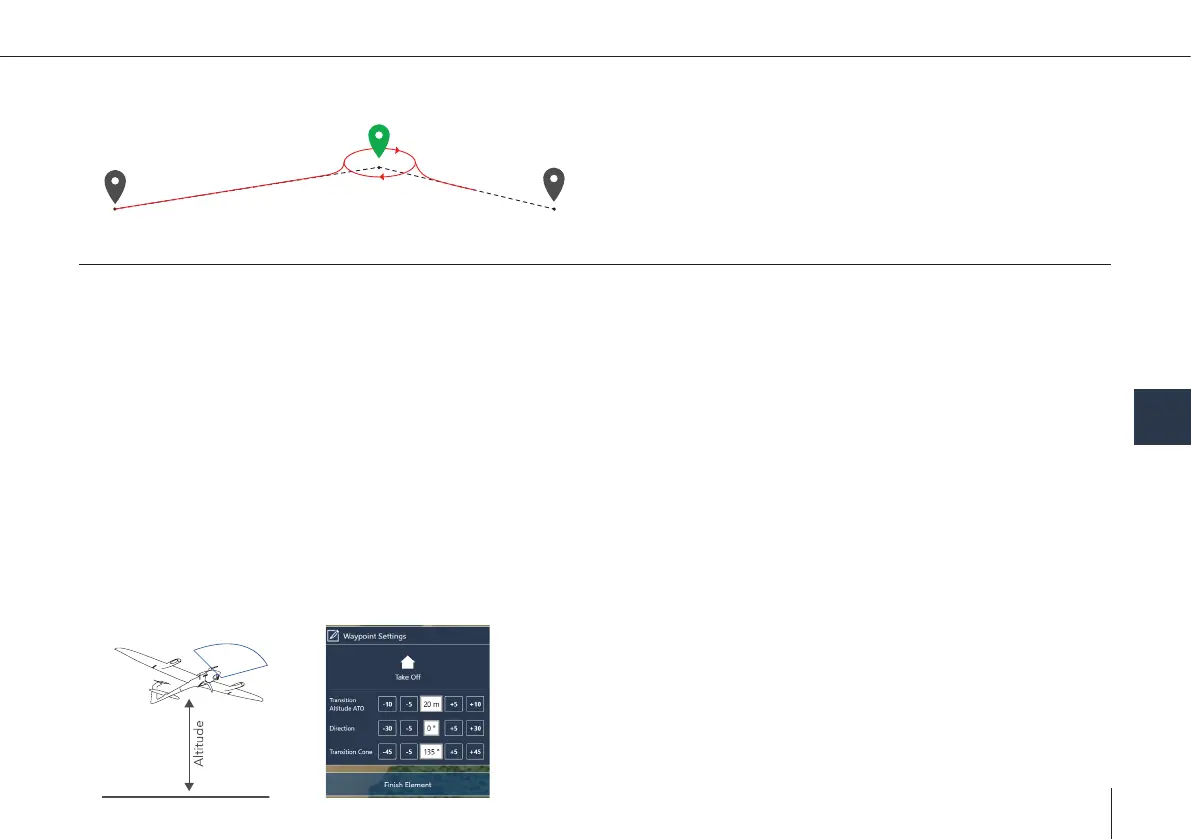
Loiter
• The UAV enters a circular trajectory around the waypoint.
The radius of the trajectory, the circling duration and the
circling direction can be set in the waypoint property menu.
• The UAV approaches and leaves the trajectory from the
outside.
Take-off /Landing
• The UAV will take off and land at the exact same position.
• Take-Off/Landing is performed in hover mode.
• Dene the planned take-off and landing position by clicking on the map.
• Move the position by dragging. The real take-off position is automatically adjusted right before the start of the ight.
Important:
• Make sure no obstacles are within a radius of 20 m around the Home Waypoint.
• Always take off against the wind direction.
• Do not take off in a wind sheltered area (lee), as turbulences may occur.
• Transition cone:
°
Green = Transition cone (allowed transition direction)
°
If there is an obstacle: transition altitude must be 20 m (65.6 ft) higher than the obstacle.
• Select the Take-Off or the Retransition location on the map or select Take-Off/Landing in the left section in order to set the
waypoint settings.



 To Next Page