53
Flight Operation
7
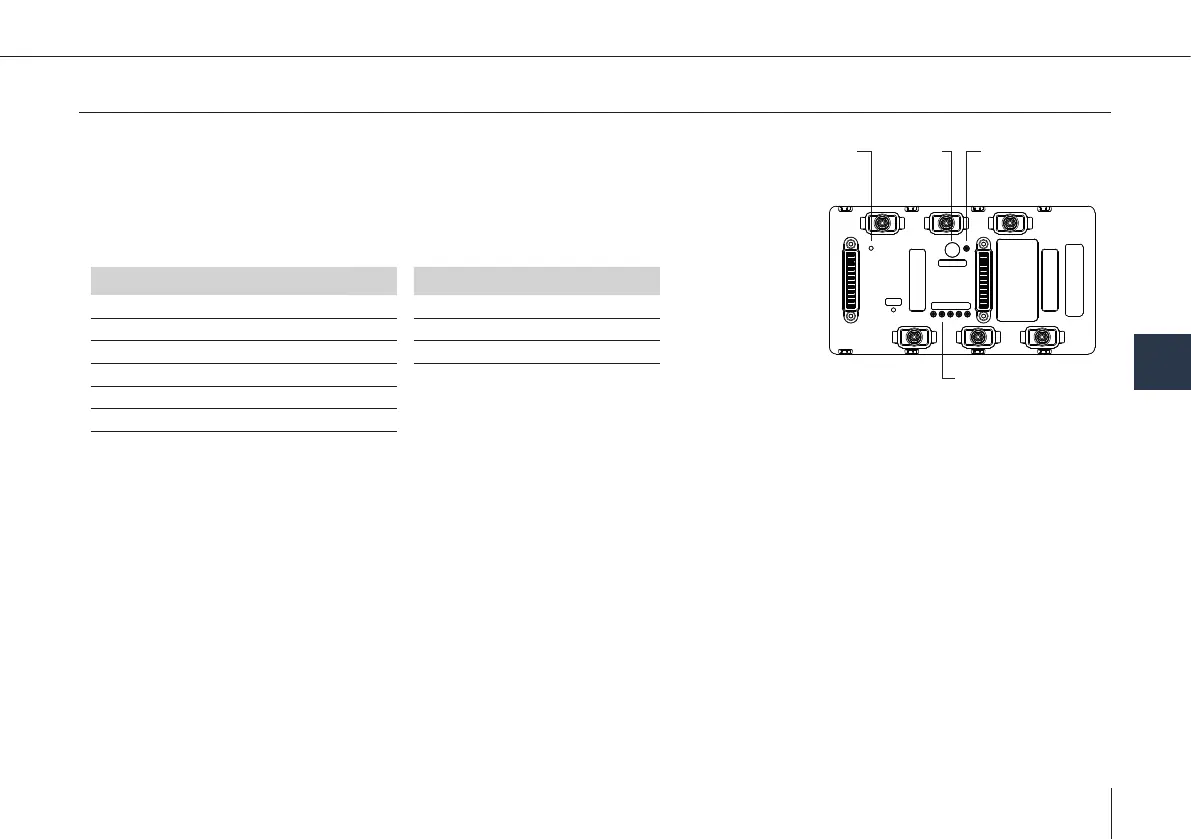
7.3 Smart Battery Pack: Buttons and functions
Status LED
(green/red)
Program
button
Start/
SoC/Heat
LED State of charge
(green)
SoC/Heat
State of Charge
Reset
State of Charge (SoC) indicator
5 LEDs with 20 % increments show the SoC of the SMP from 0 – 100 %.
Press the Start/SoC/Heat button on the bottom of the battery and a SoC will light
up.
Current battery level
Legend
LED 5 LED 4 LED 3 LED 2 LED 1
Status
Symbol Explanation
20 %
LED is off
40 %
green LED is permanently lit
60 %
80 %
100 %
Manual pre-heating function
The SBP automatically heats up as soon as it is connected to the UAV. As it is safety relevant the UAV will not allow the preight
check if the battery temperature is below its operational temperature.
In order to reduce the automatic on-site heating time it is recommended to pre-heat the battery when ying at ambient tem-
peratures below 16 °C (61 °F).
1. Press and hold down the button on the bottom of the battery for more than 8 seconds.
2. The SoC LEDs will ash alternated with a red one until the battery reaches optimal operation temperature.
3. The heating will stop automatically (LEDs will stop ashing).



 To Next Page