111
Updates, Settings & Maintenance
11
11.11 Calibrating the Accelerometer
1. The data link handheld, the Skynav/Toughbook, the main body & the batteries are
needed.
2. Connect the battery packs. Attach the cover to secure the batteries.
The UAV will power automatically.
3. Open QBase and connect the data link handheld to the Skynav/Toughbook.
4. Ensure the connection between the UAV and the Skynav/Toughbook is established.
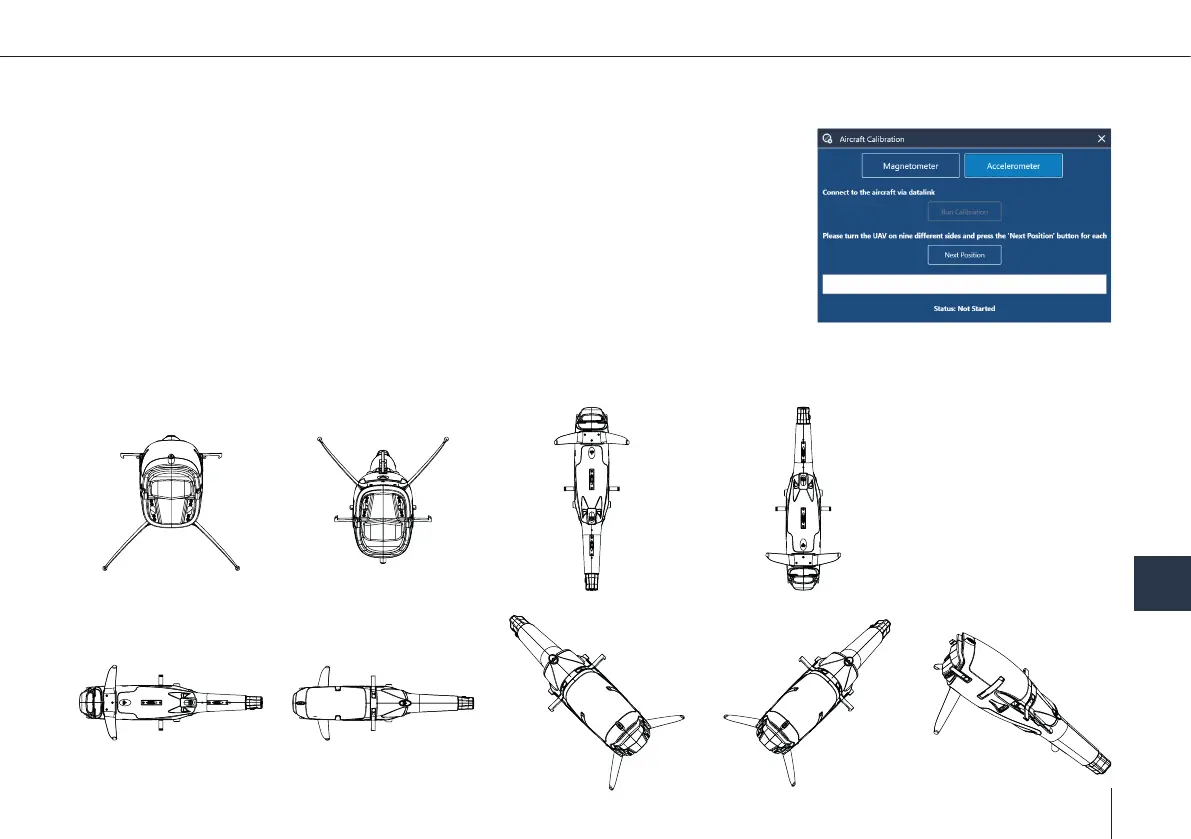
5. Open QBase > Main Menu > Tools > Aircraft Calibration > Acceleration
6. During the Calibration nine measuring points are recorded. Place the main body as shown below and follow the steps in
QBase.



 To Next Page