69
Mission Operation
8
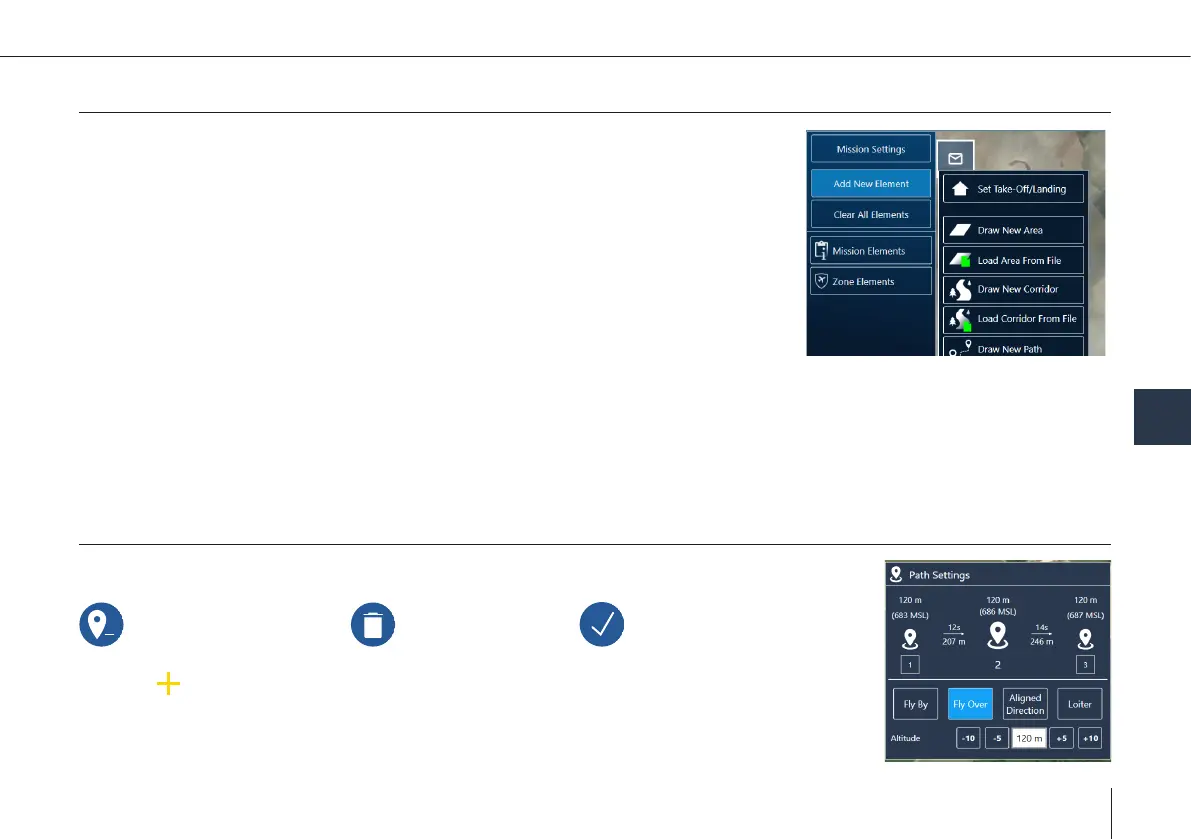
Add New Element
Add a new element by clicking one of the following buttons:
Set Take-Off/Landing
Location and settings of Take-Off/Landing and retransition can be individually adjus-
ted afterwards.
Draw New Path
The path is created by dening waypoints through a click on the map.
Zone Elements
• Dene/adjust the corners of an area with a click on the map.
• The Working Zone consists of 3-10 corners. The Working Zone is supposed to increase situational awareness. The Working
Zone will not trigger actions.
• NoFly Zones are supposed to increase situational awareness. NoFly Zones will not trigger actions if breached.
Link Loss
By default, the Link Loss Loiter Circle is equal to the retransition circle. Set it separately using this element.
Path
Simple path: Specifying waypoints in order to y around obstacles or delay the ight by loitering.
Delete selected waypoint Delete all waypoints Finish editing the geometry
1. Select on the map: add new waypoint between two existing waypoints.
2. Change settings in the element on the left side or in the map.



 To Next Page