70
Altitude
• Flight altitude: Altitude above ground.
• Do not exceed the maximum altitude that is allowed for your region.
Waypoint types
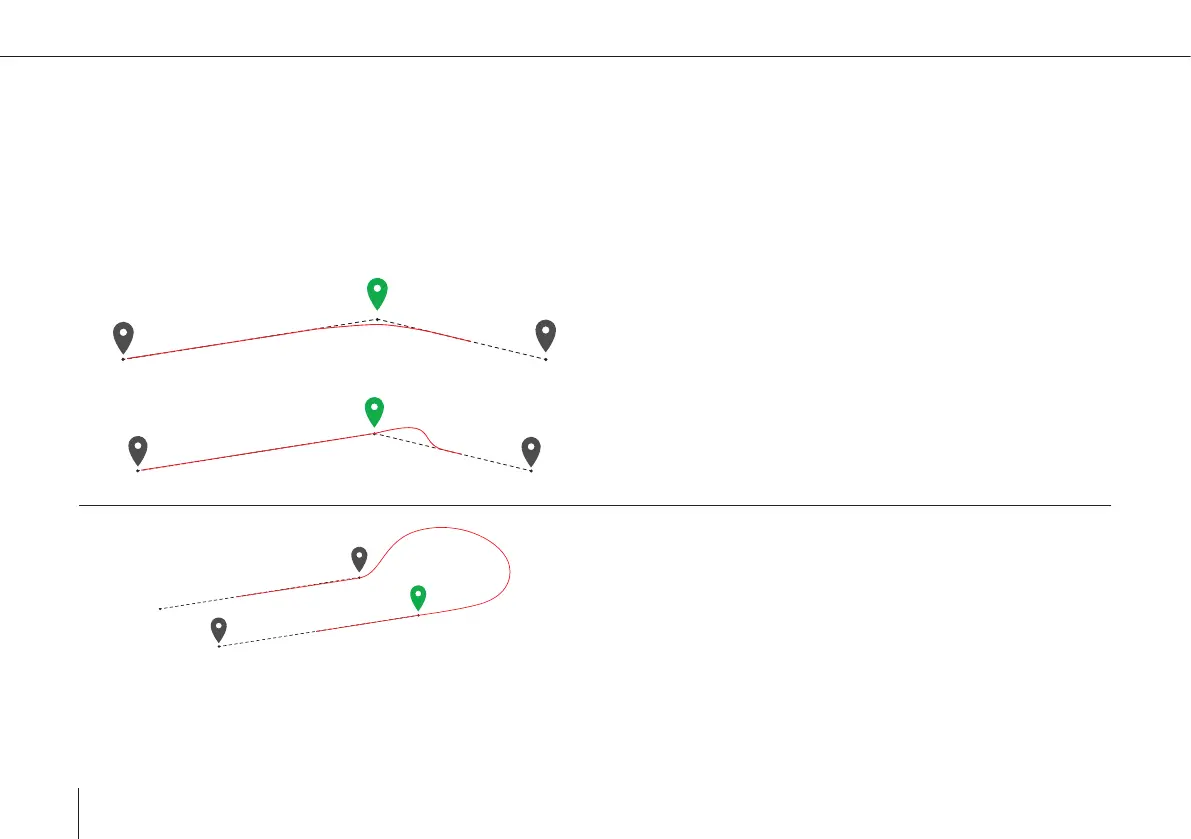
The selected waypoint is displayed in green.
Fly By
• The waypoint is not directly overown.
• The UAV turns before reaching the waypoint to smoothly
align with the next leg.
Fly Over
• The waypoint is directly overown.
• The UAV realigns with the next leg after the waypoint.
Aligned Direction
• The ight track is automatically determined in order to
match the waypoint and the direction of the next leg.
• Subtypes can manually be selected in the waypoint proper-
ty menu. For photogrammetry missions it is recommended
to set the subtype to Auto. Not all subtypes are applicable
for every scenario. Non applicable subtypes are indicated
by a red dotted line between the waypoints.



 To Next Page