Current Section: Manual Watering 78
Navigation:
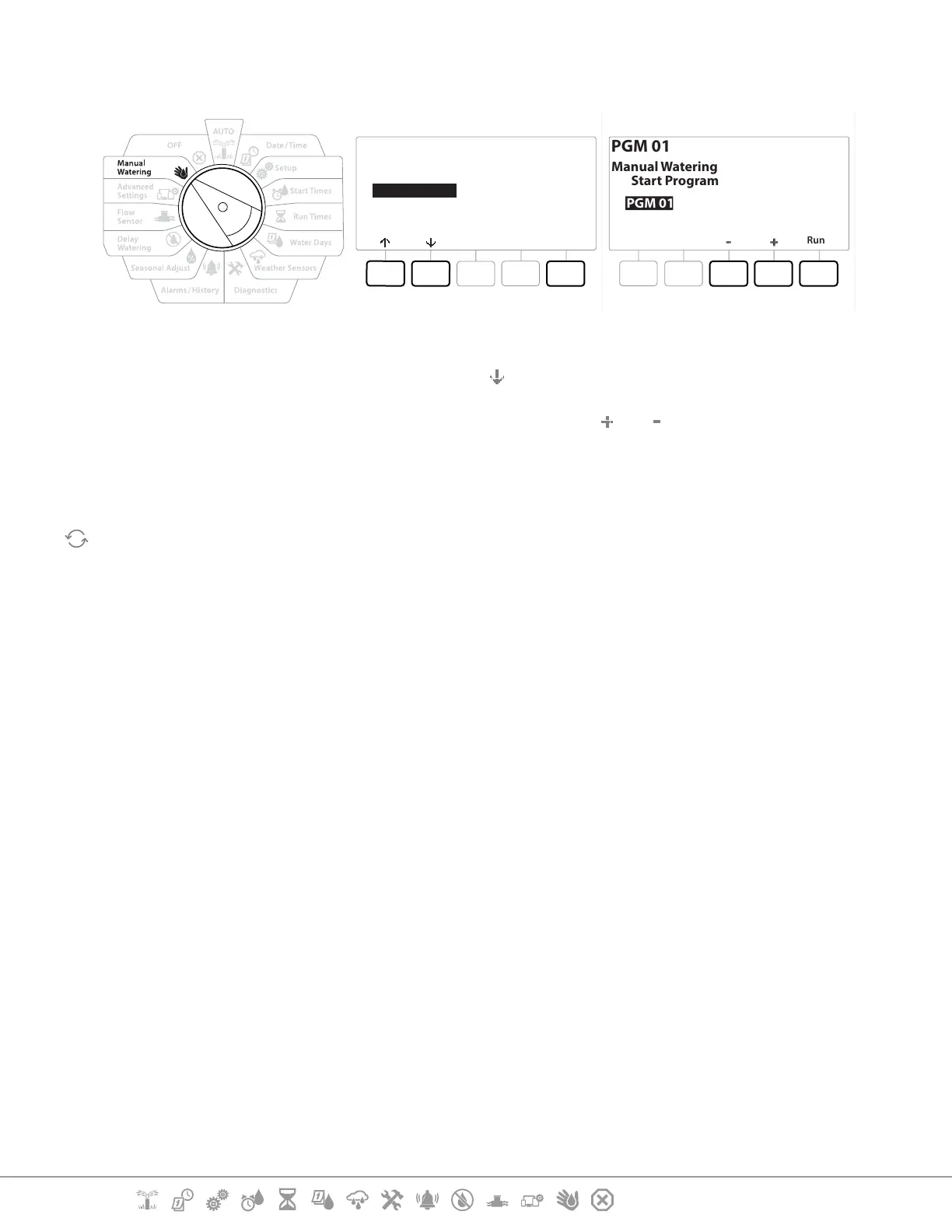
15.1.2 Start Program
Next
Start Station
Start Program
MV Water Window
Test All Stations
PGM 01
Run
PGM 01
Manual Watering
Start Program
1 Turn the controller dial to Manual Watering
2 At the Manual Watering screen, press the key to select “Start Program”, then press Next .
3 At the Manual Watering Start Program screen, press the and keys to set the desired
program, then press Run to start irrigation.
4 A conrmation screen shows that irrigation has started.
Repeat this process to manually start other Programs.
•
Programs will run sequentially in the order in which they were selected.
15.1.4 MV (Master Valve) Water Window
Sometimes you may want to use quick coupling valves or other manual watering methods during
times when you are not irrigating.
To ensure that these devices have water, you can set up an MV Water Window. The MV Water Window
works the same way as other Water Windows, but instead of allowing irrigation it simply opens a
Normally Closed Master Valve (NCMVs) and allows a user-dened ow rate to coordinate with ow
sensing.


 To Next Page
 Loading...












