Current Section: Setup 32
Navigation:
4.4.6 Module/ Station Numbering (Advanced Station Settings)
•
When a new module is installed the Module/ Station Numbering screen will be displayed automatically.
Making changes from the Setup dial position is not recommended at initial setup.
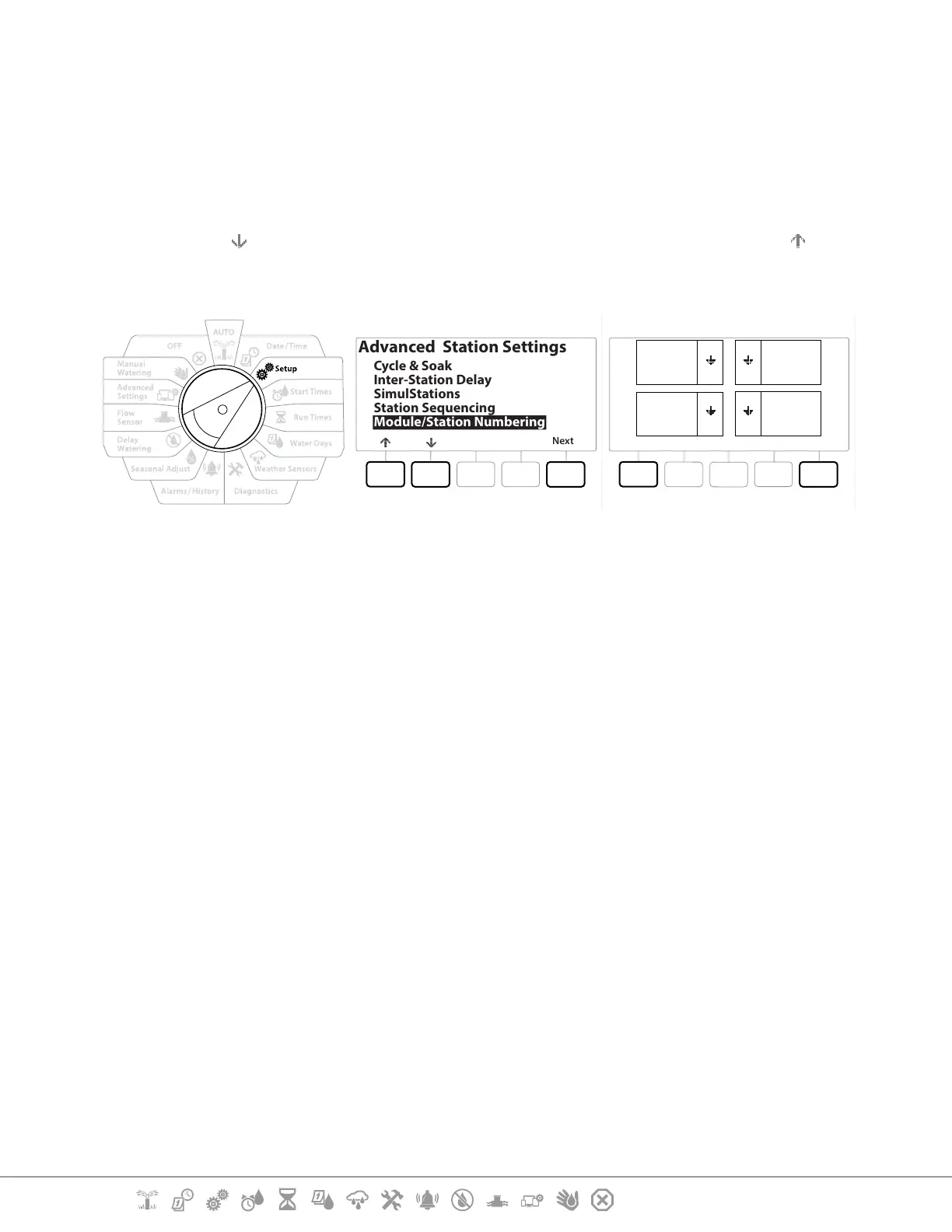
1 Turn the controller dial to Setup
2 Use the key to navigate to “Advanced Station Settings”, on this screen, Use the key
to navigate to “Module/ Station Numbering”, then press Next . Press Next again on the
dialog screen.
Next
Advanced Station Settings
Cycle & Soak
Inter-Station Delay
SimulStations
Station Sequencing
Module/Station Numbering
DoneChange
SM12 SM12
SM12SM12
01
1
2
3
4
12
25
36
37
48
13
24
AC
AL
BG
BP
3 The Module Status screen appears. The current status of any installed station modules is
displayed.
4 This screen can be used to change the labelling of the installed modules using the
Change key.


 To Next Page
 Loading...












