Layout and function
9
2
2.3 Controls, keys
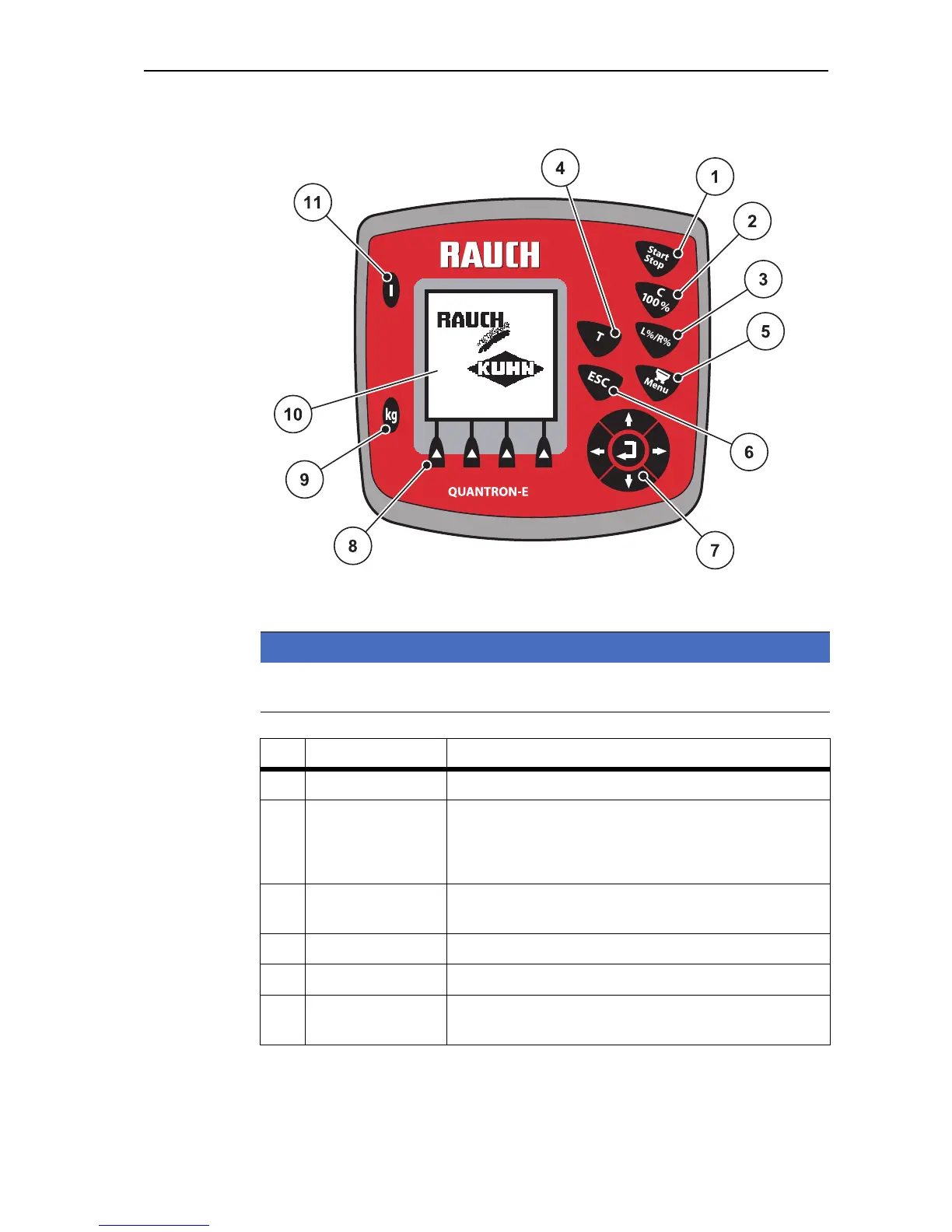
Figure 2.2: Control panel on front of unit
NOTICE
The operator's manual describes the functions of the control unit Quantron E as
of software version 3.30.00.
No. Designation Function
1 Start / Stop Starts and stops spreading.
2 Clear / Reset
Clear an input in an input field,
reset the excess quantity to 100 %,
Acknowledge alarm messages.
3 Preselect partial
width setting
Preselect partial widths for changing the application
rates (Left or Right or Left +Right).
4 T-key (Telimat) Button to display the Telimat setting
5 Menu Switch between operating screen and main menu.
6 ESC For aborting information input and / or returning to the
previous menu at the same time.


 To Next Page