APPENDIX
F
: Hawkeye Storage and Start-Up Checklist 107
APPENDIX F
STORAGE AND START-UP
CHECKLIST
HAWKEYE STORAGE AND START-UP CHECKLIST
This section provides procedures to maintain the Hawkeye system. There are checks to perform before storing the
equipment and also starting the equipment after long periods without use.
PRESEASON CLEANING AND FLUSHING
The Hawkeye system requires a few steps in addition to your sprayer manufacturer’s recommended preseason
maintenance and inspection. To prepare the Hawkeye system:
1. Remove and clean all of the product strainers.
2. Replace the strainers after they are clean and dry.
3. Fill the product tank with at least 200 gallons of clean water.
4. If the boom tubes have a flush valve at the end, open the flush valves and flush the boom tubes with 100
gallons of clean water.
5. Close the flush valves.
6. Remove all of the spray tips or turn the nozzle bodies to an open position (no tips) and flush the booms with
the remaining water.
START-UP INSPECTION
Follow the inspection instructions in the vehicle specific installation manual. Perform these steps with the key on
without the engine running.
1. Verify that 80 mesh or finer screens are installed upstream of the Hawkeye
®
nozzle control valves.
2. Flush the boom plumbing and tank before running liquid through the Hawkeye
®
nozzle control valves.
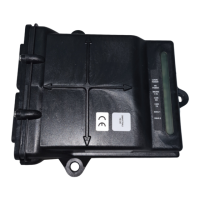
3. Ensure the Hawkeye nozzle control valves are recognized by the Hawkeye
®
Product Controller II ECU. If not,
repeat the Calibration Wizard. If the Hawkeye Product Controller II ECU is not present on the UT screen, check
the vehicle specific Hawkeye installation manual to verify the Hawkeye Product Controller II ECU cable harness
and vehicle power cable harnesses are installed correctly.
4. Ensure that the boom and flowmeter information have been properly entered into the equipment settings.
5. Ensure the pressure sensor(s) are calibrated properly.
a. Verify the correct sensor value is entered.
b. Relieve trapped pressure in the boom. Ensure the pressure sensor reads 0 PSI and calibrate.
6. Ensure the Min and Max PWM have been entered to match the specific value of the vehicle installed. Leaving
min at 0 will cause the valve to respond slowly while increasing pressure. If max is left at 100 PWM, the valve
may reduce pressure slowly.
7. Verify the boom configuration has been imported into the machine settings. Failure to do this will cause the
boom sections to not be recognized in a job. Virtual sections should show up in boom settings. If properly


 To Next Page
 Loading...