BAC K PAN EL
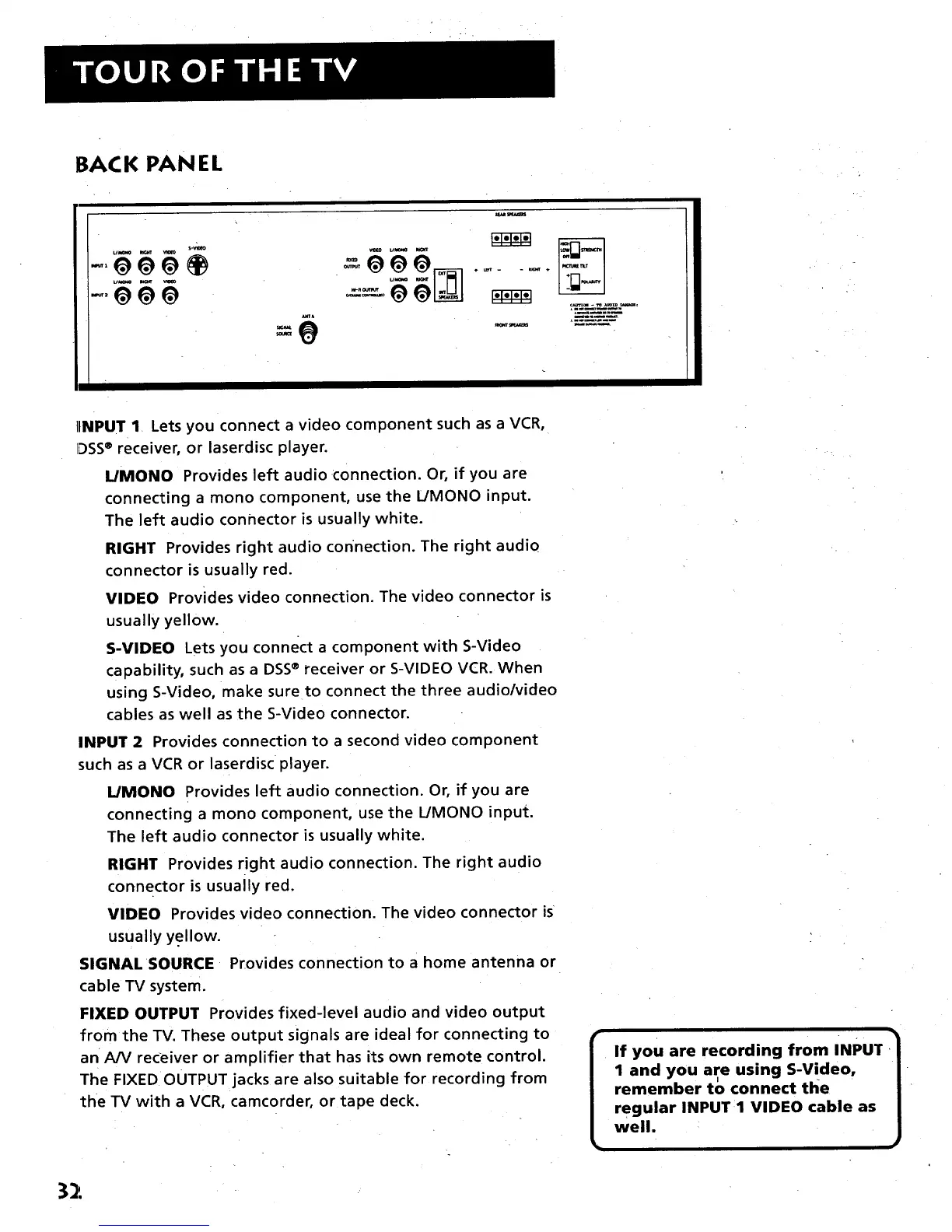
IINPUT 1 Lets you connect a video component such as a VCR,
IDSS® receiver, or laserdisc player.
L/MONO Provides left audio connection. Or, if you are
connecting a mono component, use the L/MONO input.
The left audio connector is usually white.
RIGHT Provides right audio connection. The right audio
connector is usually red.
VIDEO Provides video connection. The video connector is
usually yellow.
S-VIDEO Lets you connect a component with S-Video
capability, such as a DSS® receiver or S-VIDEO VCR. When
using S-Video, make sure to connect the three audio/video
cables as well as the S-Video connector.
INPUT 2 Provides connection to a second video component
such as a VCR or laserdisc player.
L/MONO Provides left audio connection. Or, if you are
connecting a mono component, use the L/MONO input.
The left audio connector is usually white.
RIGHT Provides right audio connection. The right audio
connector is usually red.
VIDEO Provides video connection. The video connector is
usually yellow.
SIGNAL SOURCE Provides connection to a home antenna or
cable TV system.
FIXED OUTPUT Provides fixed-level audio and video output
from the TV. These output signals are ideal for connecting to
an A/V receiver or amplifier that has its own remote control.
The FIXED OUTPUT jacks are also suitable for recording from
the TV with a VCR, camcorder, or tape deck.
If you are recording from INPUT I
I and you are using S-Video,
J
remember to connect the
regular INPUT 1 VIDEO cable as
well.
32



 To Next Page