CONNECTING EXTERNAL SPEAKERS
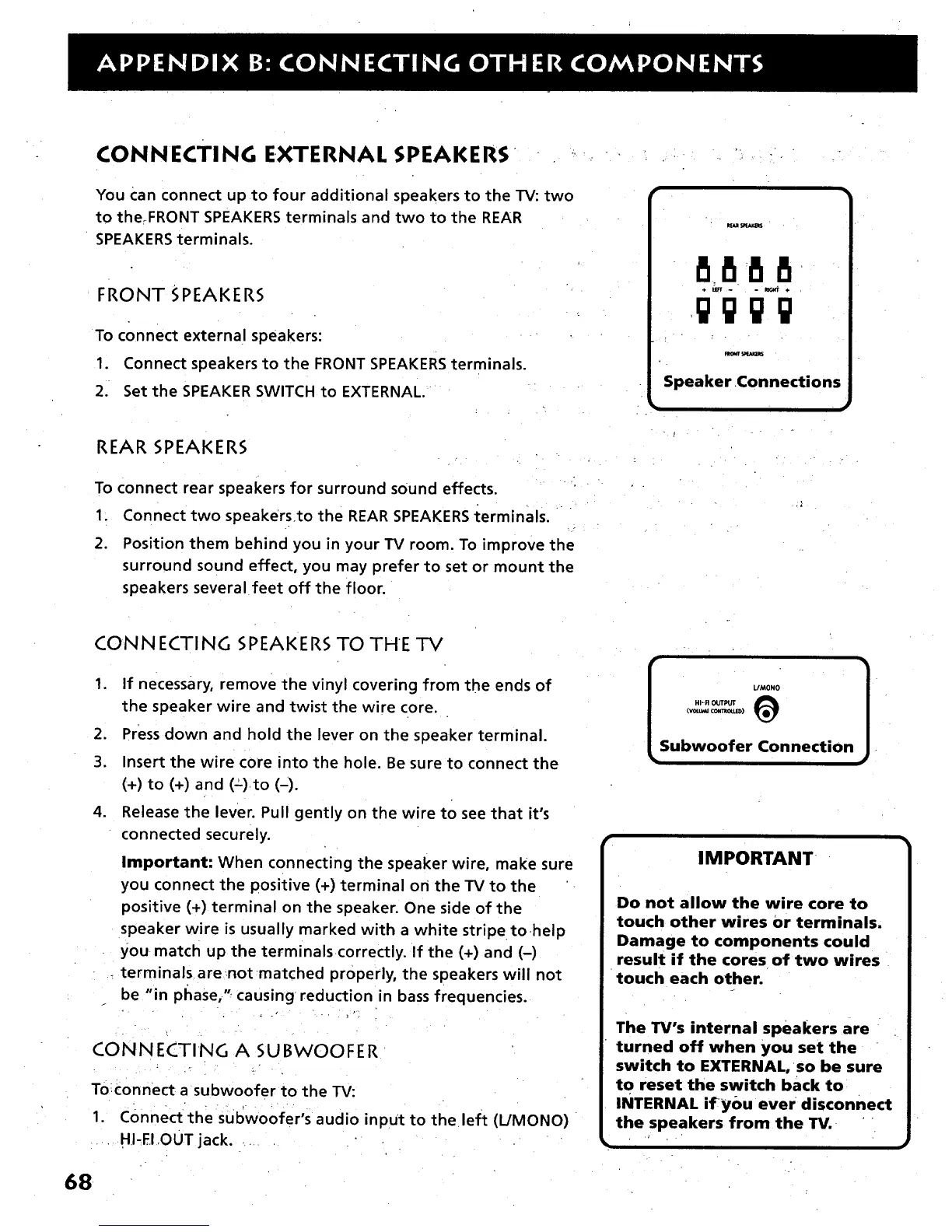
You Can connect up to four additional speakers to the TV: two
to the.FRONT SPEAKERS terminals and two to the REAR
SPEAKERS terminals.
FRONT SPEAKERS
To connect external speakers:
1. Connect speakers to the FRONT SPEAKERS terminals.
2. Set the SPEAKER SWITCH to EXTERNAL.
r
.. .. . .
8888
gggg
Speaker Connections
REAR SPEAKERS
To connect rear speakers for surround sound effects.
1. Connect two speakers.to the REAR SPEAKERS terminals.
2. Position them behind you in your TV room. To improve the
surround sound effect, you may prefer to set or mount the
speakers several feet off the floor.
CONNECTING SPEAKERS TO THE TV
,
,
3.
m
If necessary, remove the vinyl covering from the ends of
the speaker wire and twist the wire core.
Press down and hold the lever on the speaker terminal.
Insert the wire core into the hole. Be sure to connect the
{+) to (+) and (=).to (-).
Release the lever. Pull gently on the wire to see that it's
connected securely.
Important: When connecting the speaker wire, make sure
you connect the positive (+) terminal on the TV to the
positive (+) terminal on the speaker. One side of the
speaker wire is usually marked with a white stripe to-help
you match up the terminalscorrectly. If the (+) and (-)
terminalsarenotmatched properly, the speakers will not
be "in phase," causing reduction in bass frequencies.
CONNECTING A SUBWOOFER
Toiconnect a subwoofer to the TV:
1. COnnect the subwoofer's audio inpUt to the left (L/MONO)
• HI-El,OUT jack.
HI-FI OUTPUT
(vou.v_ CONT_O_,.Im)
Subwoofer Connection
0
IMPORTANT
Do not allow the wire core to
touch other wires or terminals.
Damage to components could
result if the cores of two wires
touch each other.
The TV's internal speakers are
turned off when you set the
switch to EXTERNAL, so be sure
to reset the switch back to
INTERNAL ify0u ever disconnect
the speakers from the TV.
m
68



 To Next Page