Commissioning DFA 127
13
102-127108955 V1.1 50/ 102
Simplified Start-Up
IMPORTANT
The simplified start-up is only possible as of software version 2.10.
Learning running parameters
Learning sensors
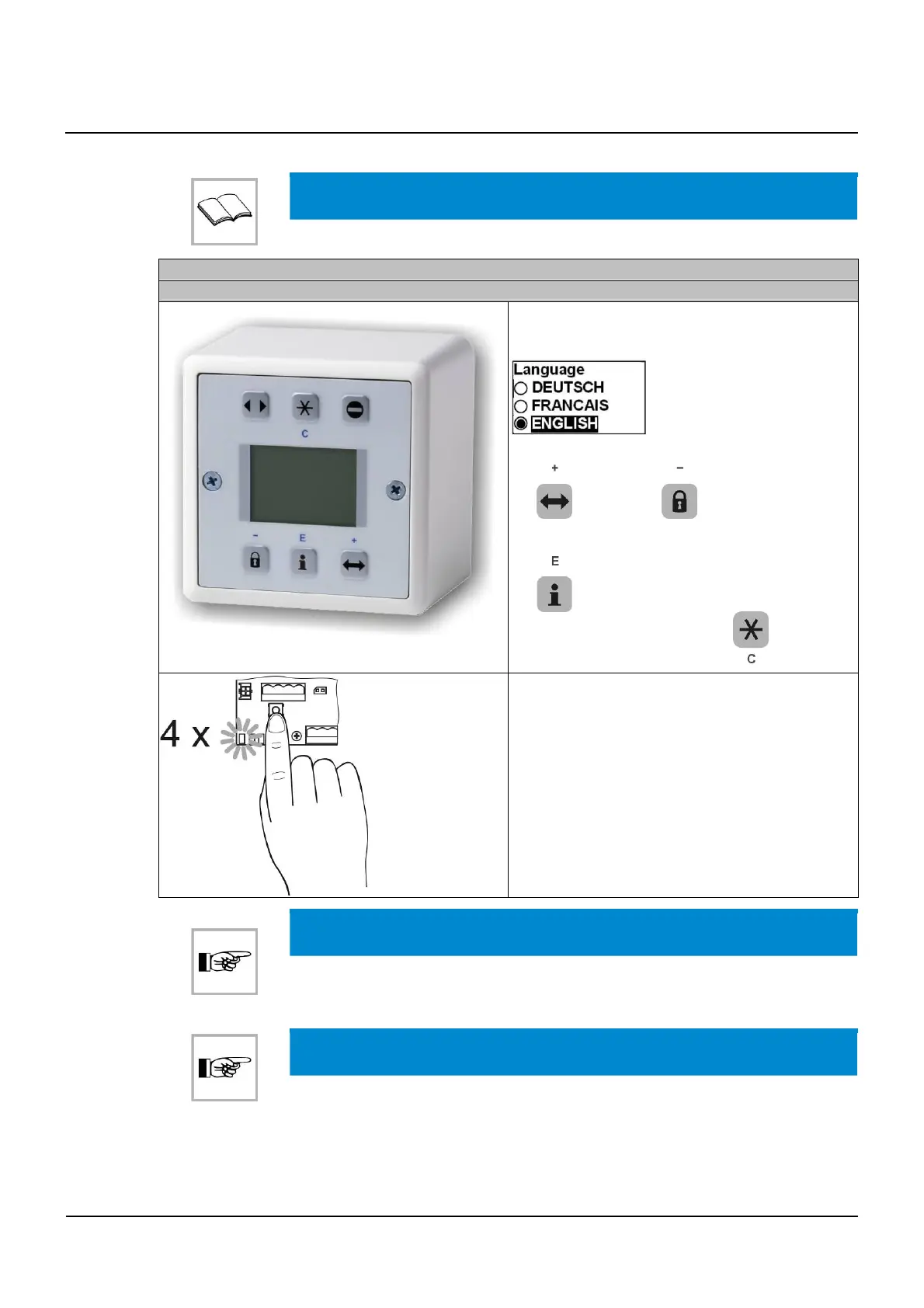
After the first installation of the BDE-D, the follow-
ing display appears:
▪ Navigation through the menu with button
and button
▪ Select language and confirm with button
▪ Exit the menu with button
Press the multifunction key until the diode emits 4
light pulses.
The following menu appears:
▪
Show status
(show current status)
▪
Configure system
(setting important sys-
tem parameters)
▪
Param STG
(access for experts, all pa-
rameters for STG)
▪
Param Sensor
(access for experts, all
parameters for sensors)
NOTICE
During the start-up procedure, it is important that no objects or persons are within
the passage.
NOTICE
The function
Configure system
is not supported by software version 2.30.
13.3



 To Next Page