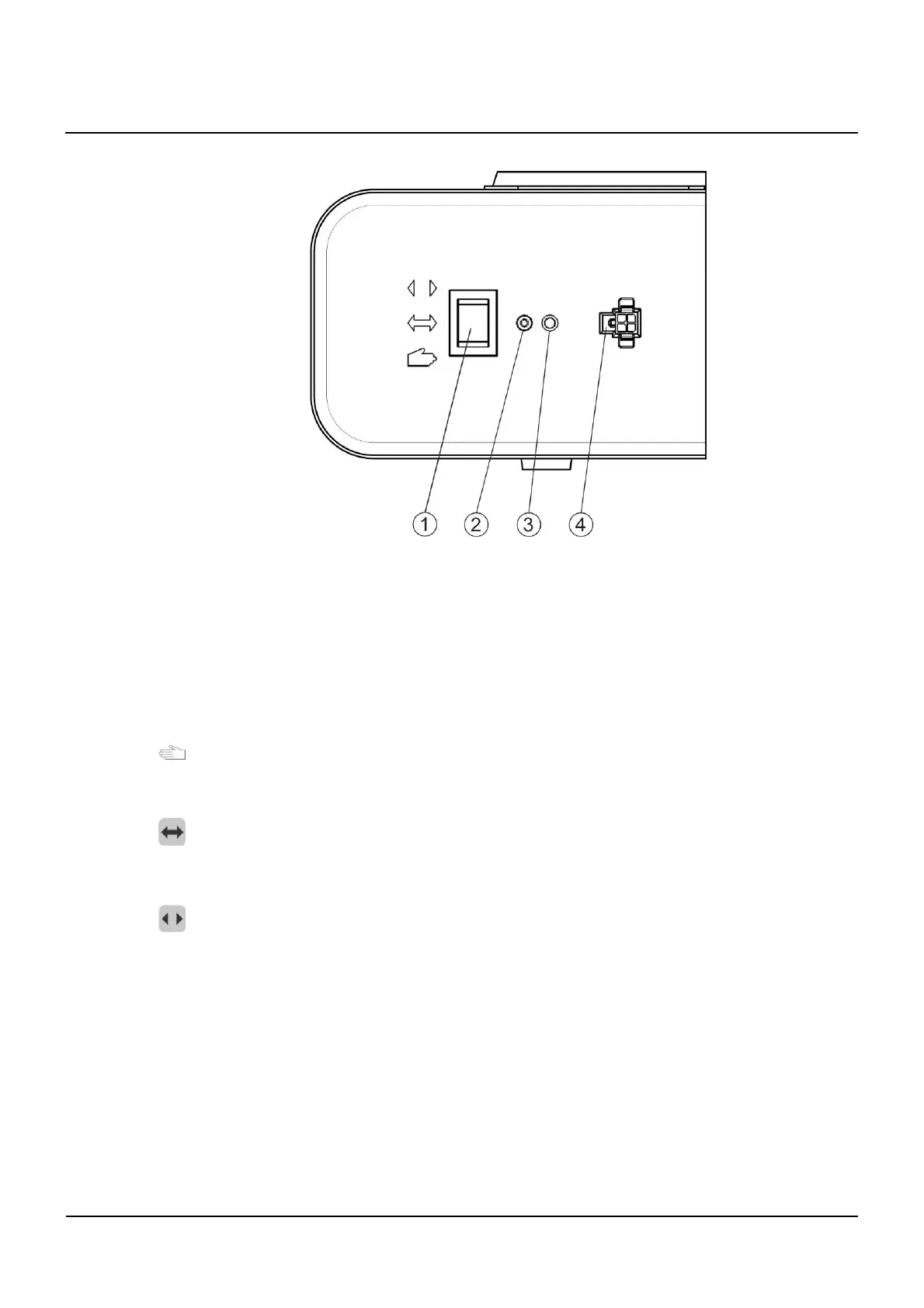
Mech. control elements and indication
15
102-127108955 V1.1 58/ 102
Mech. control elements and indication
① Mechanical BDI with 3 positions (control toggle switch)
② Reset button
③ Status display
④ Connector for Service- and Flashprogrammer FPC 902
Mechanical BDI (control toggle switch)
If available, the following operational modes can be set up with the 3-position toggle switch:
Manual operation:
In this operation mode, the DFA works as a normal door-closer. It can easily be opened ma-
nually, and then closes automatically. The connected actuating elements are deactivated.
Automatic:
The door opens and closes automatically, either through the activation of an activation de-
vice or by pushing the door with activated touch control.
Continuously open:
The door opens and remains in the open position. If an obstacle is encountered while open-
ing, the DFA will attempt 5 times within a few seconds to bring the door to the set open posi-
tion. If the obstacle is still present, the current position will be accepted as the continuously-
open position (Status 9
Opening unsuccessful
is displayed).
By factory default setting, the mechanical BDI is always active. If an additional electronic
BDE-D is connected, the operating mode will be set at the highest priority by a defined prior-
ity structure in the BDE-D.
The priority and the code shown in the following table apply to the operating mode, whereby
BDE1 (S1) and BDE2 (S2) represent the two STG input terminals (→ J7/1 + J7/2, Print BDE-
M) for the mechanical BDE:
(L = interruption or 0V, H = +24V)
15
15.1



 To Next Page