50
DISCONNECTING FROM THE TAC
Disconnecting from the TAC is only temporary. See the
UNPAIRING instructions below if permanent unpairing
is needed.
NOTE: At this time, only one Teal 2 may be
connected to a TAC at a time. Disconnect
the vehicle from the TAC before connecting
a different one.
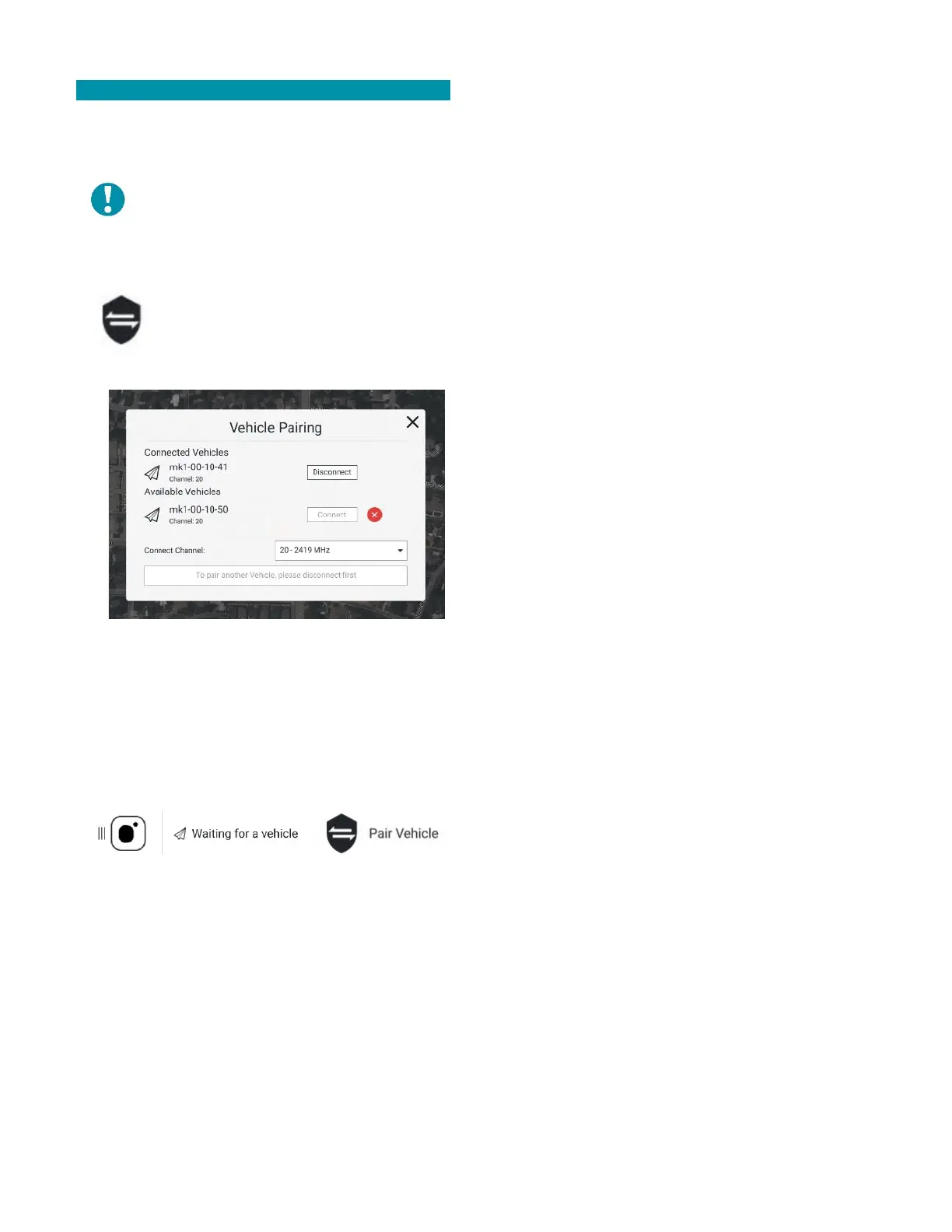
Touch the shield icon at the top-right
corner of the FLY SCREEN to open the
VEHICLE PAIRING window.
Select the DISCONNECT button for the vehicle ID.
Select the CONFIRM button.
The WAITING FOR A VEHICLE and PAIR VEHICLE icons
reappear at the top of the screen indicating that the
disconnection was successful.



 To Next Page