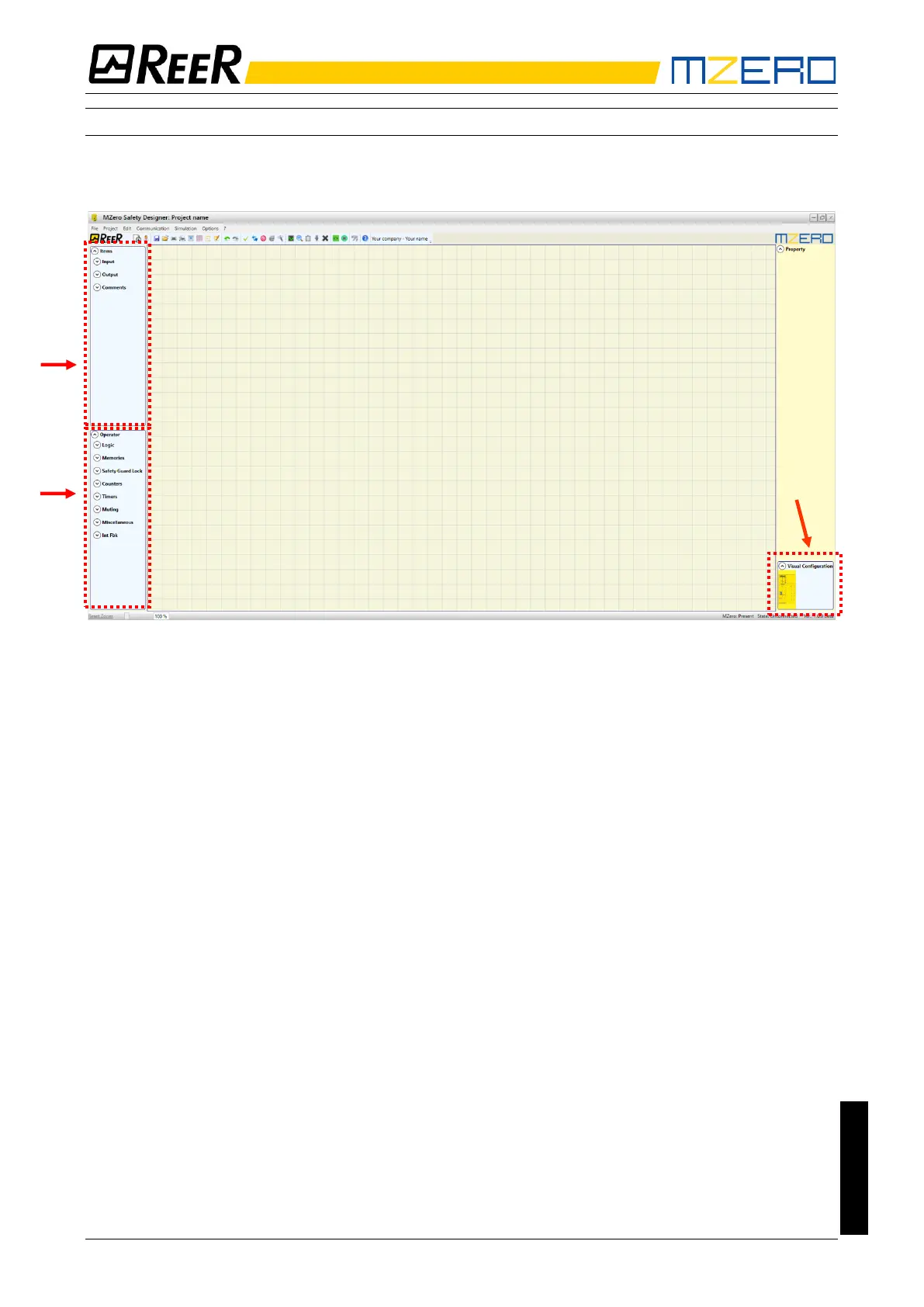
OBJECTS - OPERATOR - CONFIGURATION tool bars
Three large tool windows are displayed to the left and right of the main window (shown
in Figure 18):
Figure 18
1 > OBJECT TOOL WINDOW
This window contains the various function blocks that will make up your project; these
blocks are divided into three different types:
- Inputs
- Outputs
- Comments
2 > OPERATOR TOOL WINDOW
This window contains the various function blocks for connecting the objects in point 1;
these blocks are divided into eight different types:
- Logic
- Memories
- Safety Guard Lock
- Counters
- Timers
- Muting
- Miscellaneous
- Int Fbk
3 > CONFIGURATION TOOL WINDOW (view)
This window contains the graphic representation of your MZERO composition.


 To Next Page