Muting Closing: There are two types, CURTAIN and SENSOR. If you select CURTAIN muting closes
when the input signal rises, if you select SENSOR it closes when the third sensor has been cleared.
Select CURTAIN
Blind Time: Only with Muting Close=Curtain, blind time is enabled when it is known that after a
complete transition of the pallet (muting cycle close) some protruding objects could still occupy
the light curtain and send the input to 0 (FALSE). During blind time the input remains 1 (TRUE).
Blind Time can range from 250 ms to 1 second.
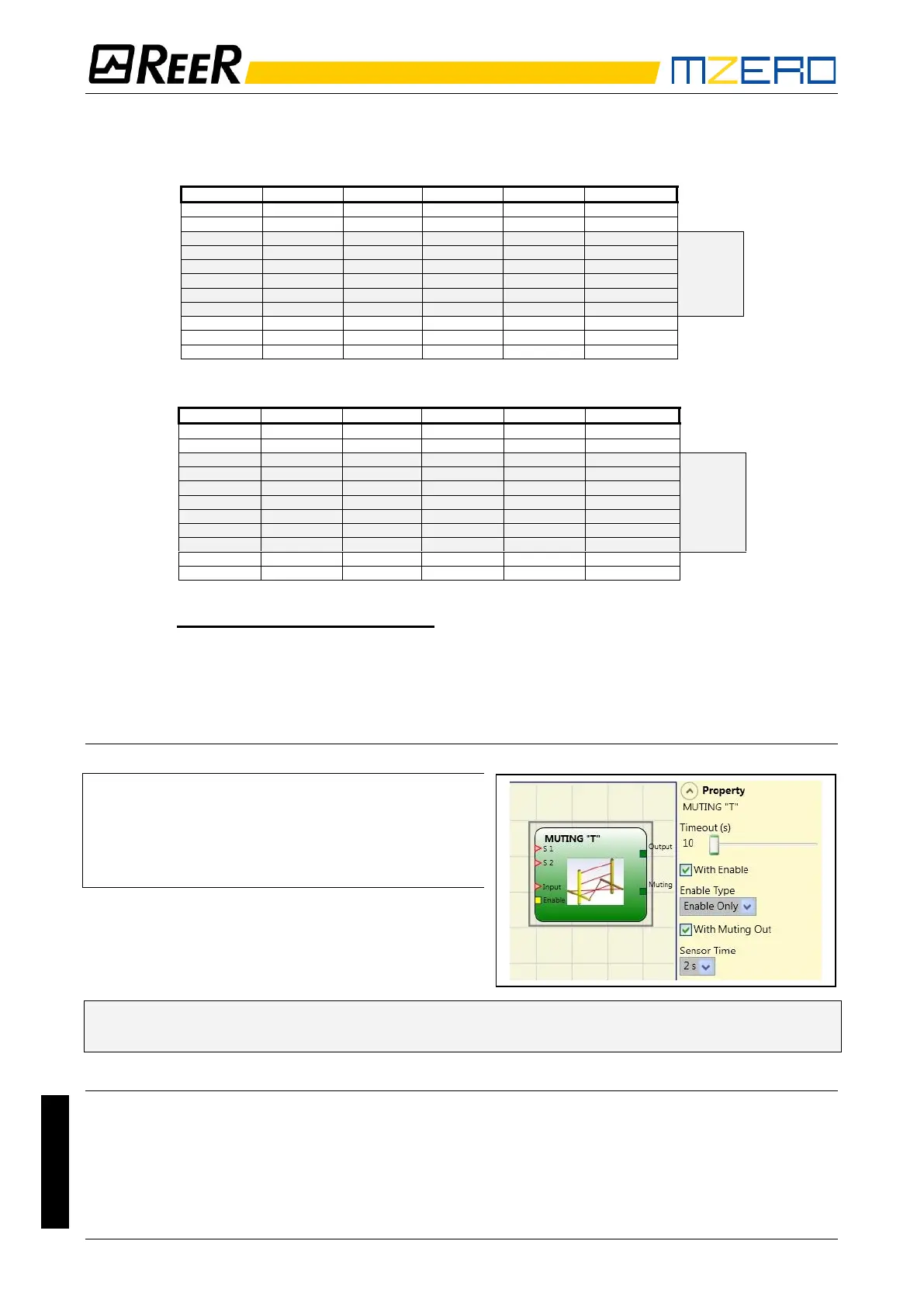
MUTING “T”
The activation of the Muting function occurs following
interruption of the sensors S1 and S2 beam (the order does
not matter) within a time range from 2s and 5s decided by
the operator.
The state of the Muting ends after the liberation of at least
one of the two sensors.
The MUTING operator with “T” logic performs
muting of the input signal through sensor
inputs S1 and S2.
➔ Preliminary condition: The Muting cycle can only start if S1 and S2 are 0 (FALSE) and the
inputs are 1 (TRUE) (safety curtain free).
Parameters
Timeout (sec): Sets the time, between 10 secs and unlimited, within which the Muting cycle must
end. If the cycle is not complete at the end of this time, Muting is immediately discontinued.
With Enable: When checked let the user the possibility of enabling or not enabling the Muting
function. Otherwise the Muting function is always enabled.
Enable Type:


 To Next Page